Market Price
Market Price is used for menu items whose prices change frequently.
Instead of setting a fixed price for the menu item, you can designate the item as a MARKET PRICE ITEM.
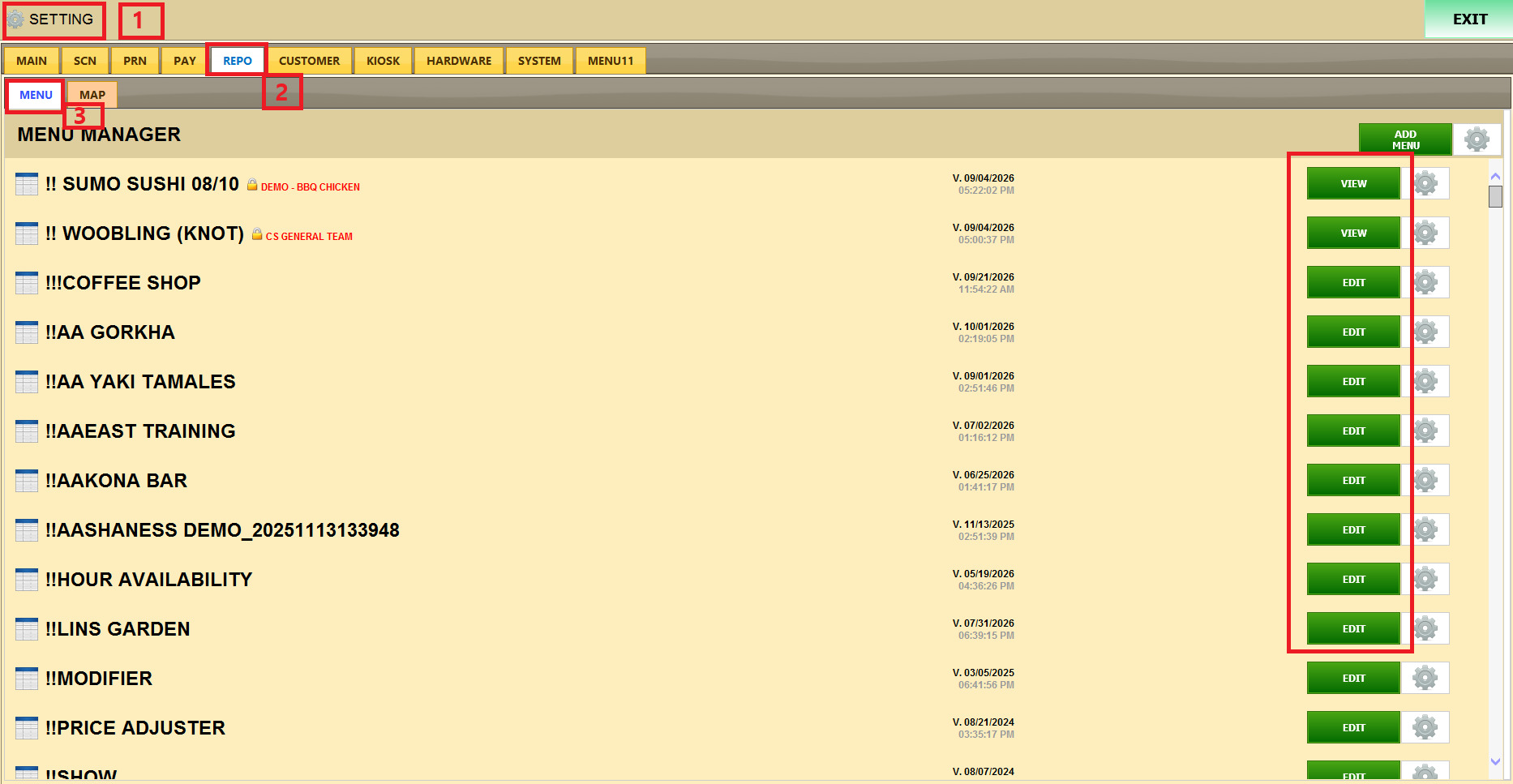
MAIN > SETTING > REPO > MENU
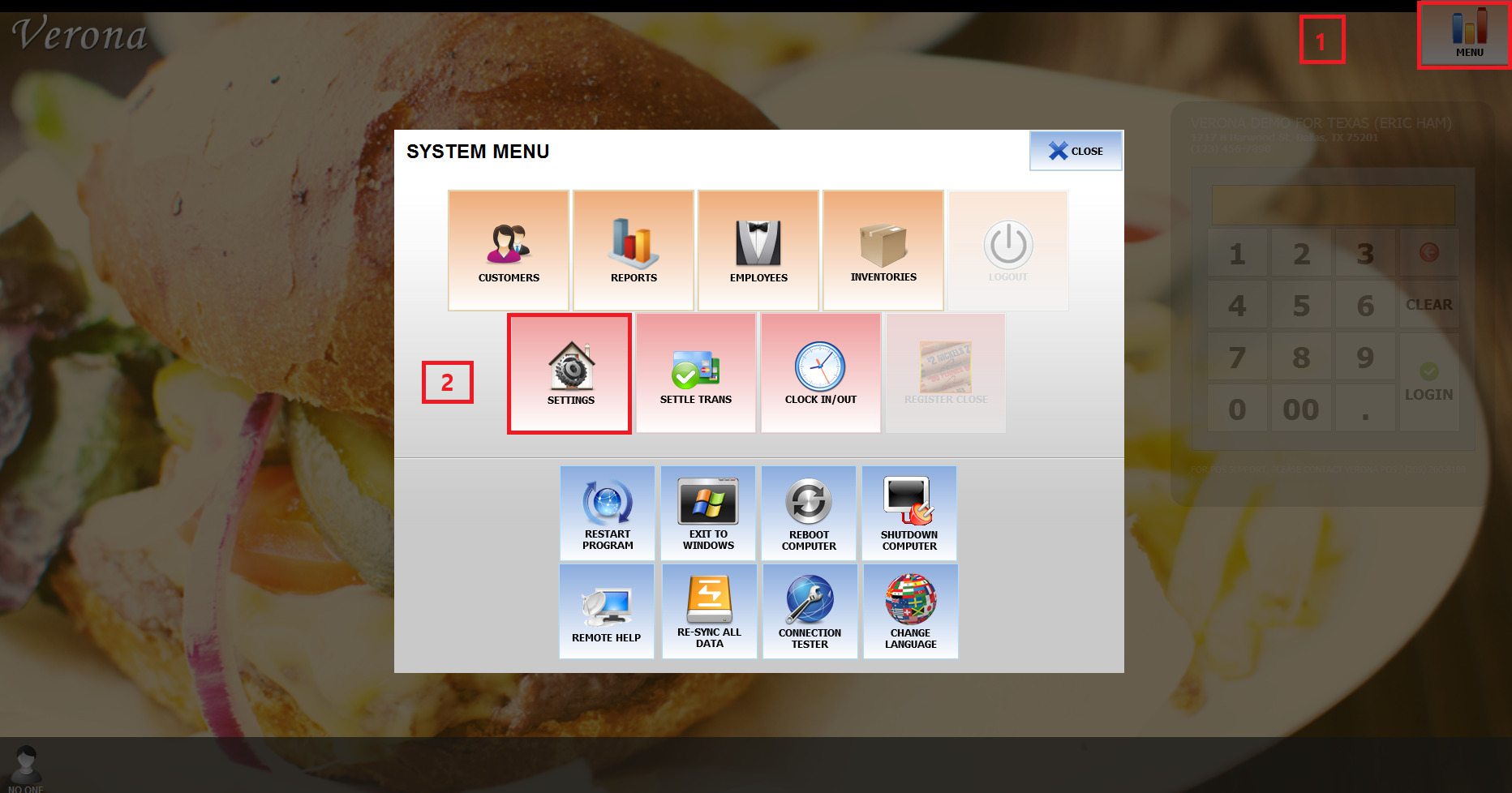
Tap MENU in the upper-right corner of the main screen and select SETTINGS
Go to REPO and MENU and press on EDIT
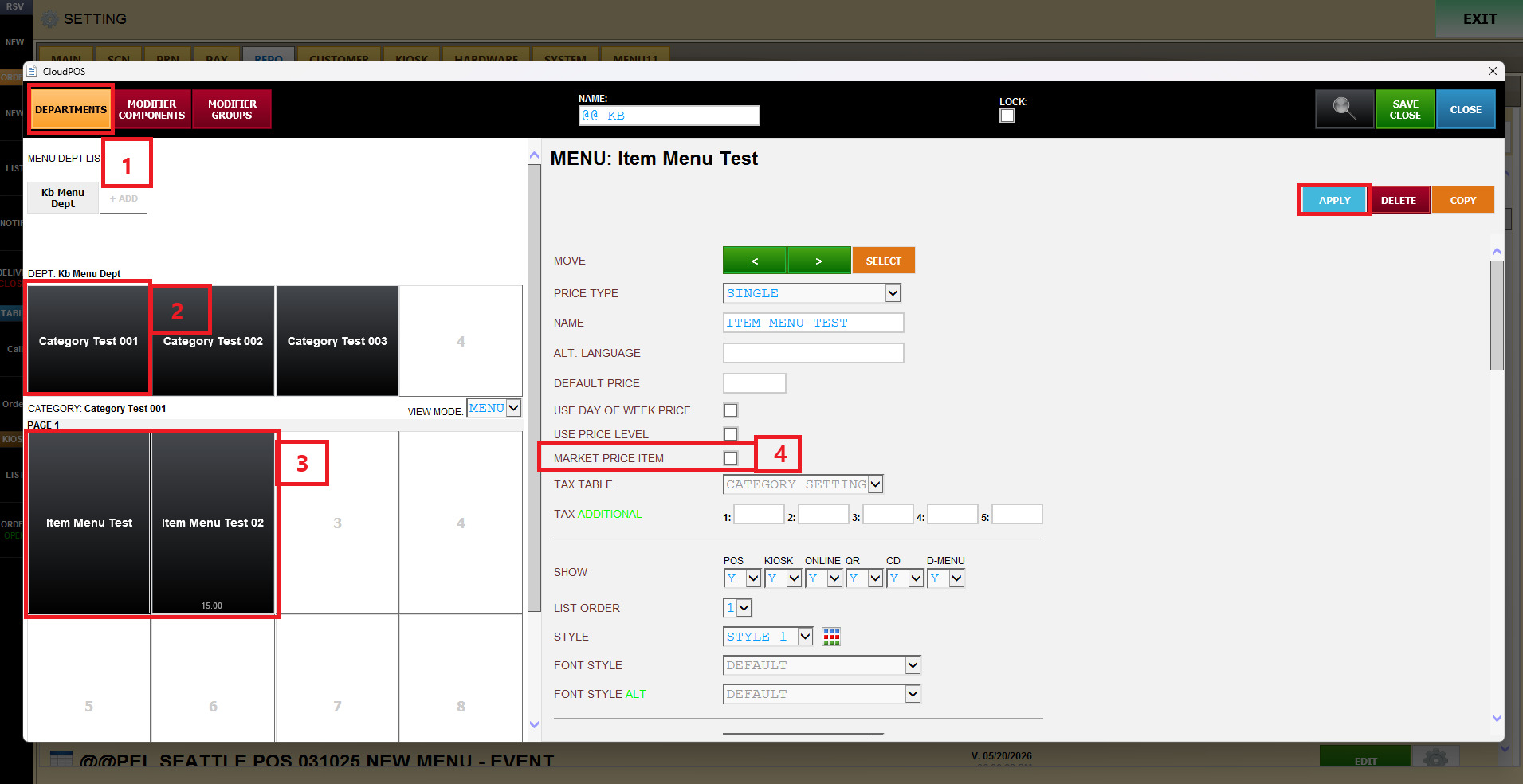
Go to department and category, and the item, and scroll on the right side of the screen
chack market price item.
Result:
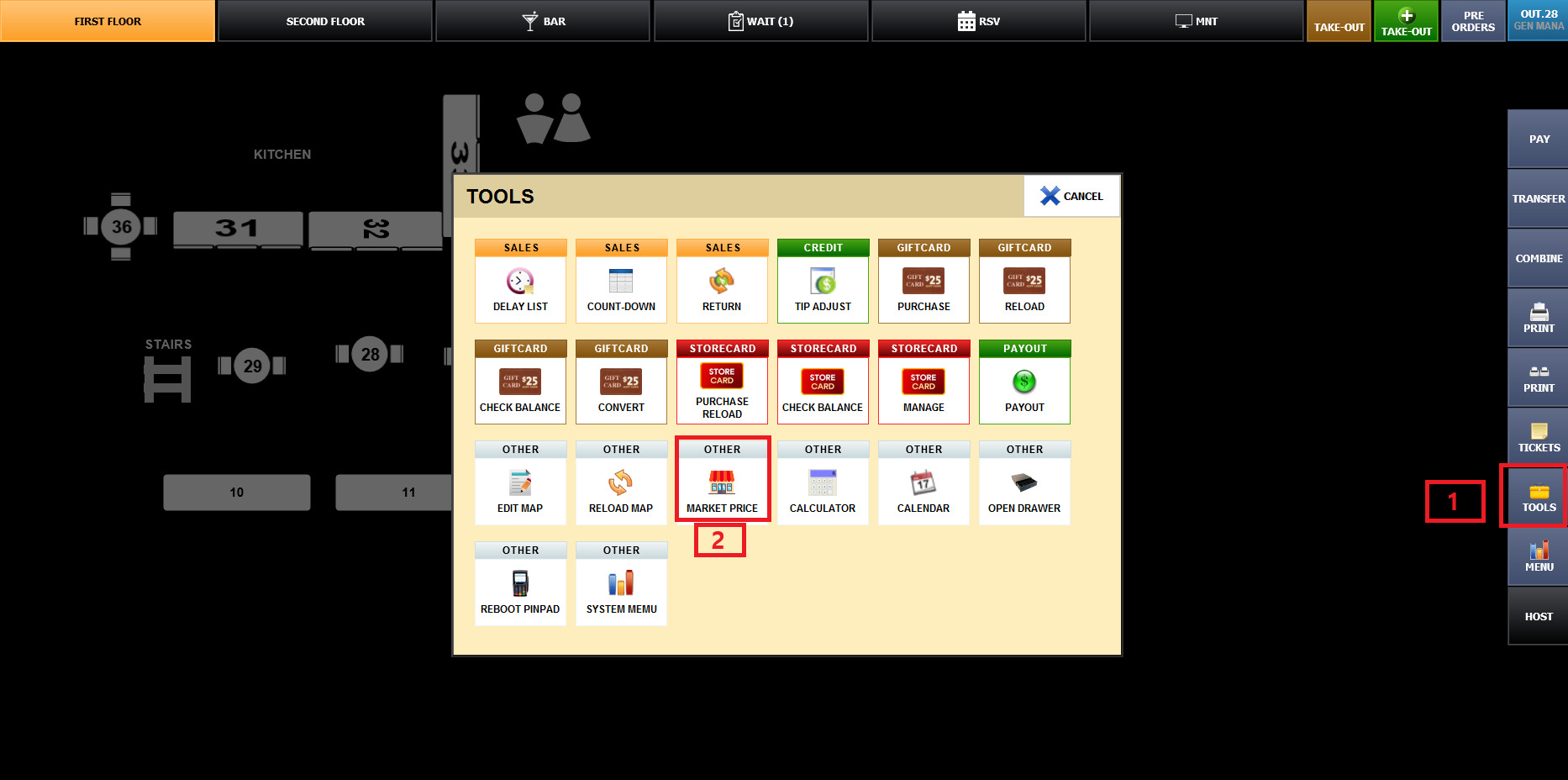
On the sales screen, tap TOOLS on the right.
In the OTHER section of the TOOLS window, tap MARKET PRICE.
Confirm SCREEN, CATEGORY, and MENU columns identify the item being sold.
Tap the PRICE field and use the number pad to enter the exact selling price
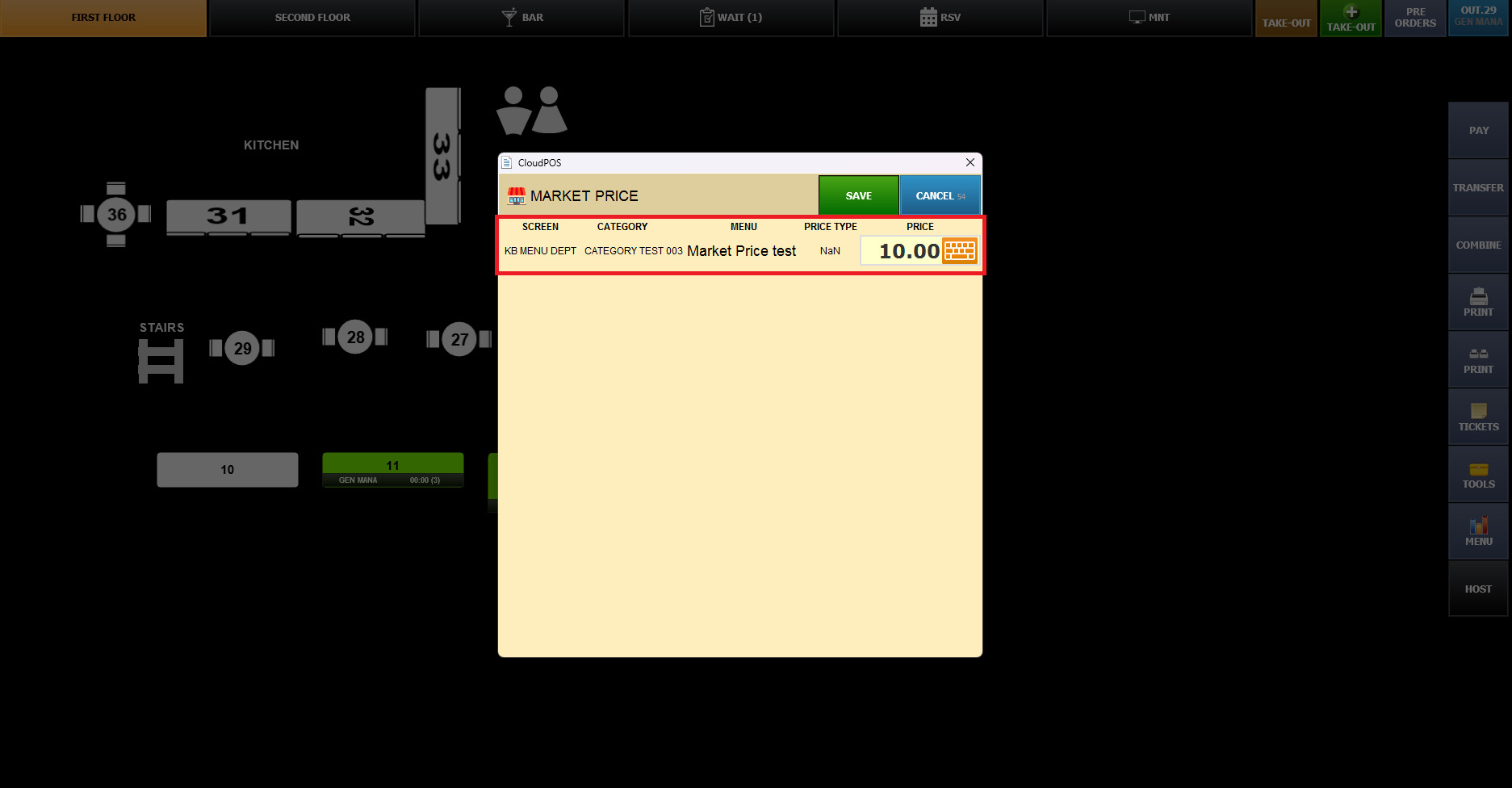
On the sales screen, select the menu item configured as Market Price
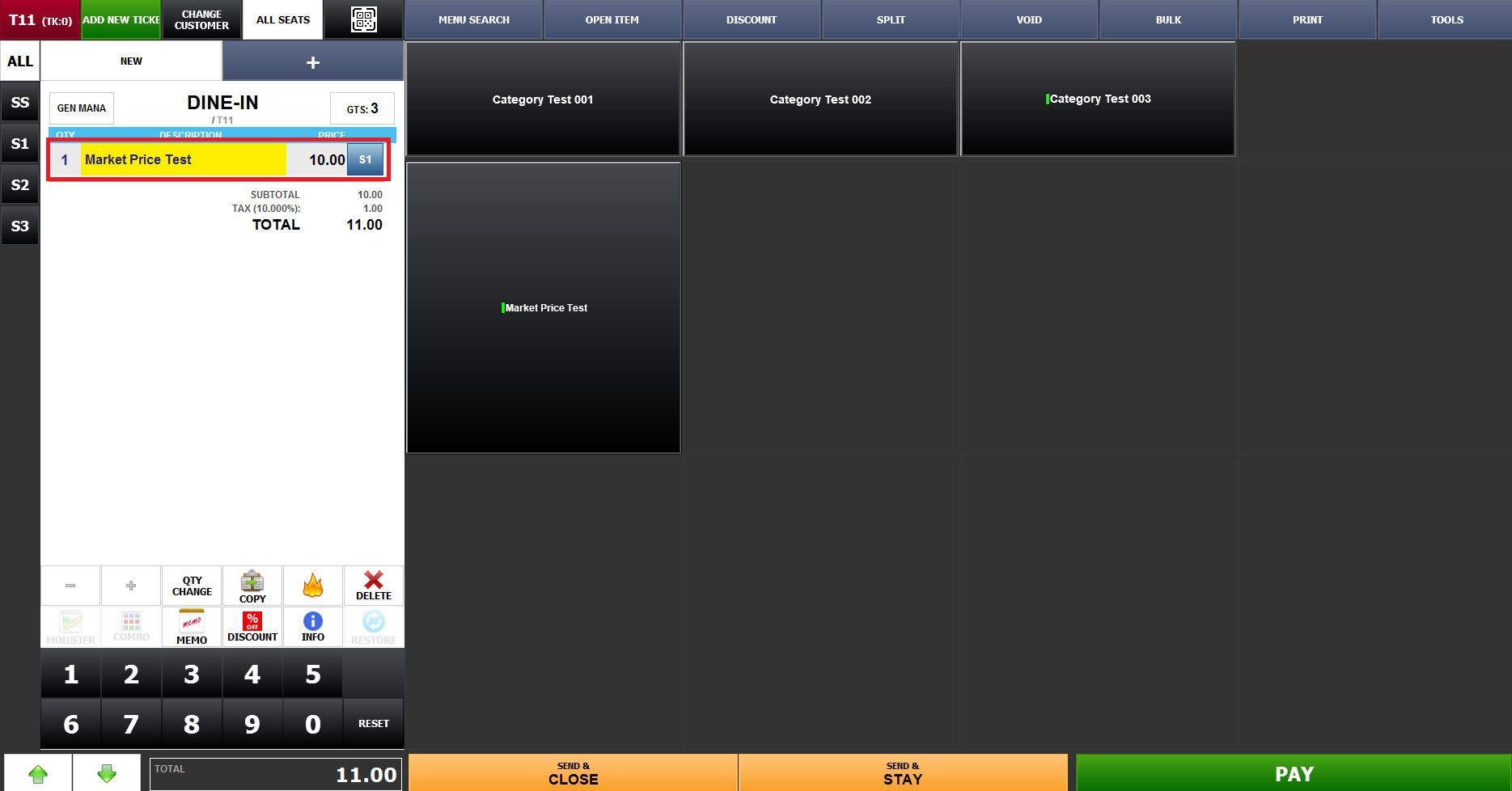
If a menu item is configured as a MARKET PRICE ITEM,
a Market Price must be set before the item can be ordered.

This is useful when the price of an item changes depending on the current selling price.
To learn how to create and configure department layouts, refer to the Create a Department guide.