Market Price
This function allows users to manage and update the price of items with variable or frequently changing costs directly from the POS system. This helps businesses quickly adjust pricing for products such as seafood, seasonal items, or daily specials without modifying the full menu configuration.
Main Screen> Number Pad> Sales Screen> TOOLS> MARKET PRICE
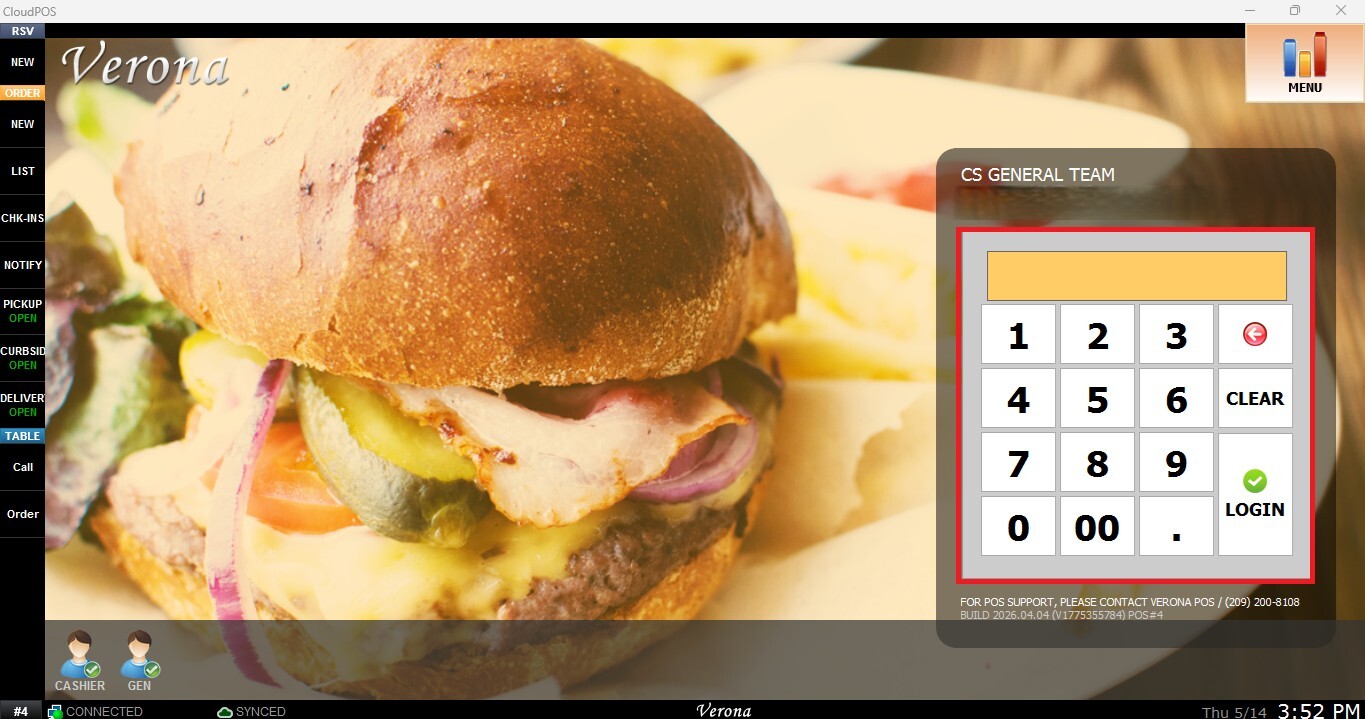
From the Main Screen, use the number pad and enter the assigned employee's password to log in.
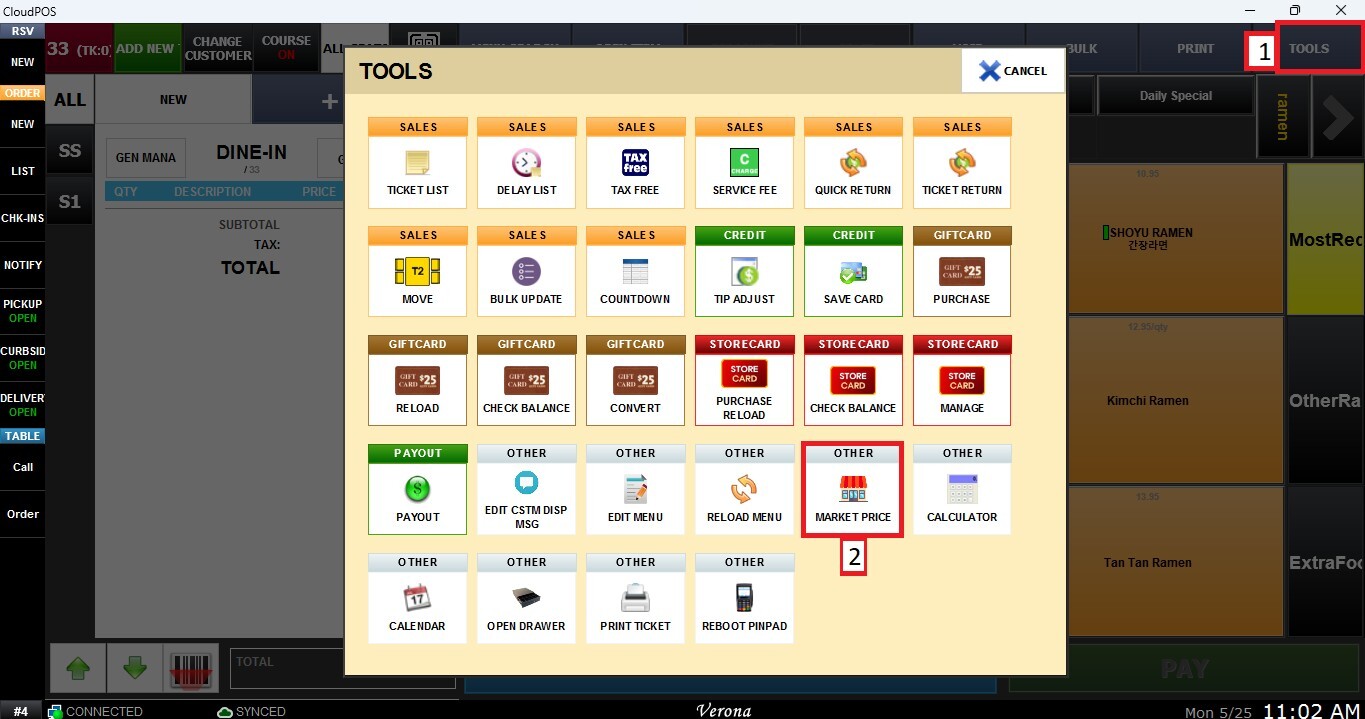
From the Sales Screen, click TOOLS, then select MARKET PRICE.
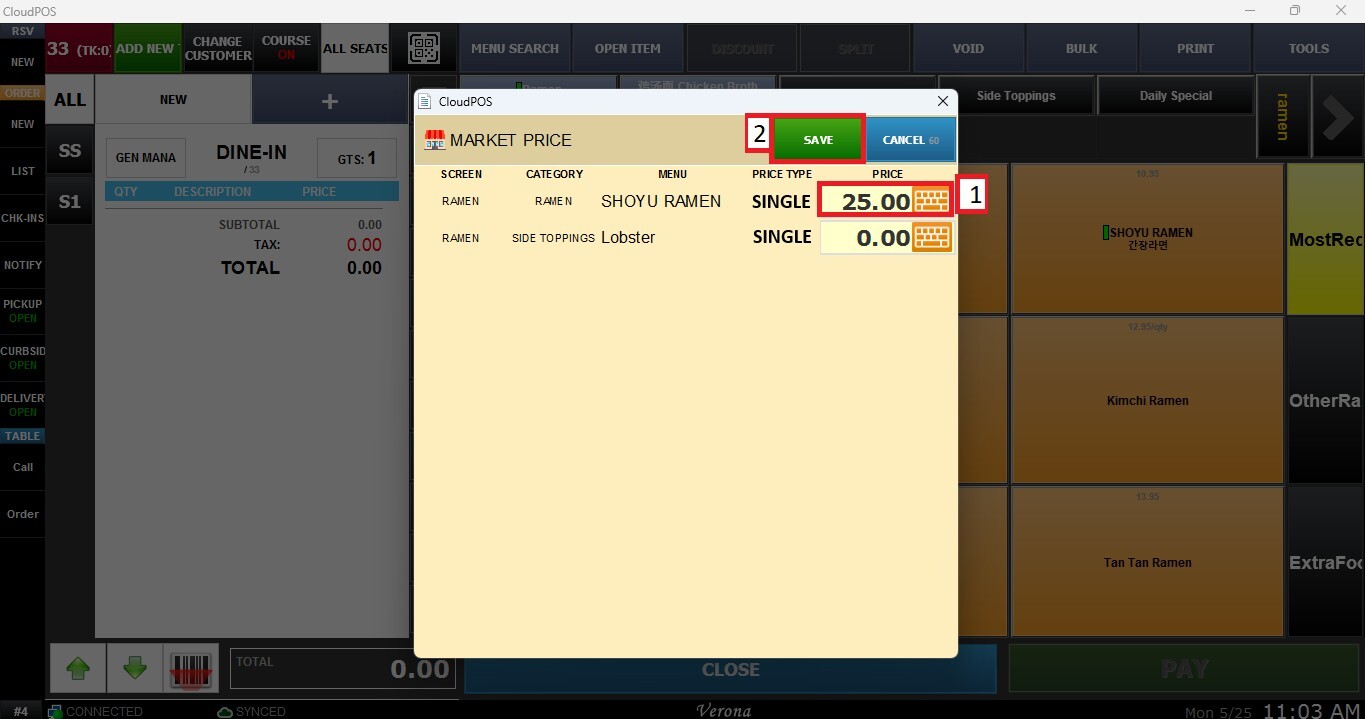
A window will appear displaying all items configured to use Market Price functionality. Enter the new price value and press SAVE.
NOTE: Access to the Market Price function may require specific employee permissions depending on system configuration. To learn more about employee permissions, please refer to MODIFY A EMPLOYEE GROUP AND PERMISSIONS Kb.
Result:
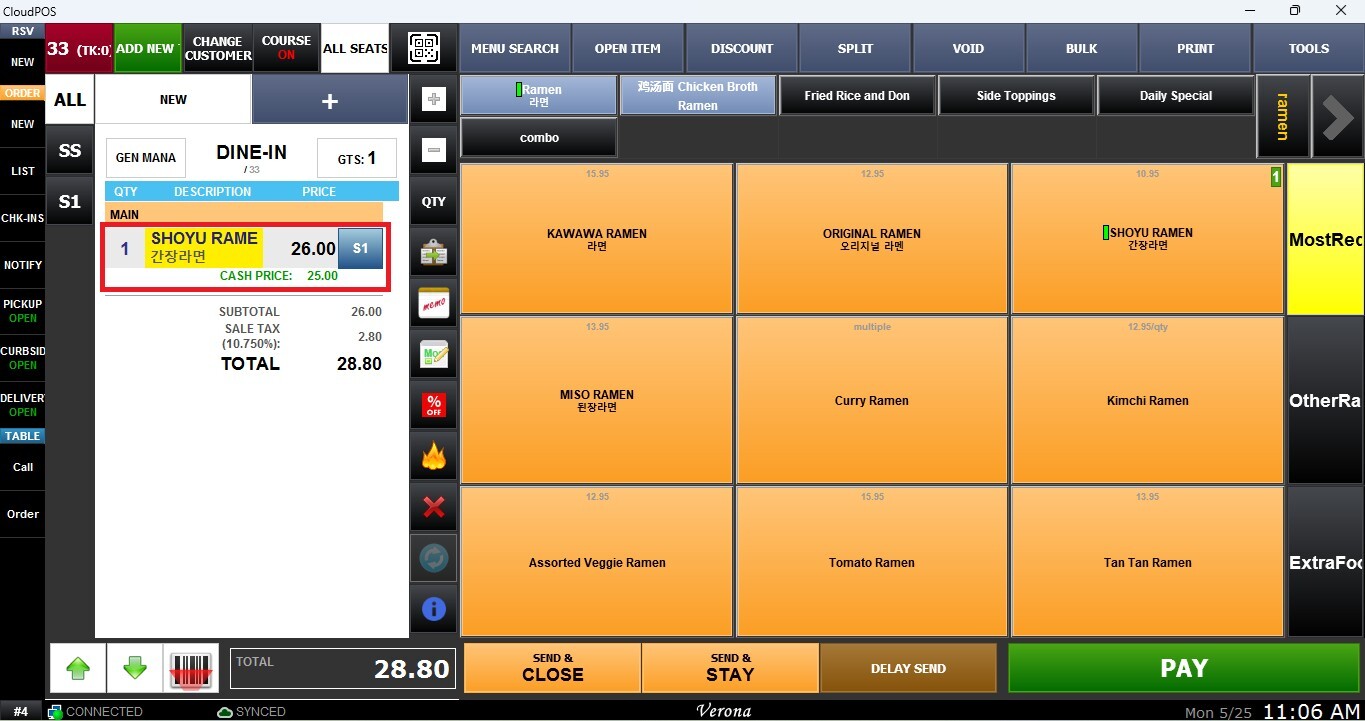
Once updated, the new Market Price will automatically apply to the configured item during future transactions on the Sales Screen.
For more information about how to set up Market Price items, refer to the Market Price section in the ACTION CONTROL KB.