How to Perform a Register Open
This procedure is performed at the beginning of the business day to record the starting cash in the drawer and prepare the system for daily operations. Properly completing this process helps ensure accurate cash tracking and a smooth start to the business day.
Main Screen> Number Pad> REGISTER OPEN
From the Main Screen, use the number pad and enter the assigned employee's password to log in.
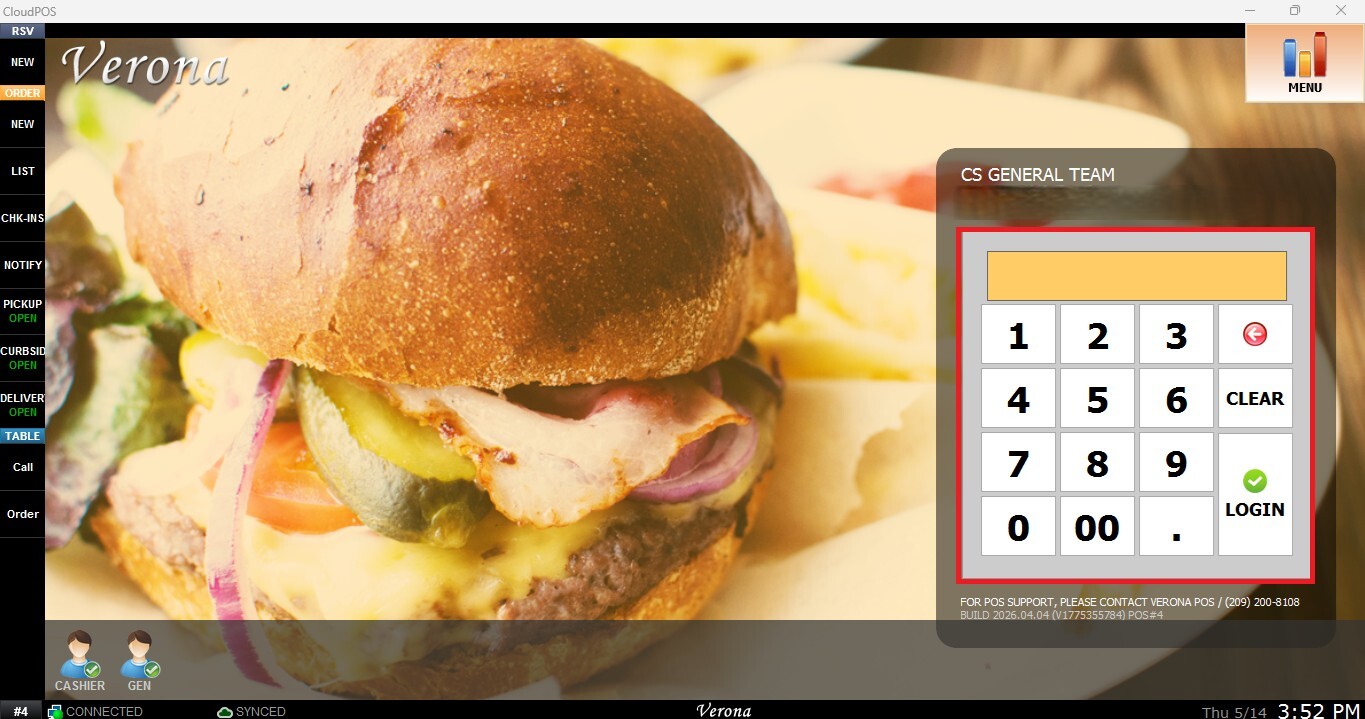
When accessing the sales screen at the beginning of the shift, the system automatically directs the user to the REGISTER OPEN screen.
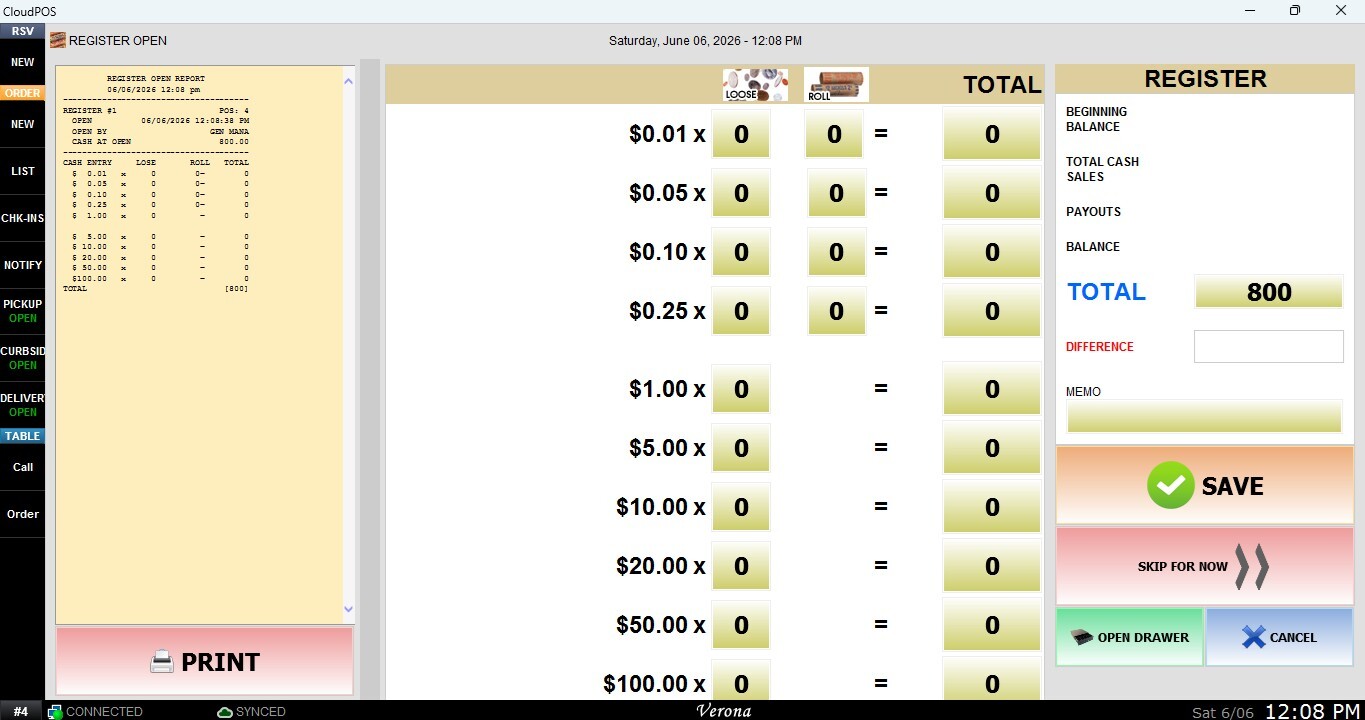
Hint: If the Register Open screen doesn’t appear, it may be because the register is still open or someone has already completed the Register Open process. To resolve this, complete a Register Close first. You can review the How to Perform a Register Close guide.
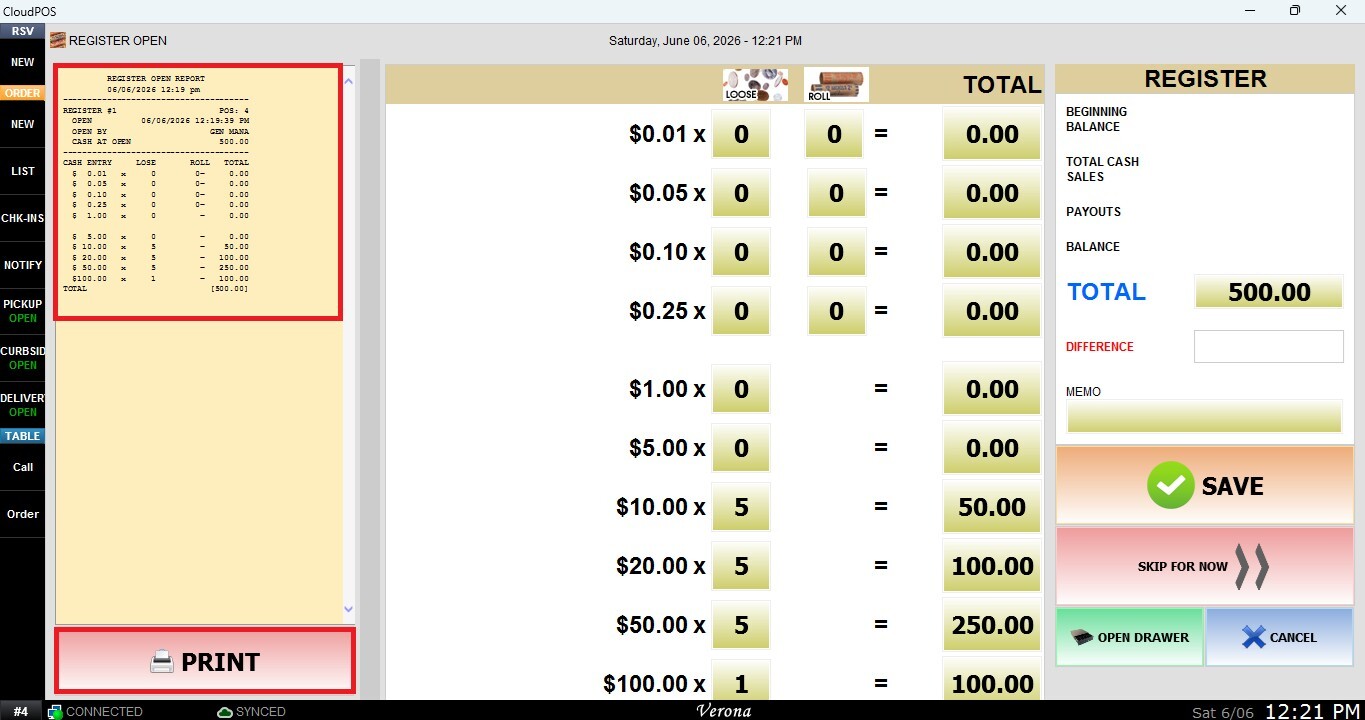
Register Open Report
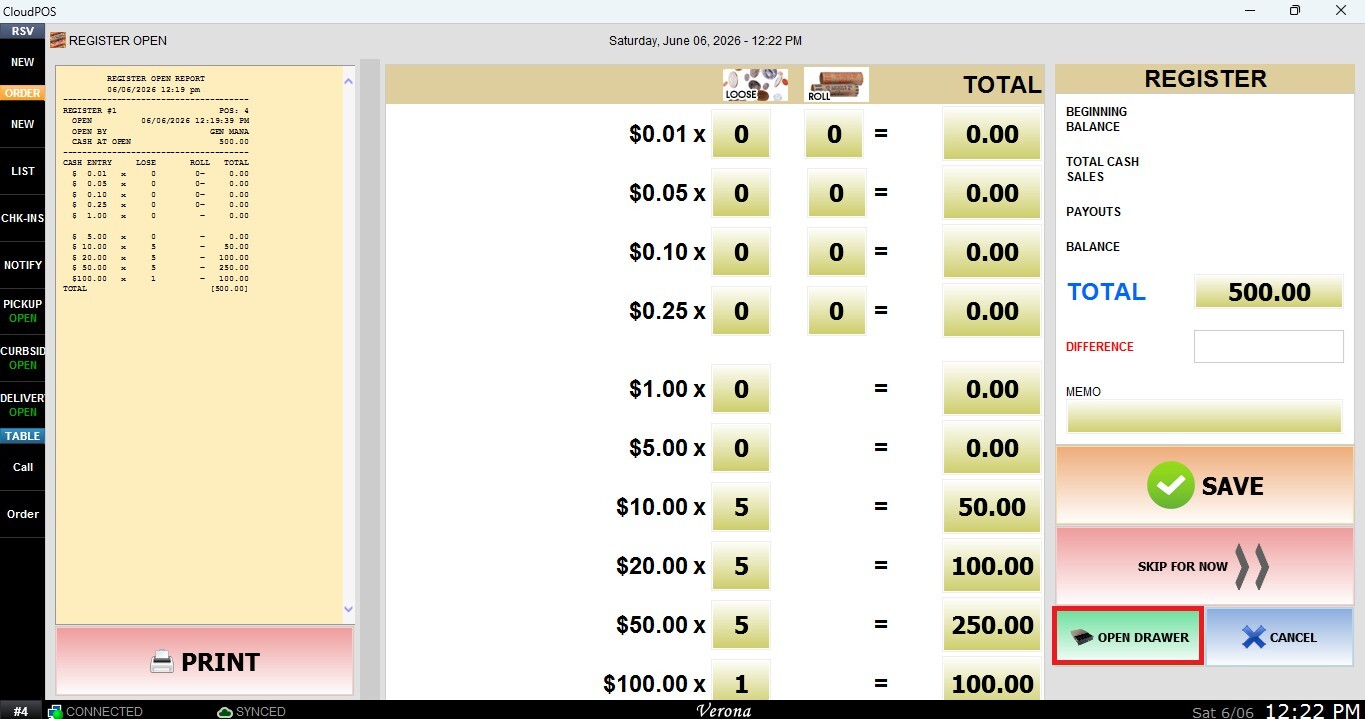
Displays the current register report. Since the register has just been opened, the report will typically be empty. Press PRINT to print a copy for cash control or record-keeping purposes.
Skip for Now
Allows access to the Table Map without completing the Register Open process.
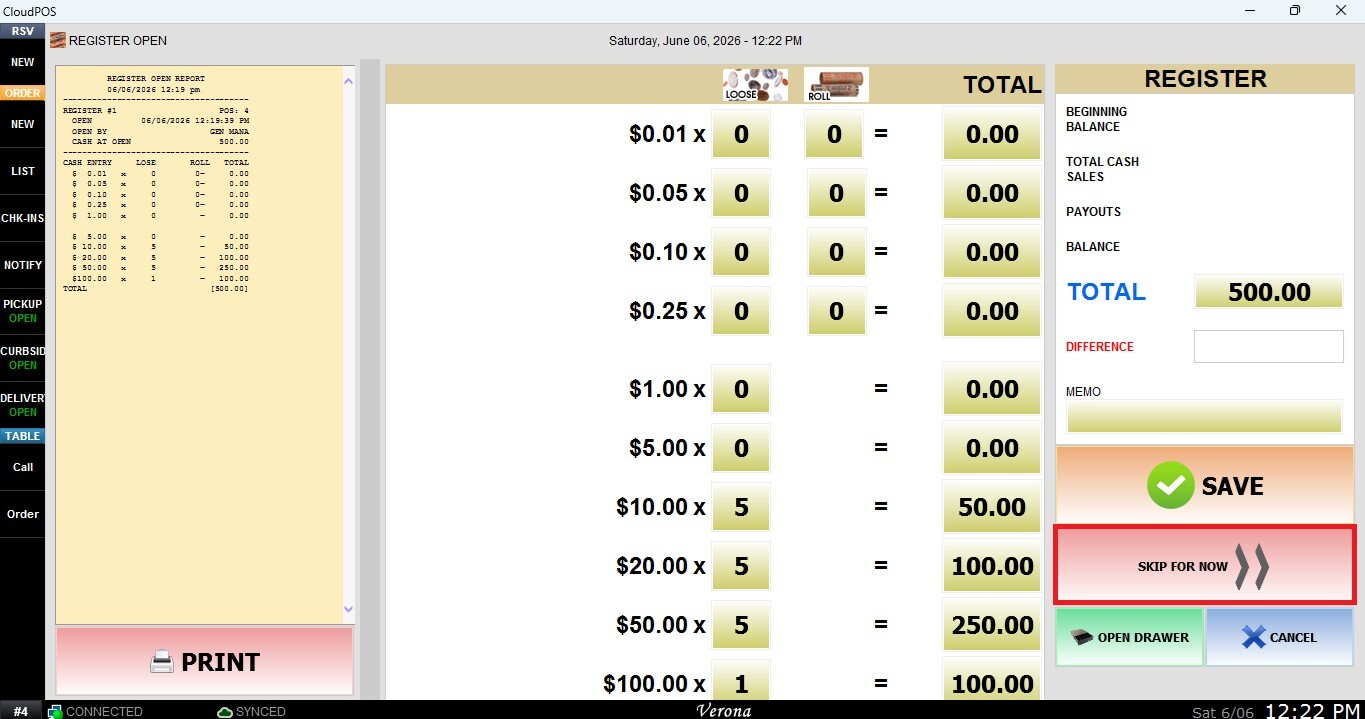
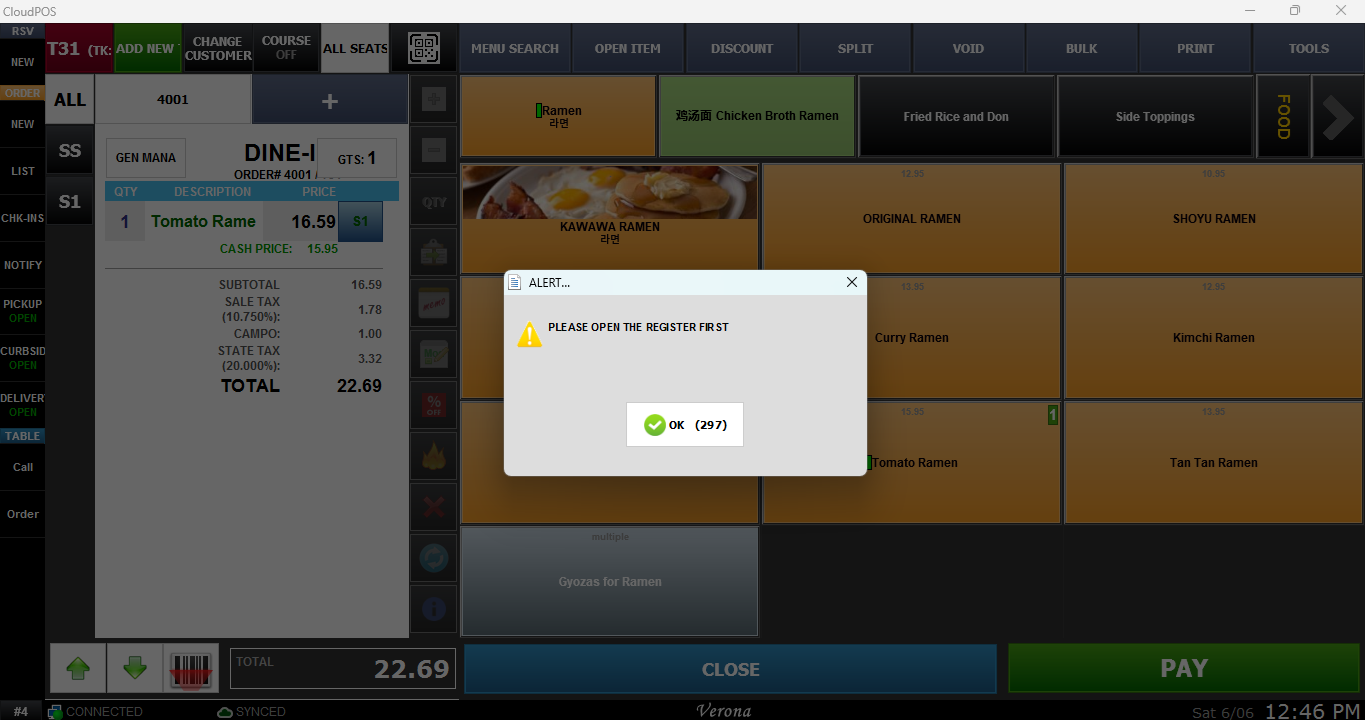
While this option provides access to the table map interface, no transactions can be processed until the register has been successfully opened.
Open Drawer
Opens the connected cash drawer without performing the Register Open process. This can be useful when access to the cash drawer is required for operational purposes before or during the register opening procedure.
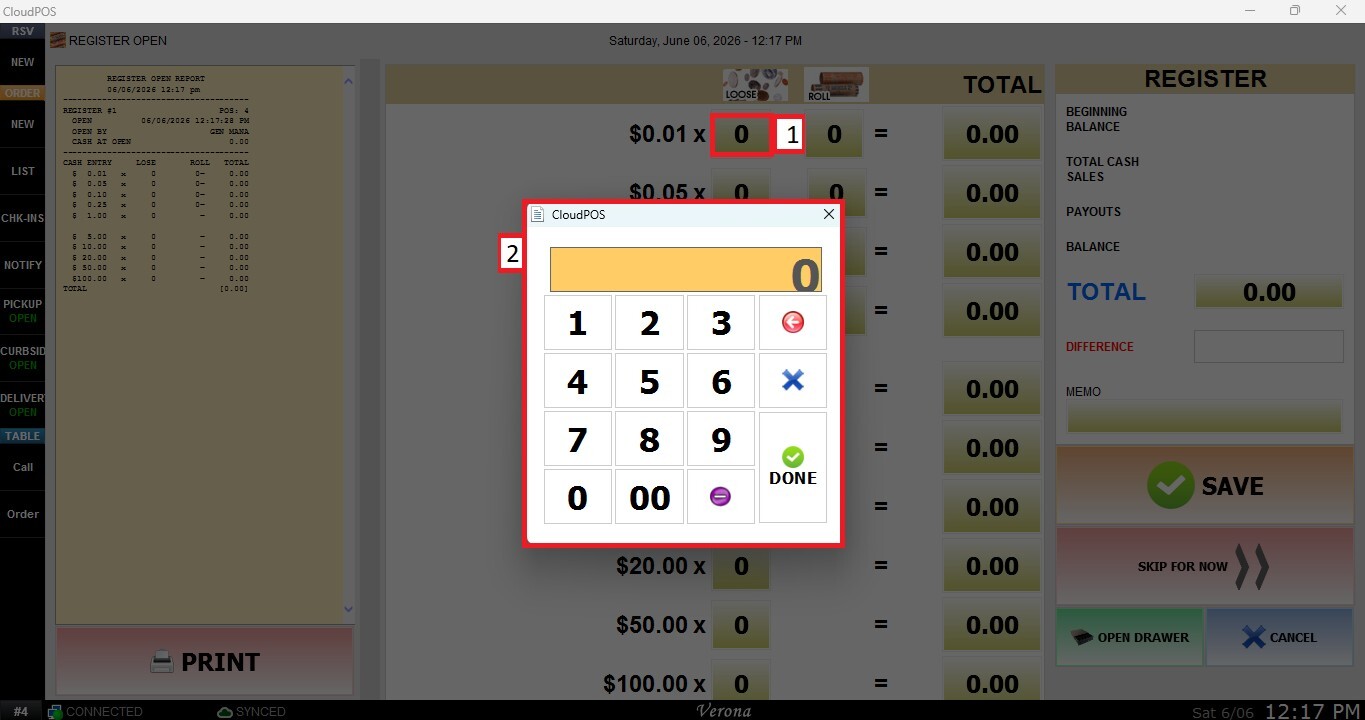
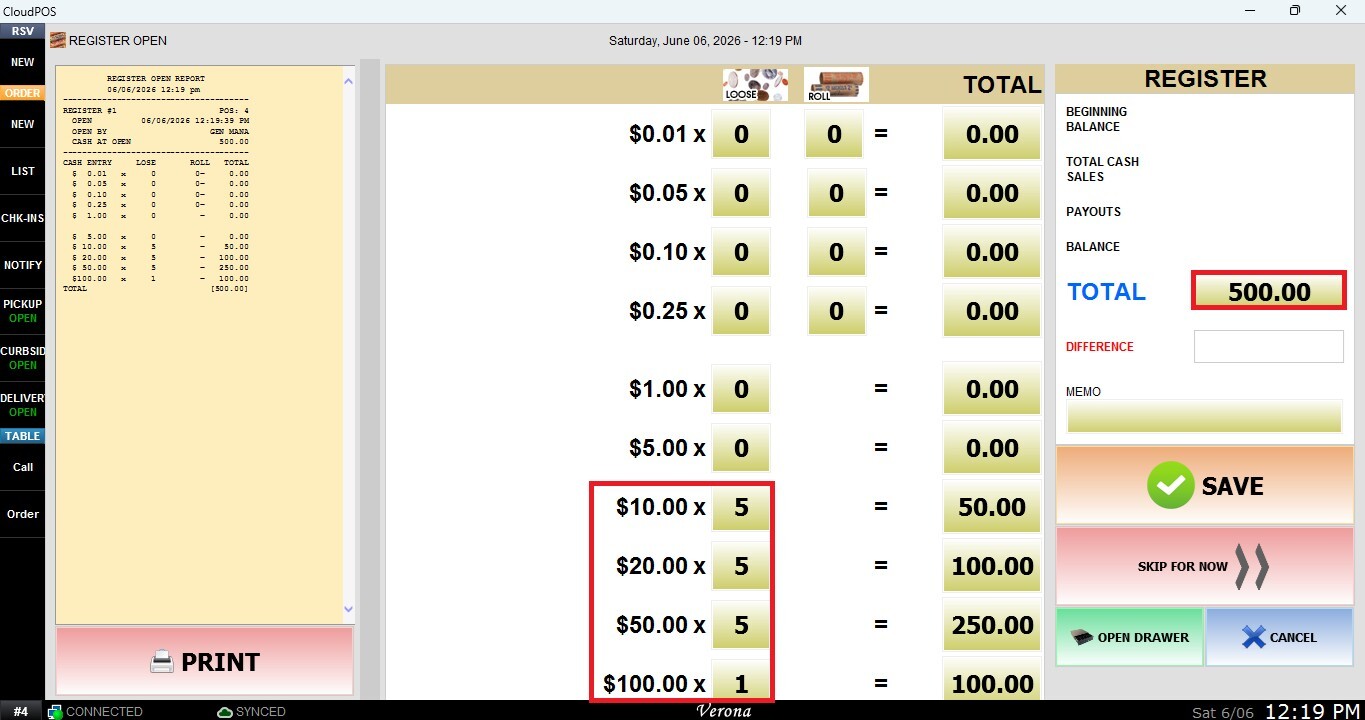
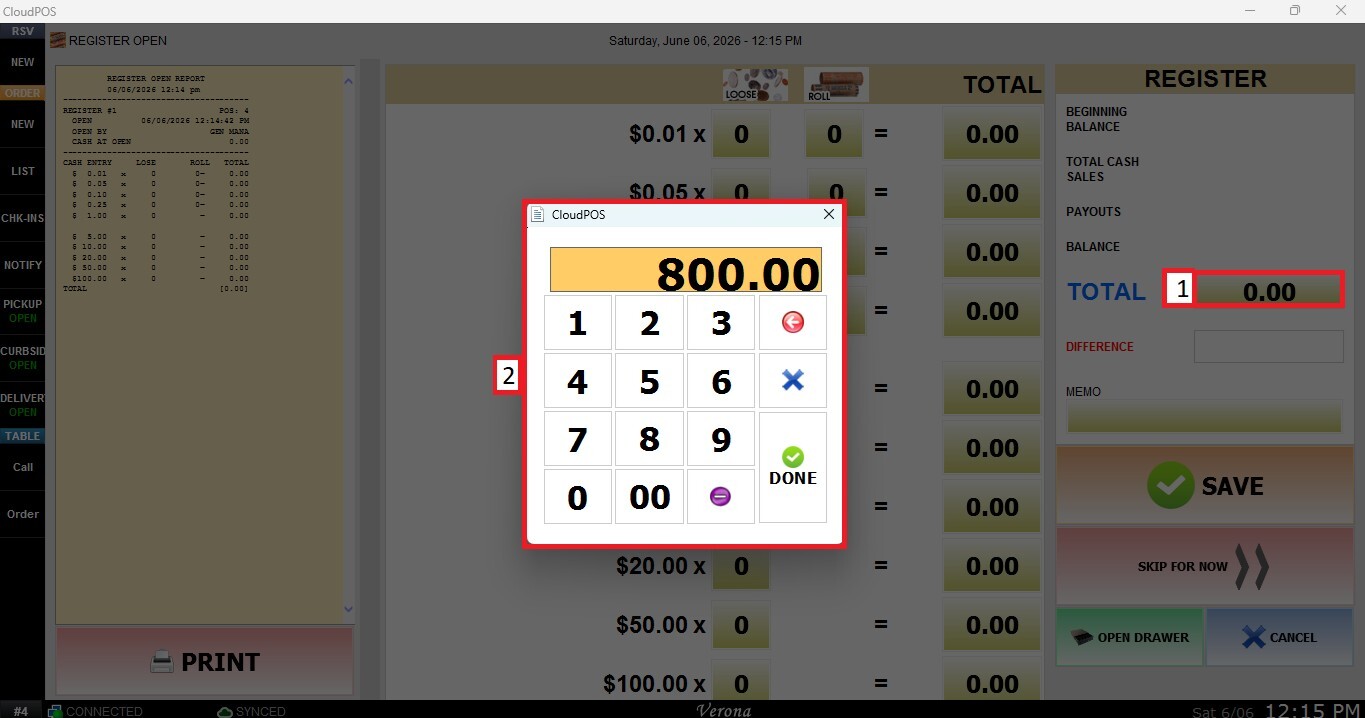
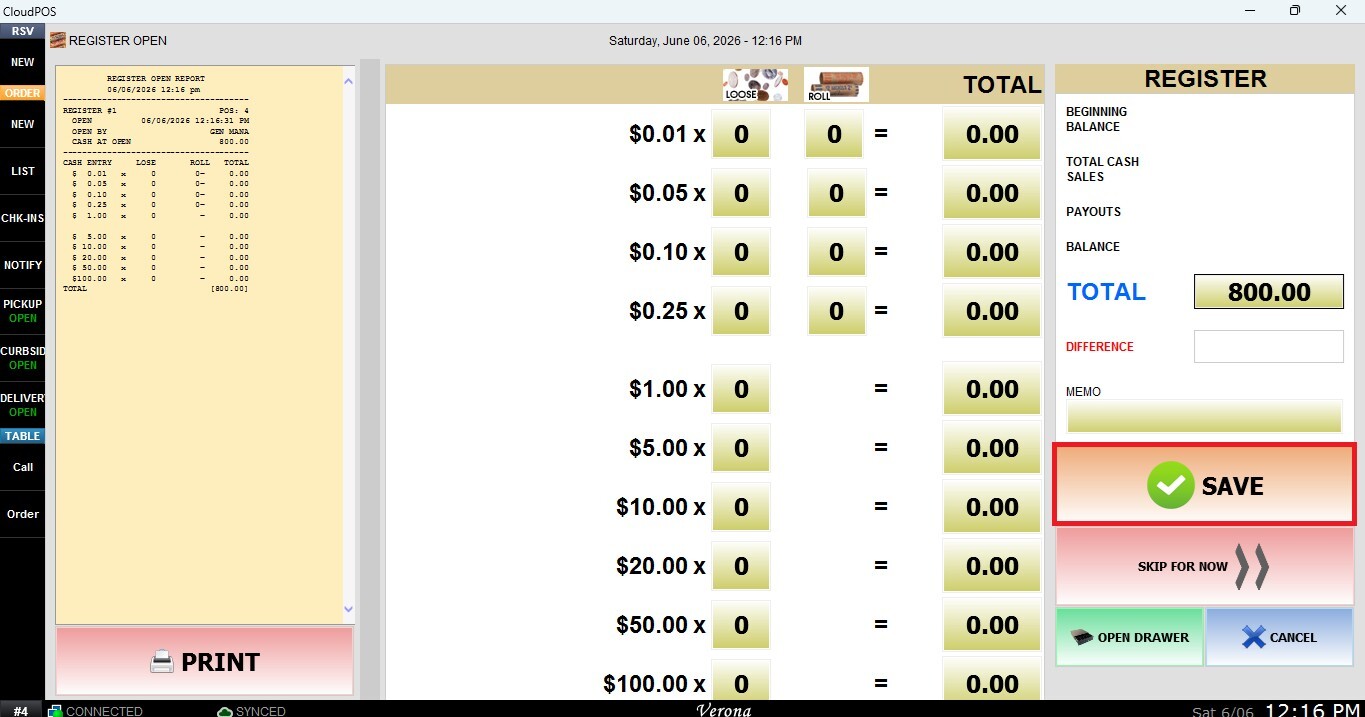
Starting Cash Entry Methods