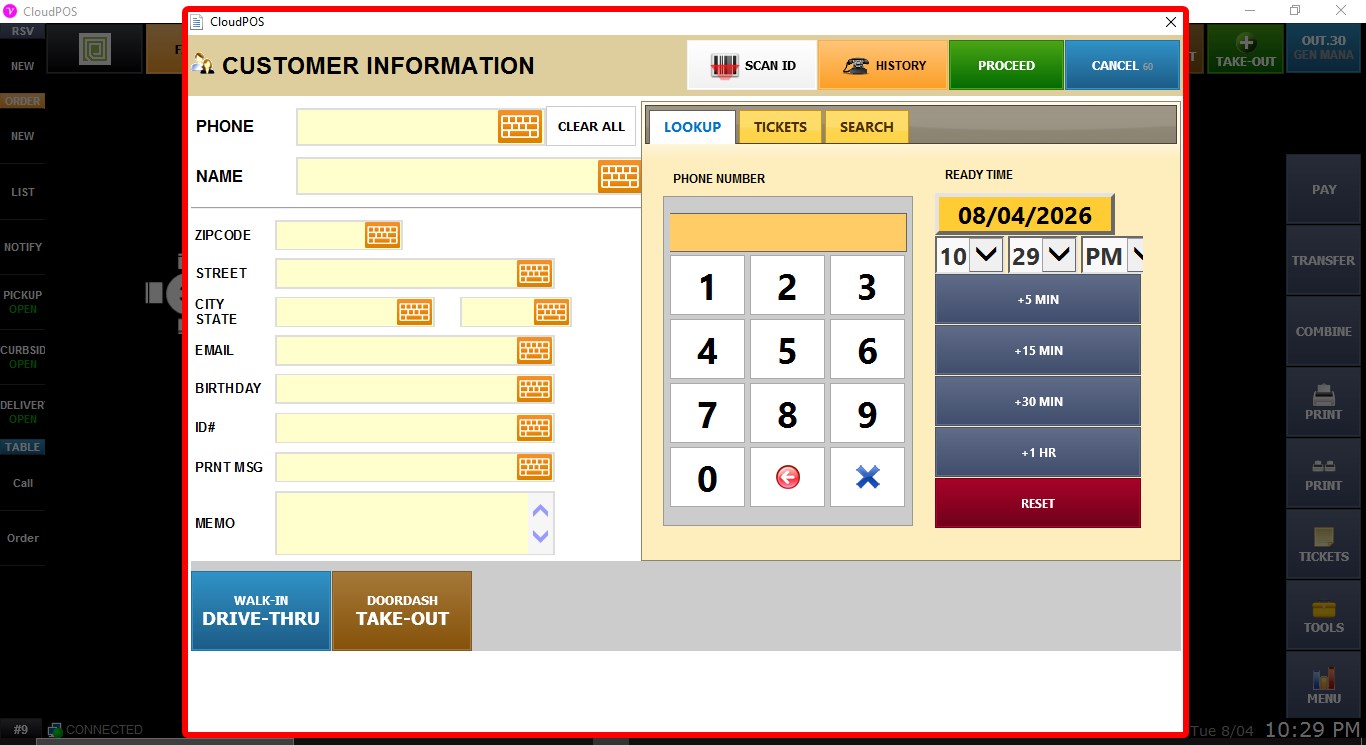
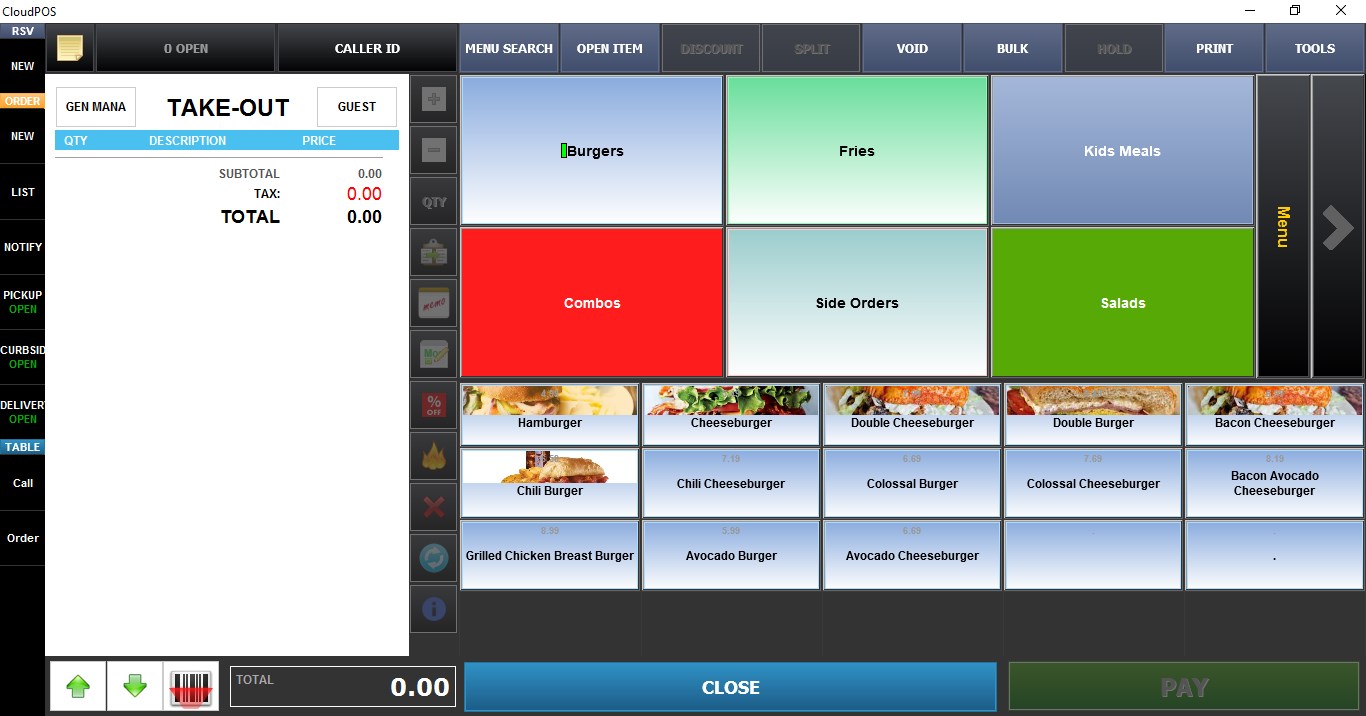
Take-Out Start
The TAKE-OUT START setting controls what happens when the TAKE OUT button is selected from the SALES screen.
MENU > SETTINGS > MAIN > SALES > TABLE MANAGEMENT
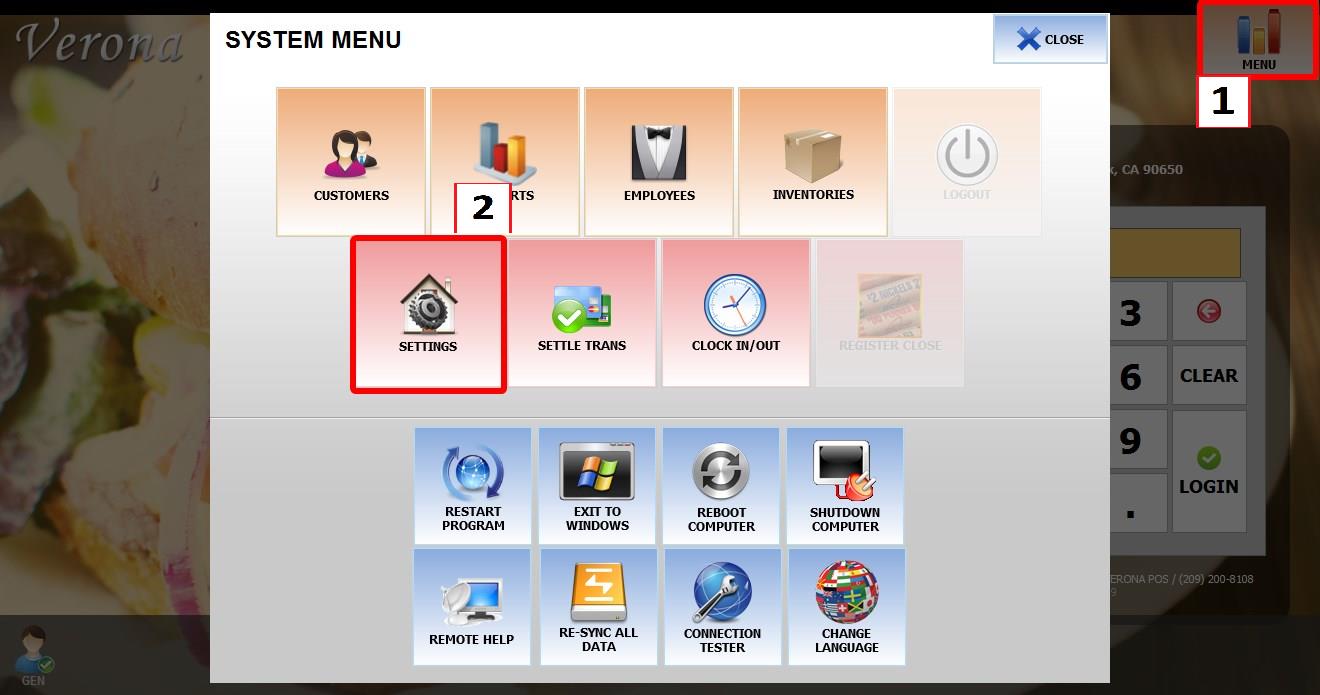
From the MAIN SCREEN, click MENU, then select SETTINGS.

Go to MAIN > SALES > TABLE MANAGEMENT.
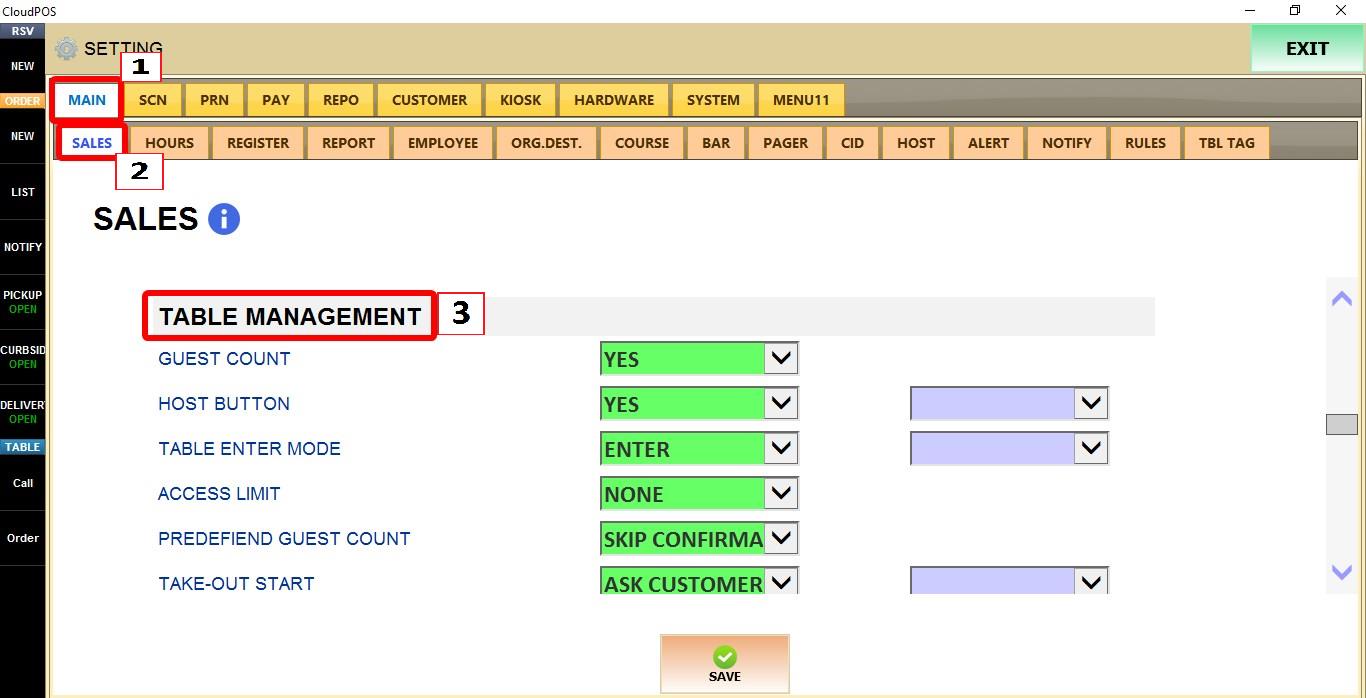
TERMINAL
Use the TERMINAL dropdown to configure this setting for the specific POS terminal you are on.

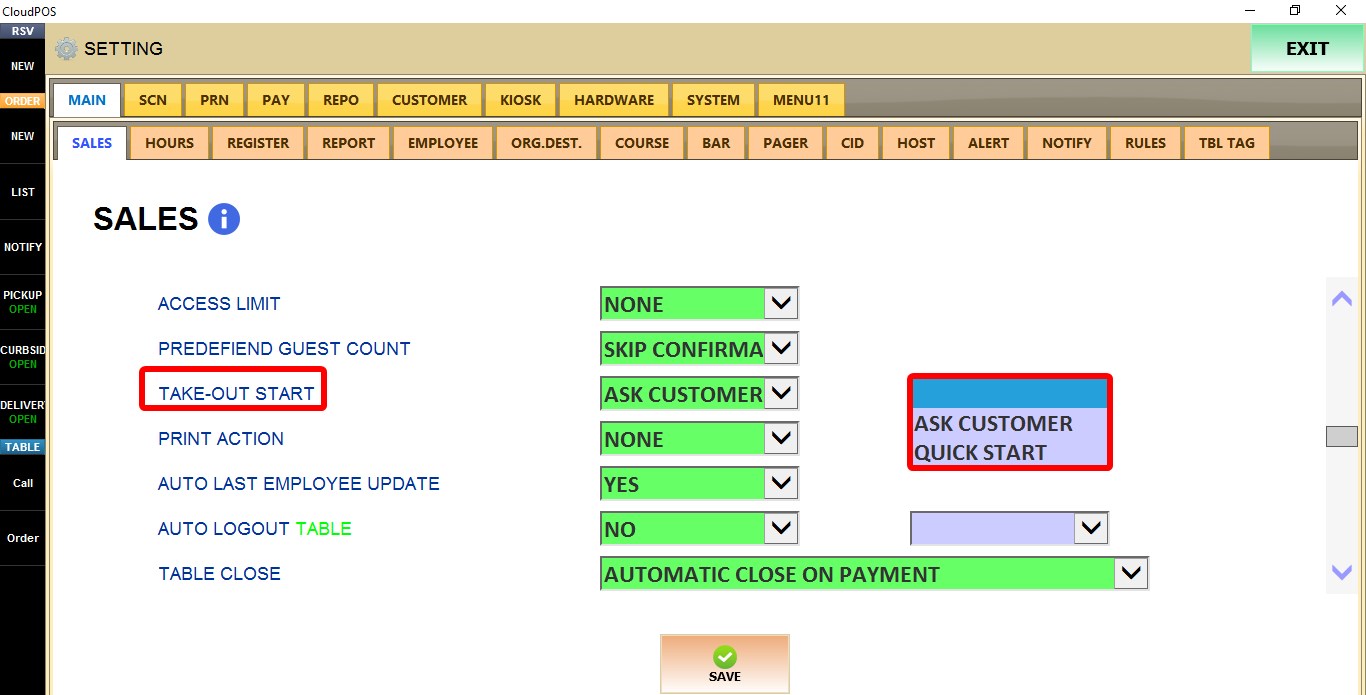
TAKE-OUT START
Controls how a new take-out order begins.
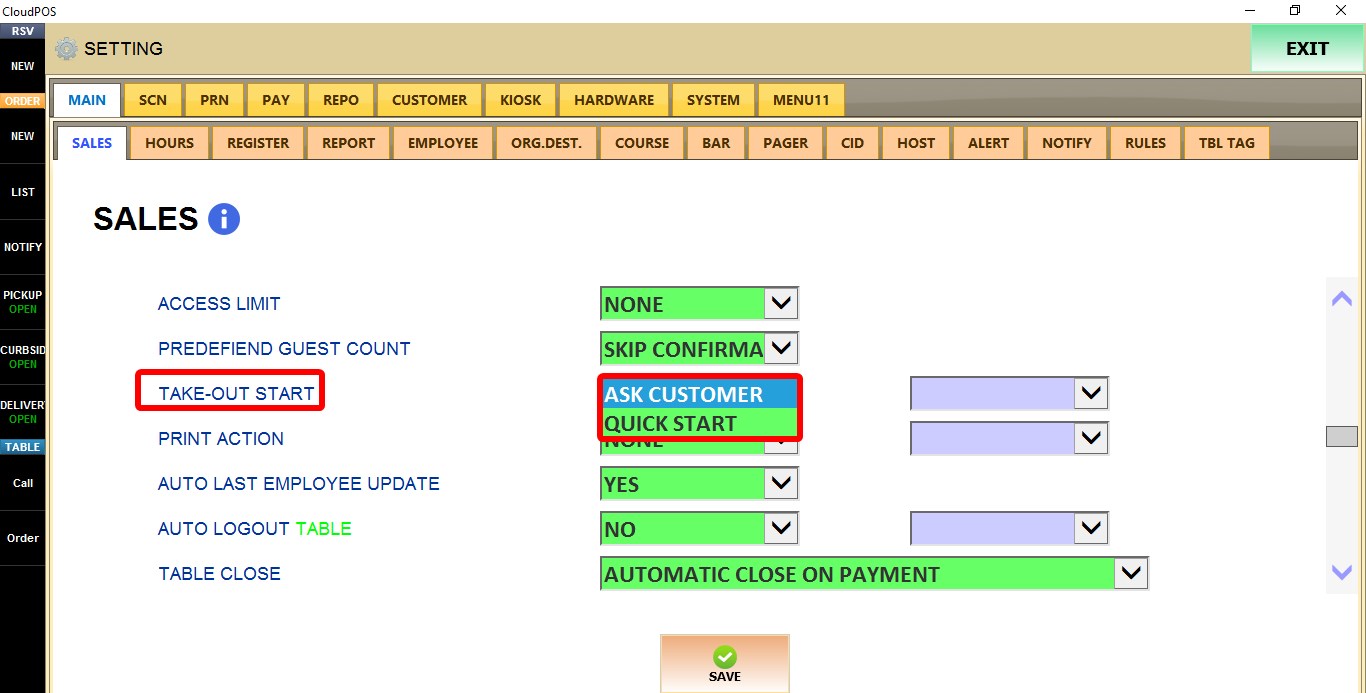
1. ASK CUSTOMER: Displays the customer information window, allowing customer details to be entered before the order begins.
2. QUICK START: Opens the order screen immediately after selecting the TAKE OUT button, without prompting for customer information.
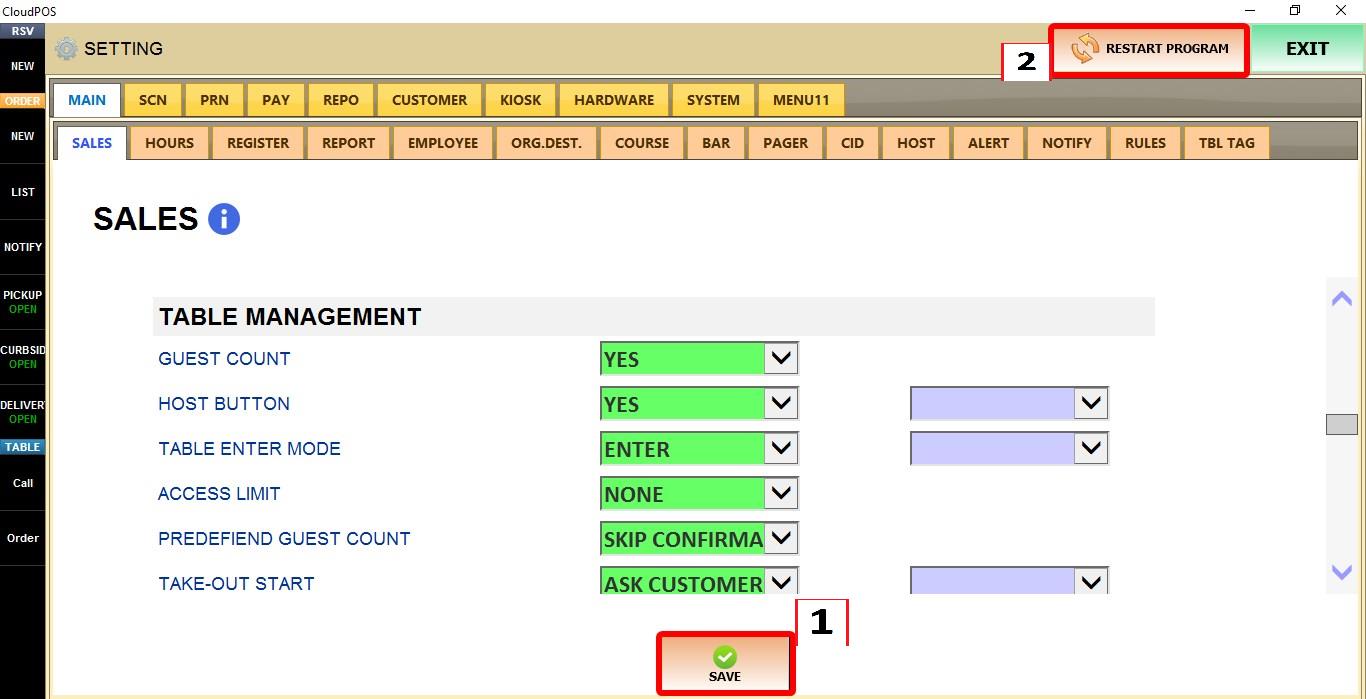
Click SAVE to apply the changes, then RESTART the program.

RESULT
Selecting the TAKE OUT button will either display the customer information window first or open the order screen immediately, depending on the selected option.