Auto Logout Table
The AUTO LOGOUT TABLE setting automatically logs the employee out of an open table after a period of inactivity. This helps improve security and prevents unauthorized access to active tables.
MENU > SETTINGS > MAIN > SALES > TABLE MANAGEMENT
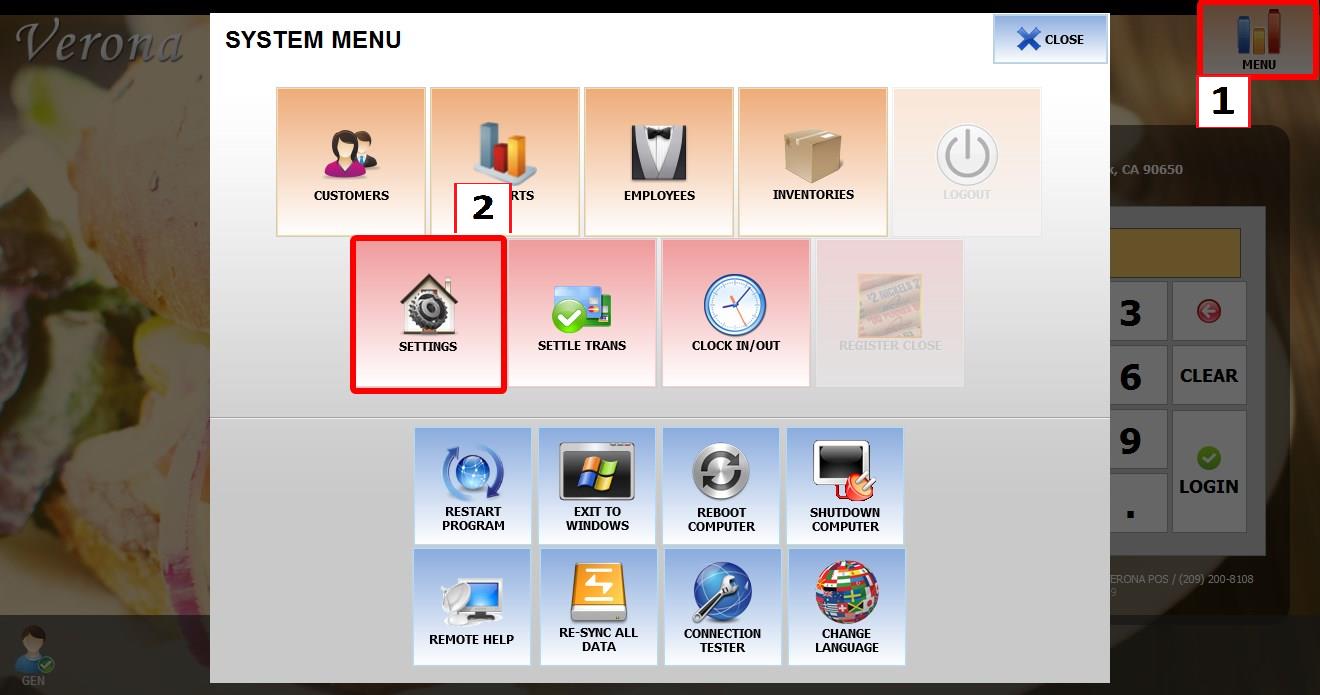
From the MAIN SCREEN, click MENU, then select SETTINGS.

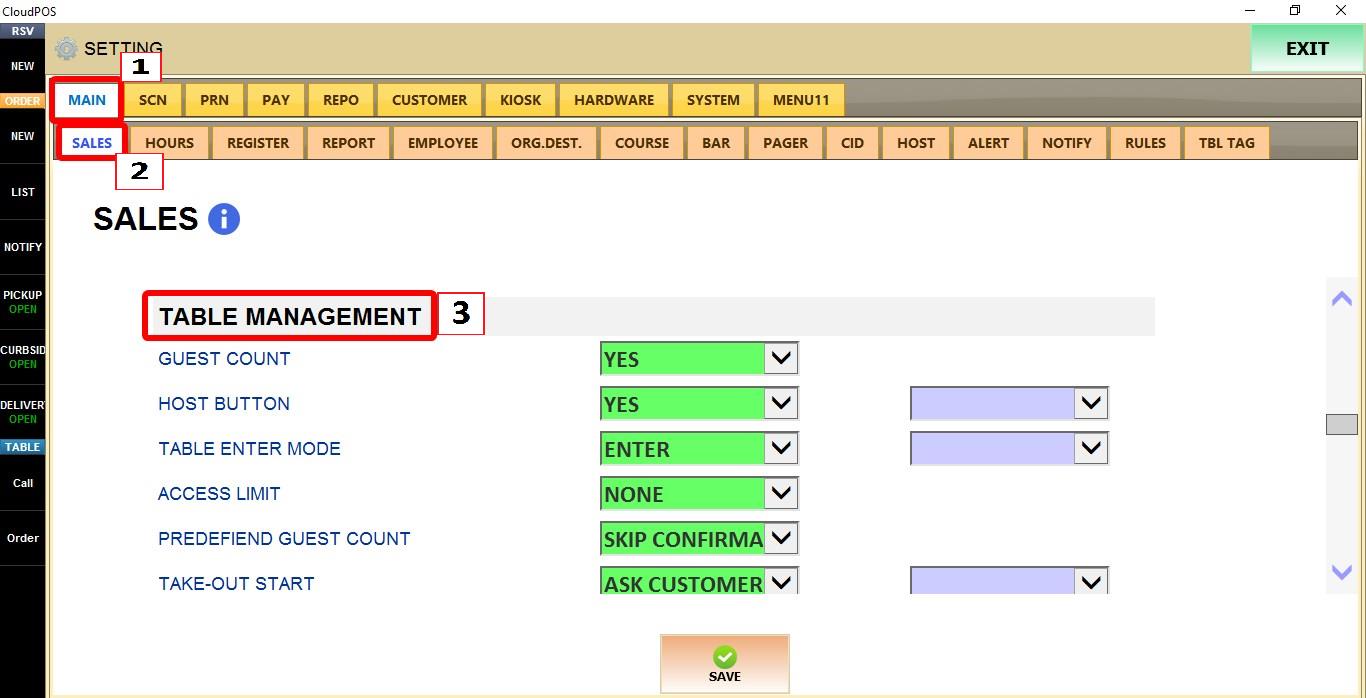
Go to MAIN > SALES > TABLE MANAGEMENT.
TERMINAL
Use the TERMINAL dropdown to configure this setting for the specific POS terminal you are on.

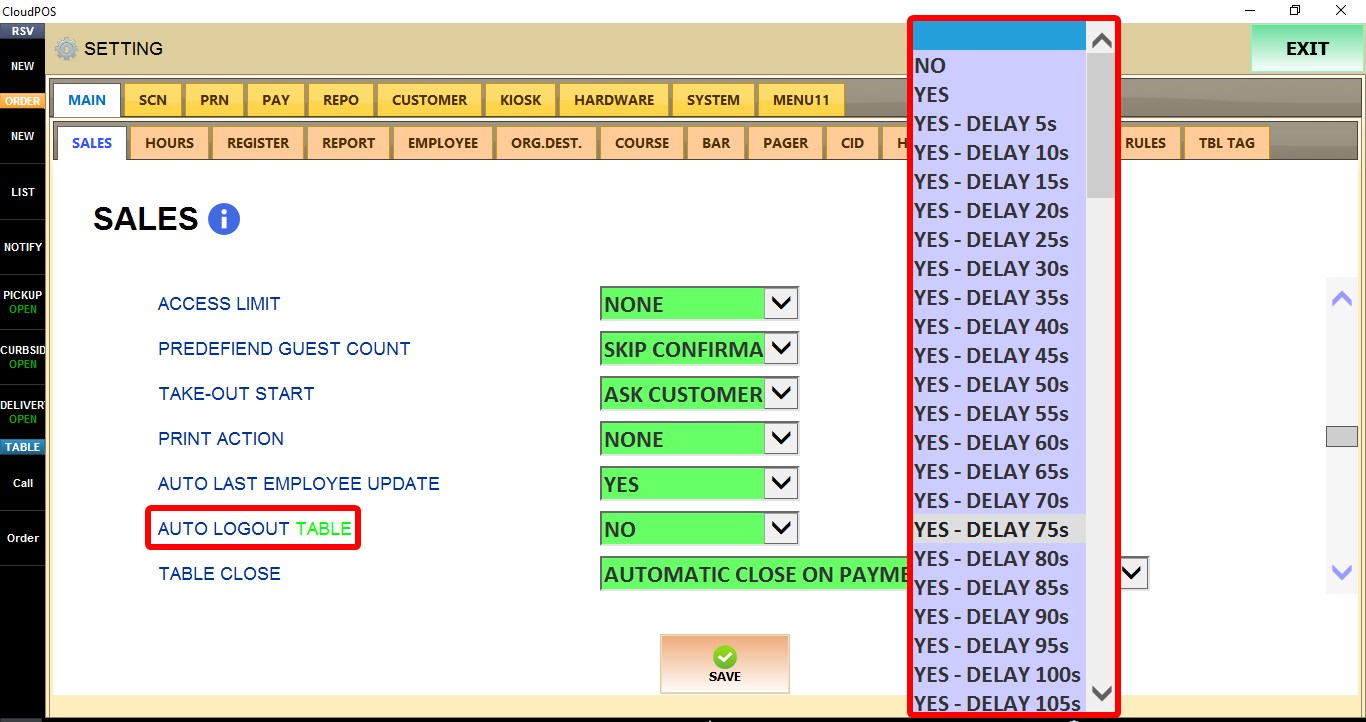
AUTO LOGOUT TABLE
Controls whether the current employee is automatically logged out after leaving a table inactive for a specified amount of time.
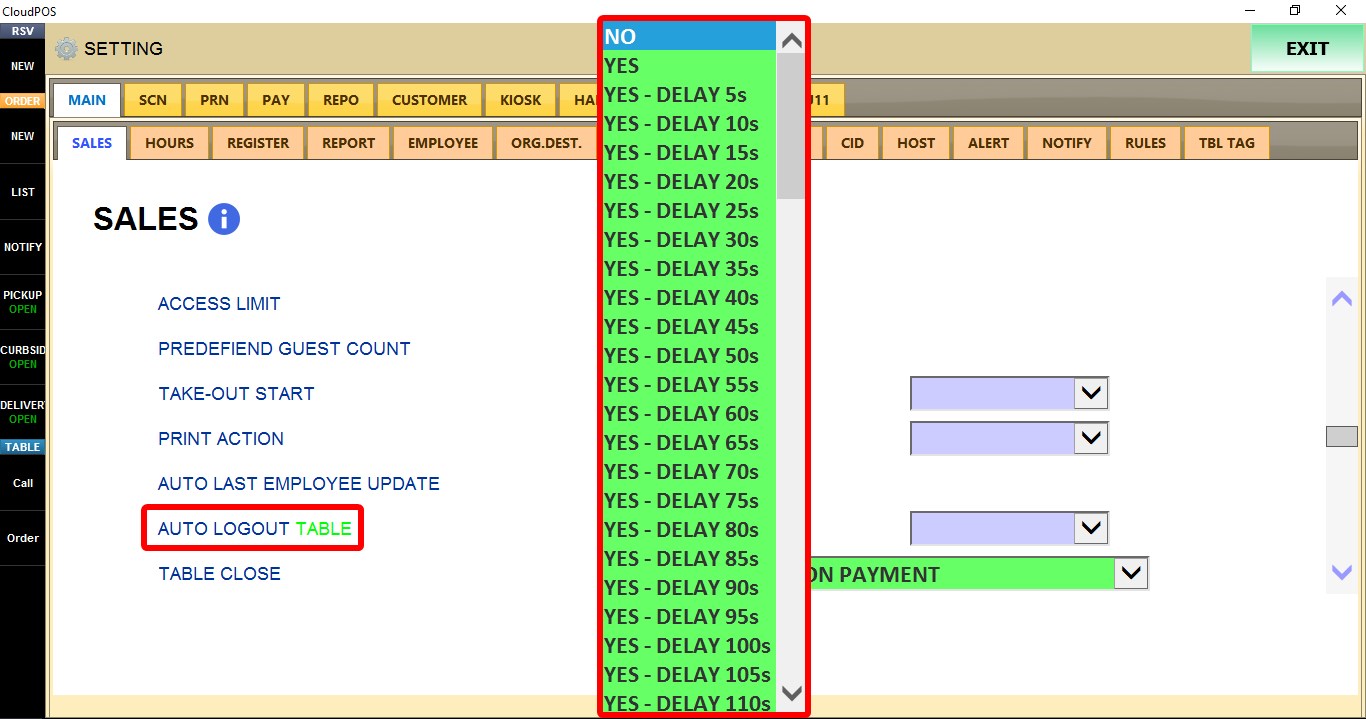
1. NO: Automatic logout is disabled.
2. YES: Enables automatic logout using the default timeout.
3. YES - DELAY 5s through YES - DELAY 500s: Enables automatic logout after the selected period of inactivity. Choose the desired delay based on how long the system should wait before logging the employee out of the table.
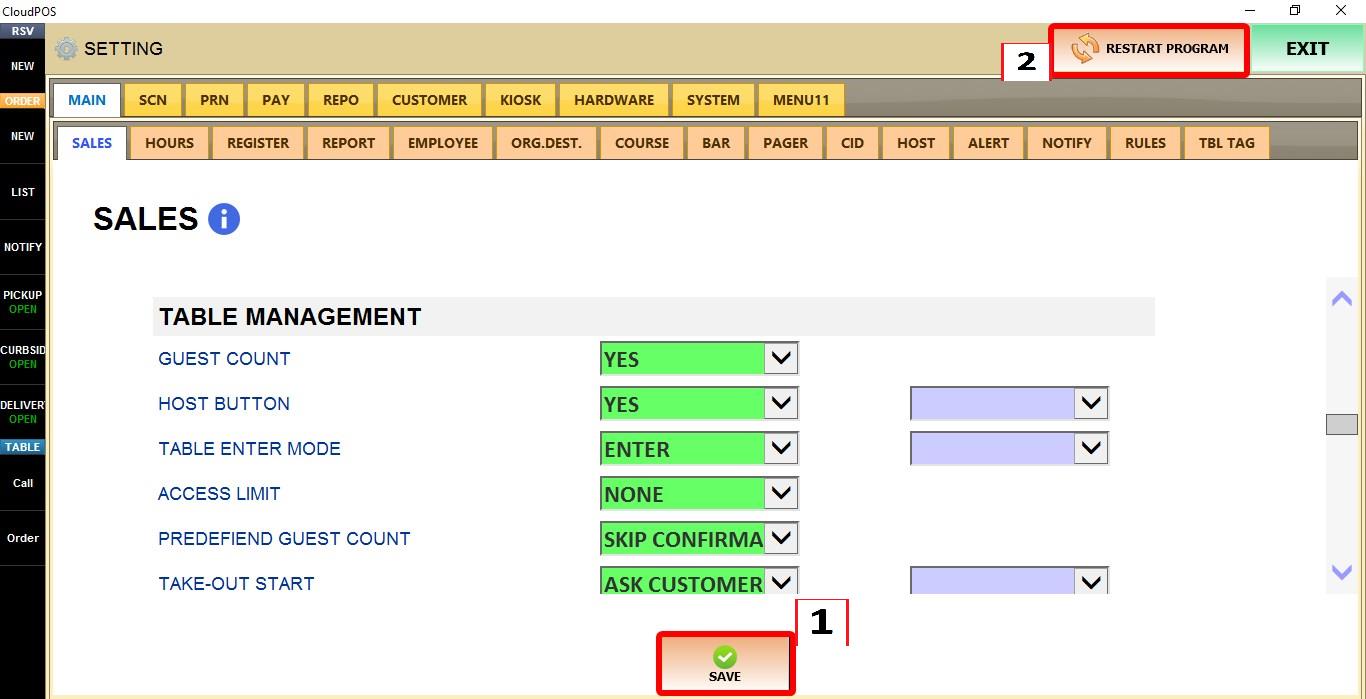
Click SAVE to apply the changes, then RESTART the program.

RESULT
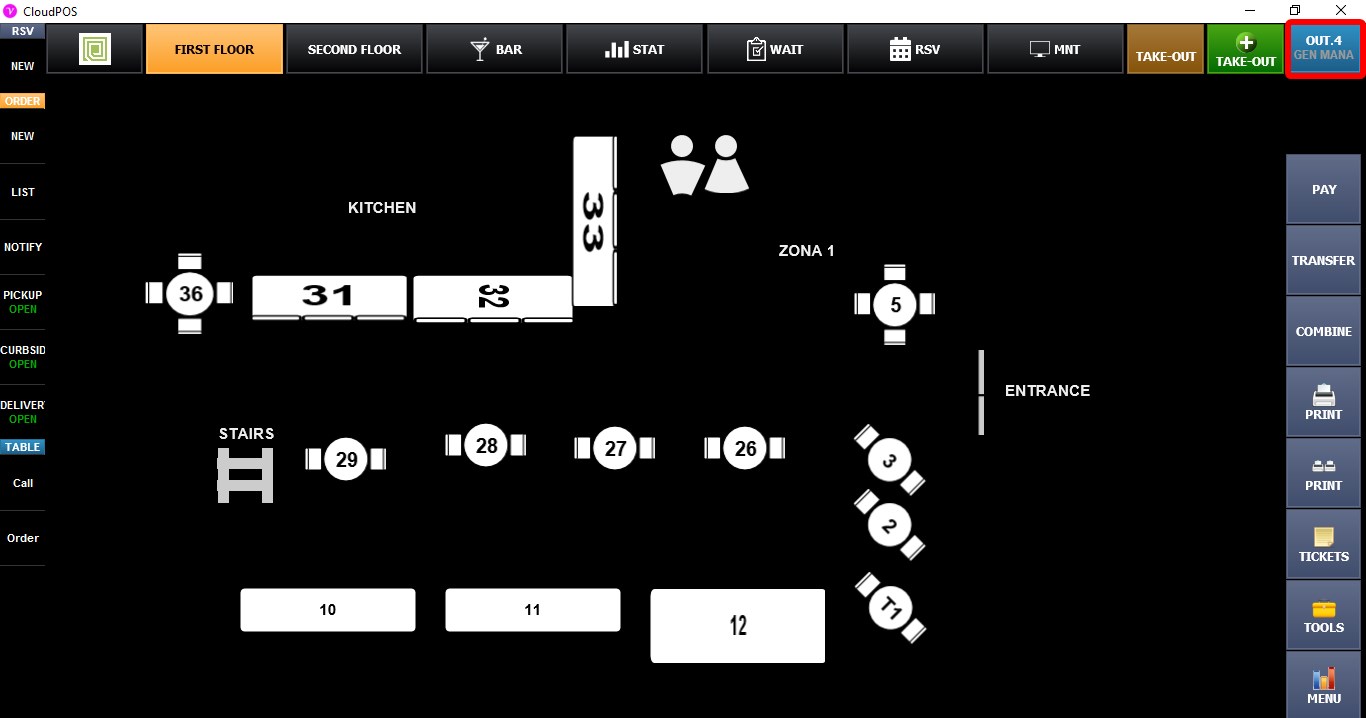
AUTO LOGOUT TABLE displays its countdown while you are on the table map and automatically logs the current employee out to the MAIN SCREEN after the selected period of inactivity.