Payout
Payouts are used to record money removed from the cash drawer for non-sale-related purposes. They help track cash leaving the register for reasons such as paying vendors, distributing tips, making drops, or other store expenses. The POS allows you to enable predefined payout types and create custom payout options based on the store's needs.
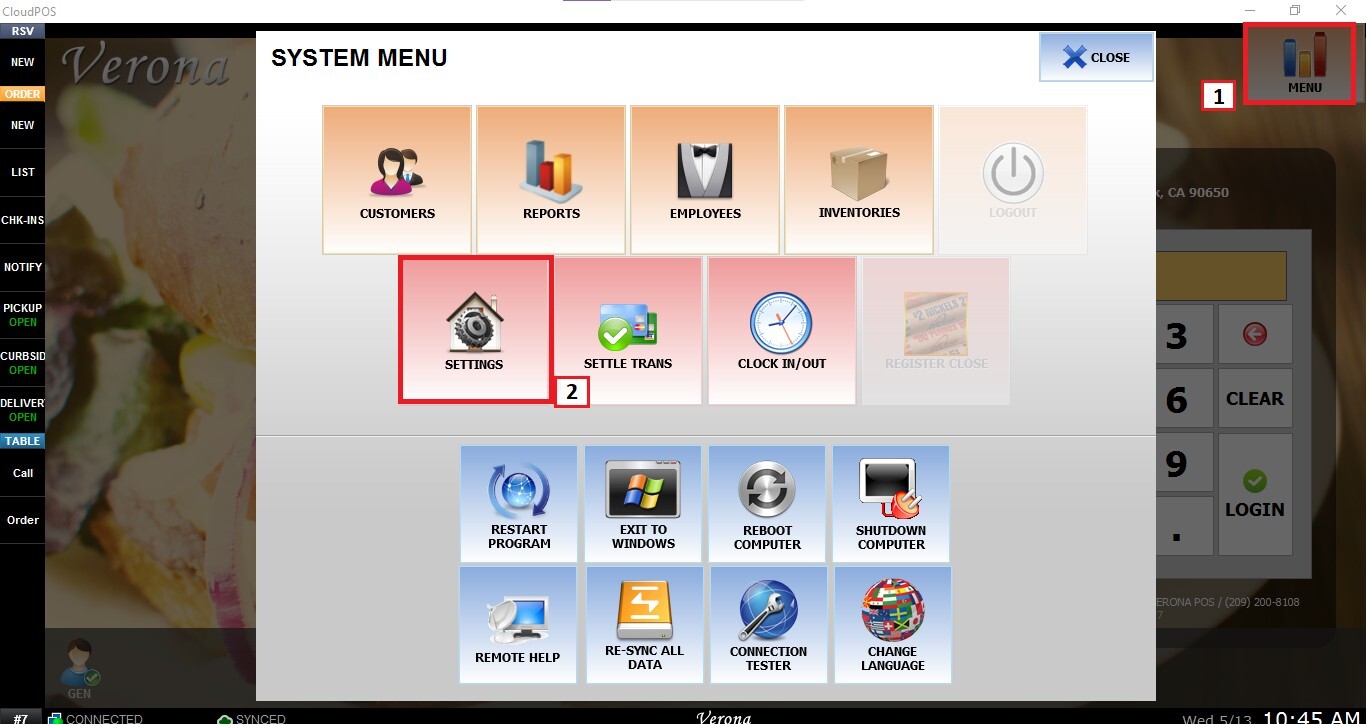
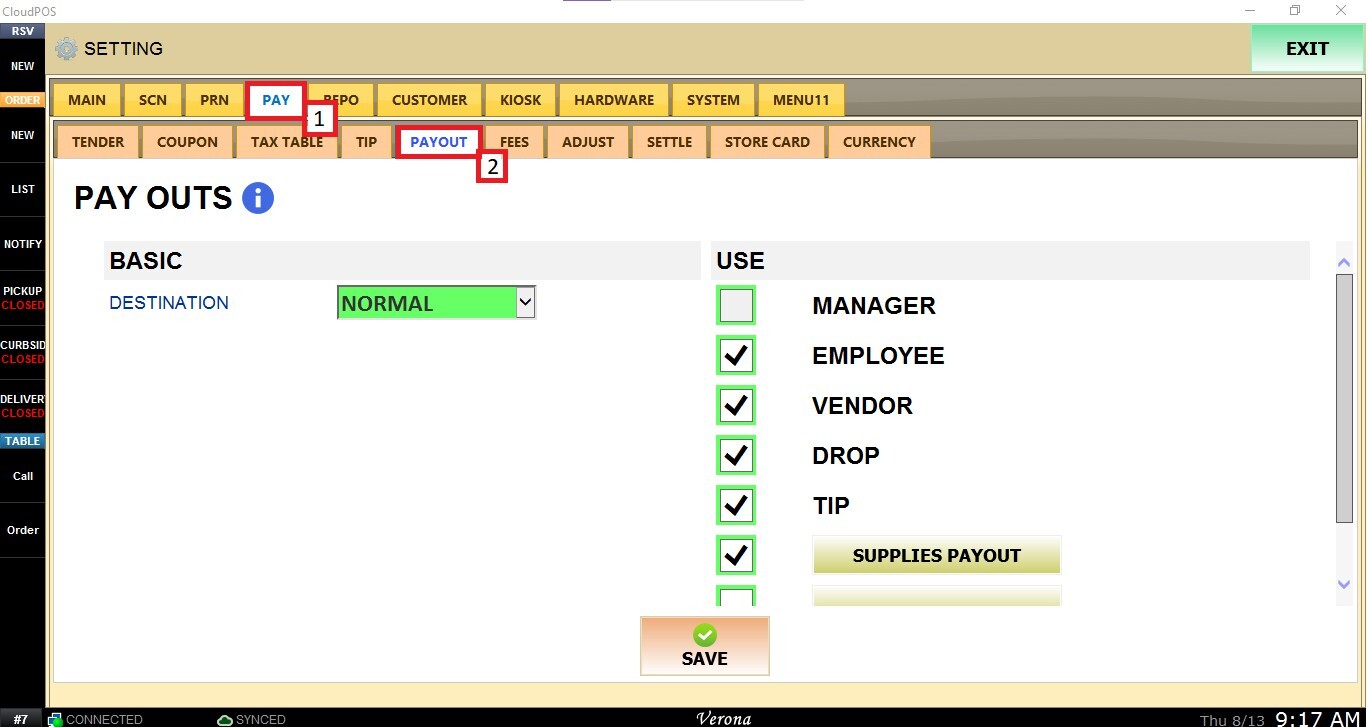
Main Screen > MENU > SETTINGS > PAY > PAYOUT
From the Main Screen, select MENU and then SETTINGS.
Navigate to the PAY tab and select PAYOUT.
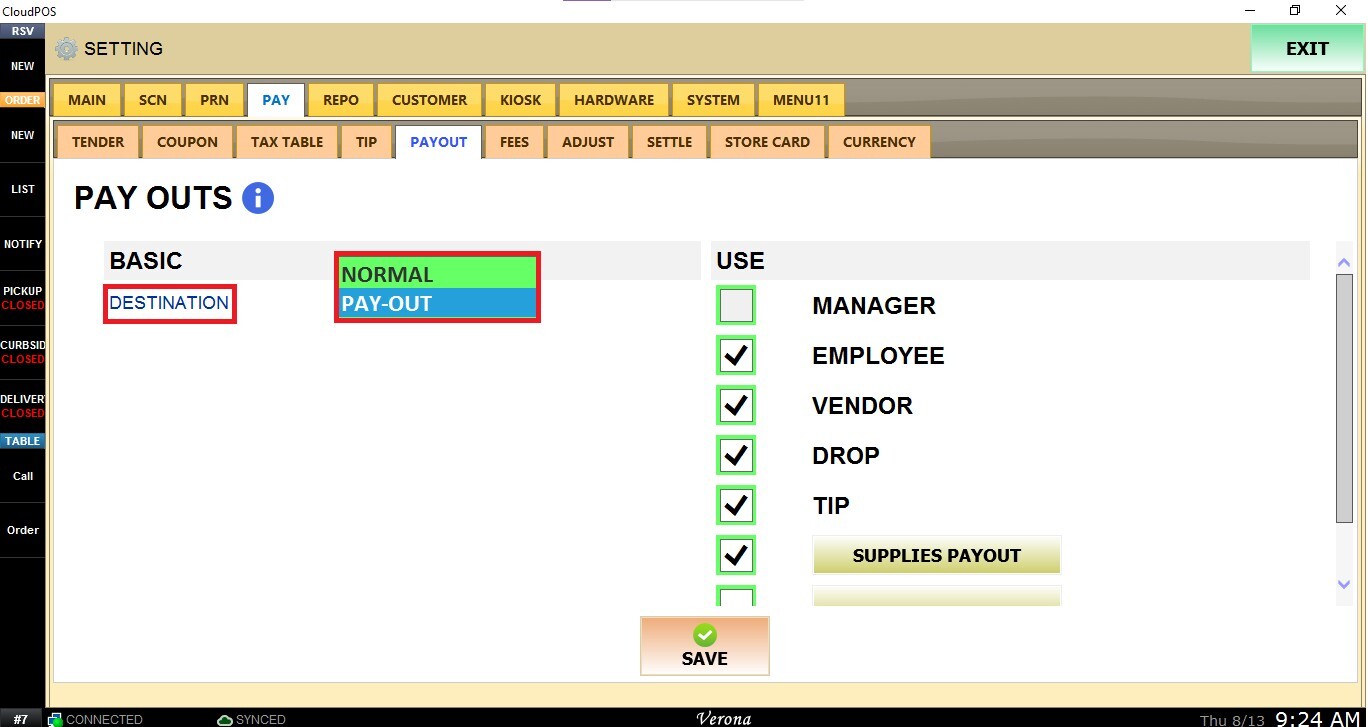
Under DESTINATION, select the destination where the payout will be recorded:
- NORMAL: Processed as a regular sale on the receipt.
- PAYOUT: When payout is selected, the destination on the ticket will be set to PAY-OUT for payout transactions.
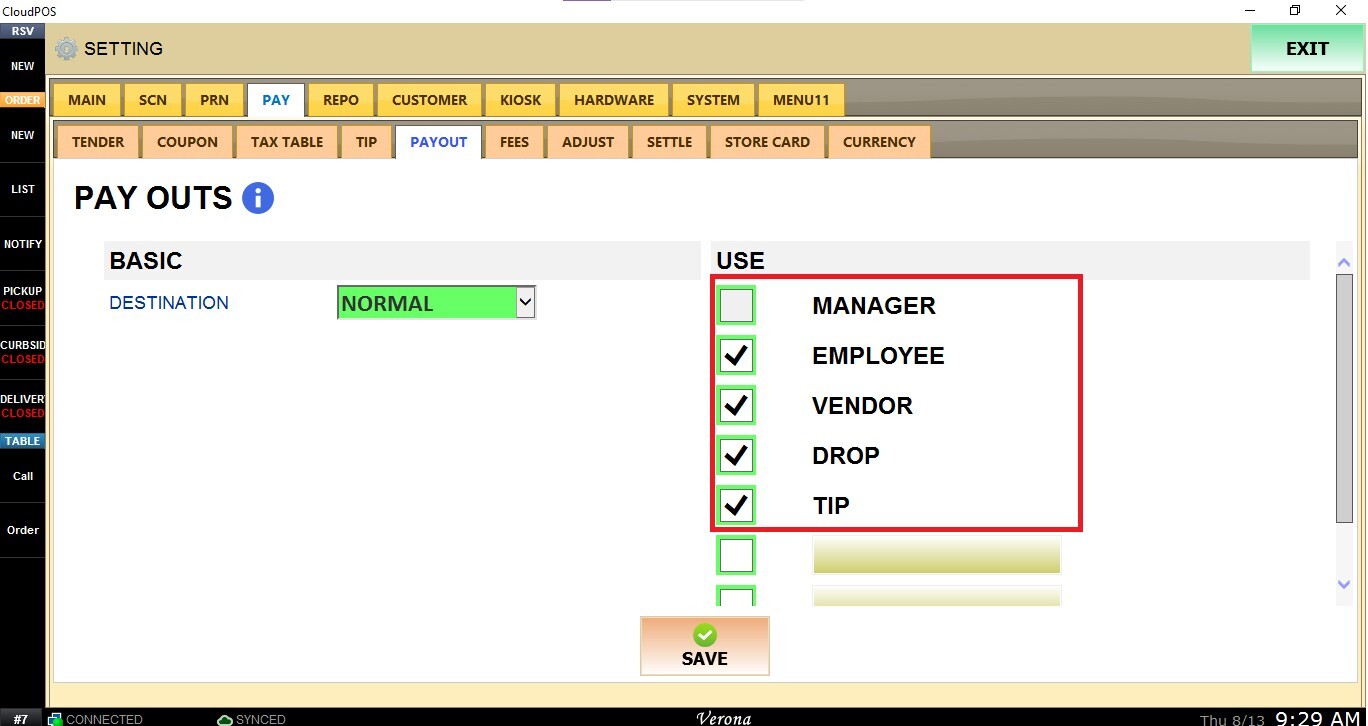
Under USE, enable the payout types the store wants to make available:
- MANAGER: Used to record cash paid out to or for a manager.
- EMPLOYEE: Used when cash is paid to an employee for a non-sale-related purpose.
- VENDOR: Used to record cash payments made to a vendor.
- DROP: Used to record cash removed from the drawer and placed into a safe or other designated location.
- TIP: Used to record cash removed from the drawer for tip distribution
To create a custom payout, enter the desired name in one of the available blank fields under the USE section. Custom payout names can be used for other reasons the store may need to remove cash from the drawer.
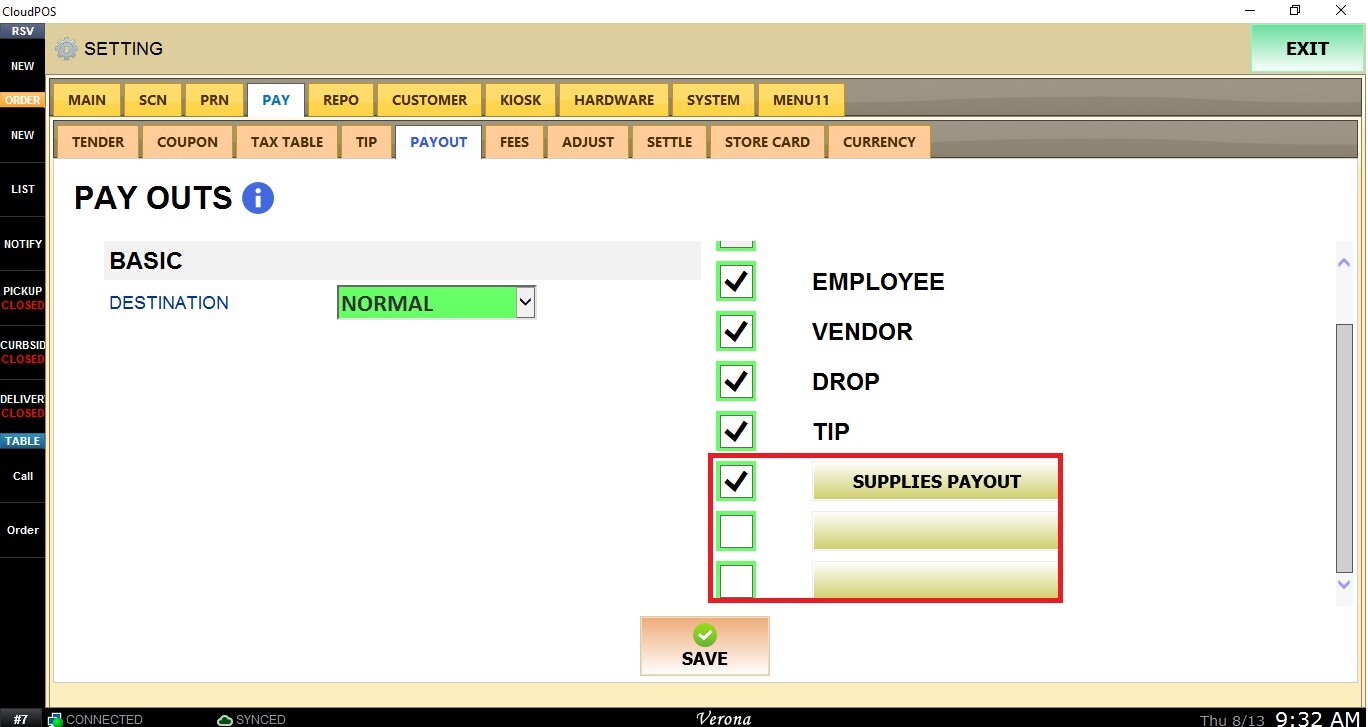
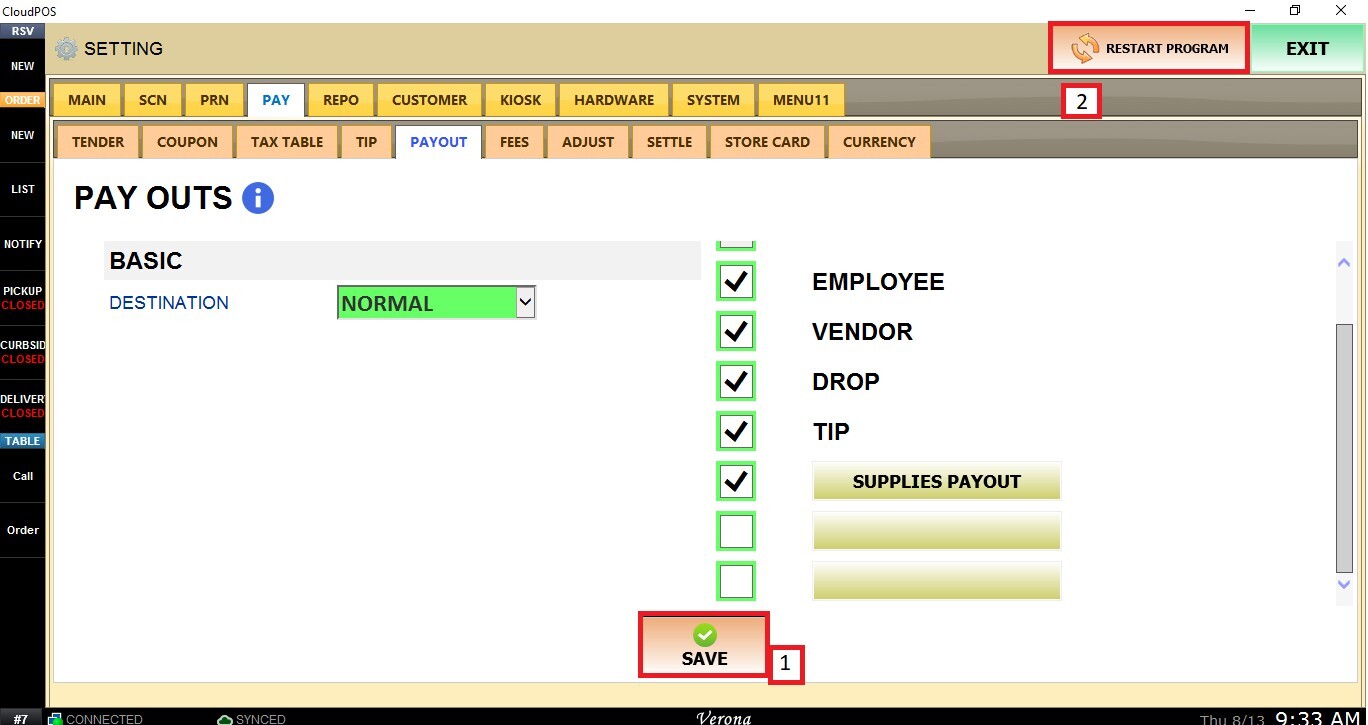
Once the desired payout types have been enabled or created, click SAVE and RESTART PROGRAM for the changes to take effect.
Refer to the Payout guide to learn how to use payouts.