Terminating an Employee
This article outlines the employee termination process and provides guidance to help managers complete each step accurately and consistently.
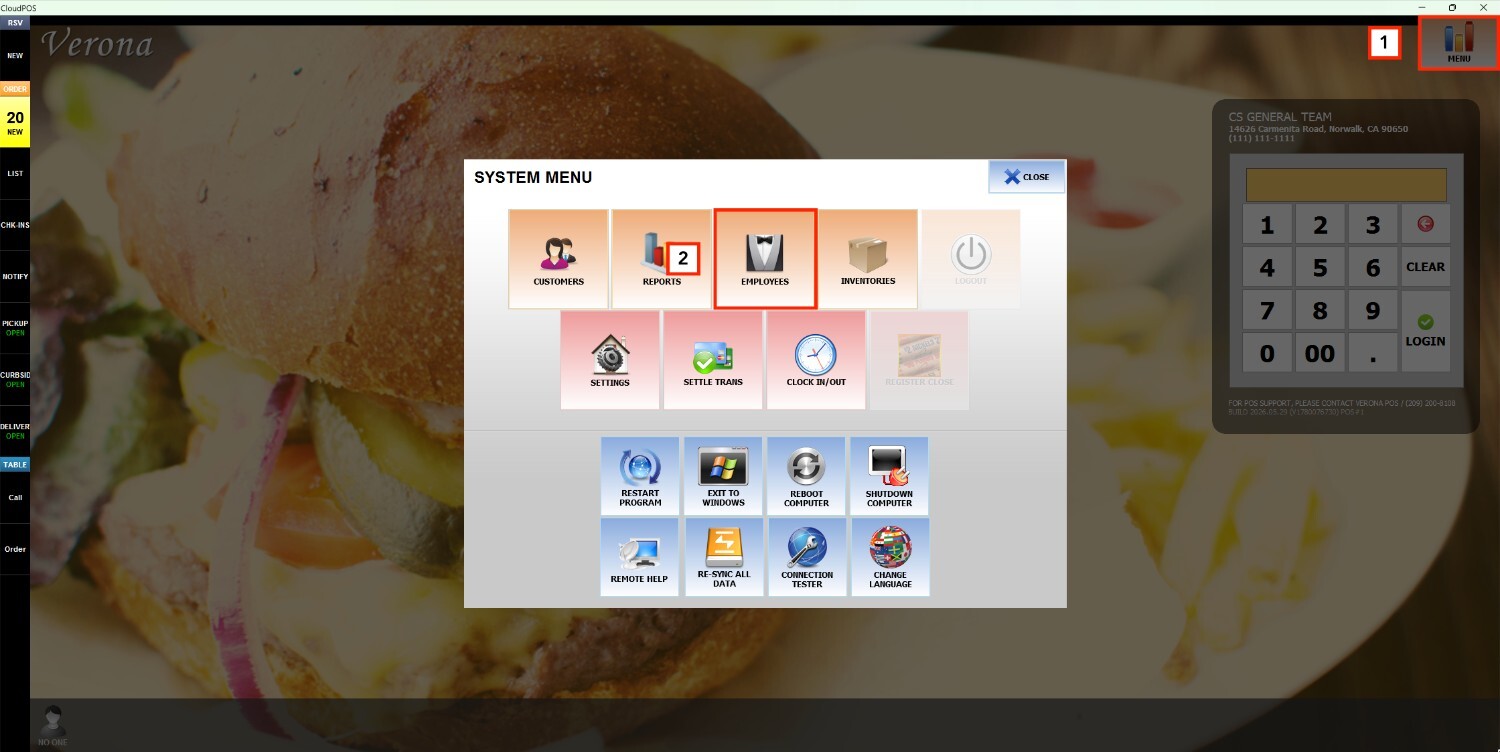
Main Screen> MENU> EMPLOYEES> USER LIST
On the Main Screen, go to MENU and press EMPLOYEES
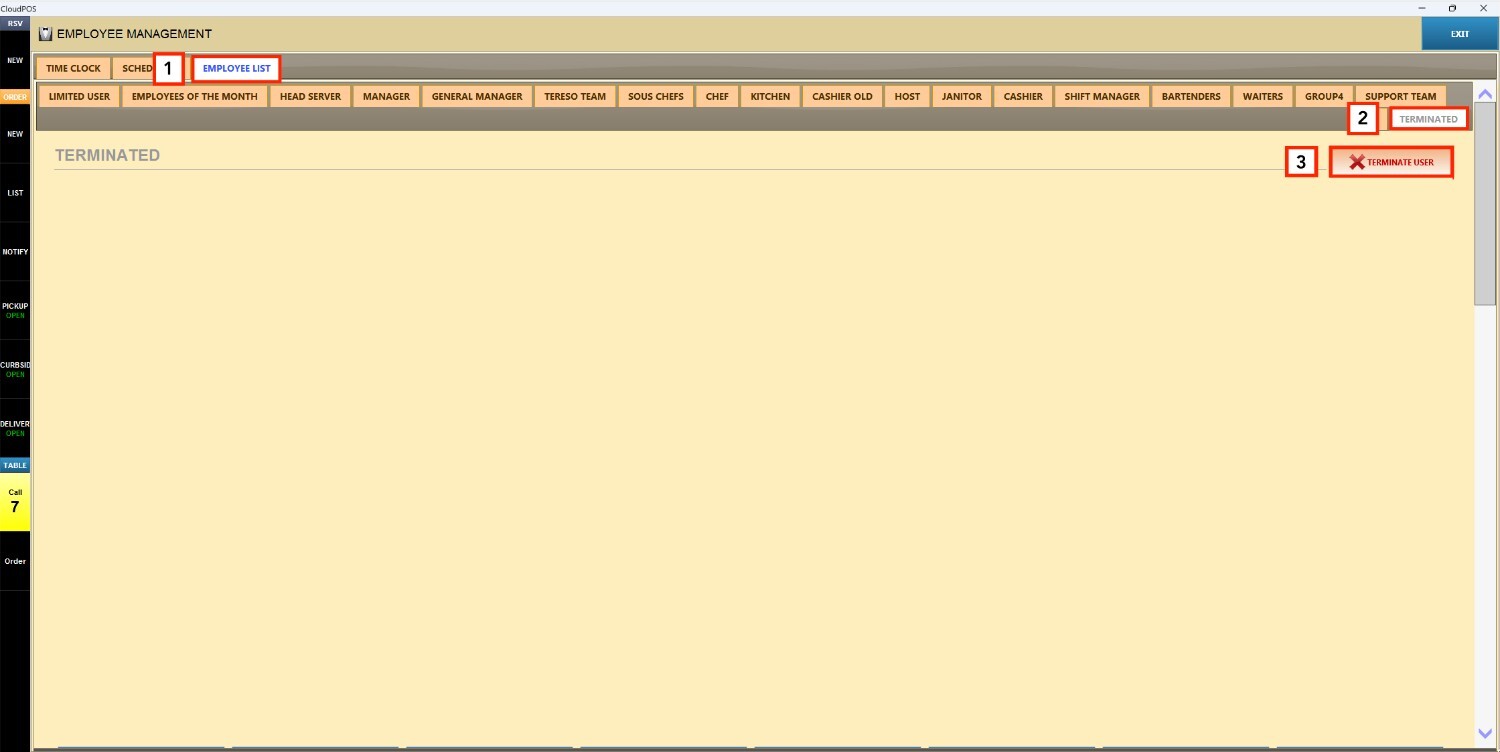
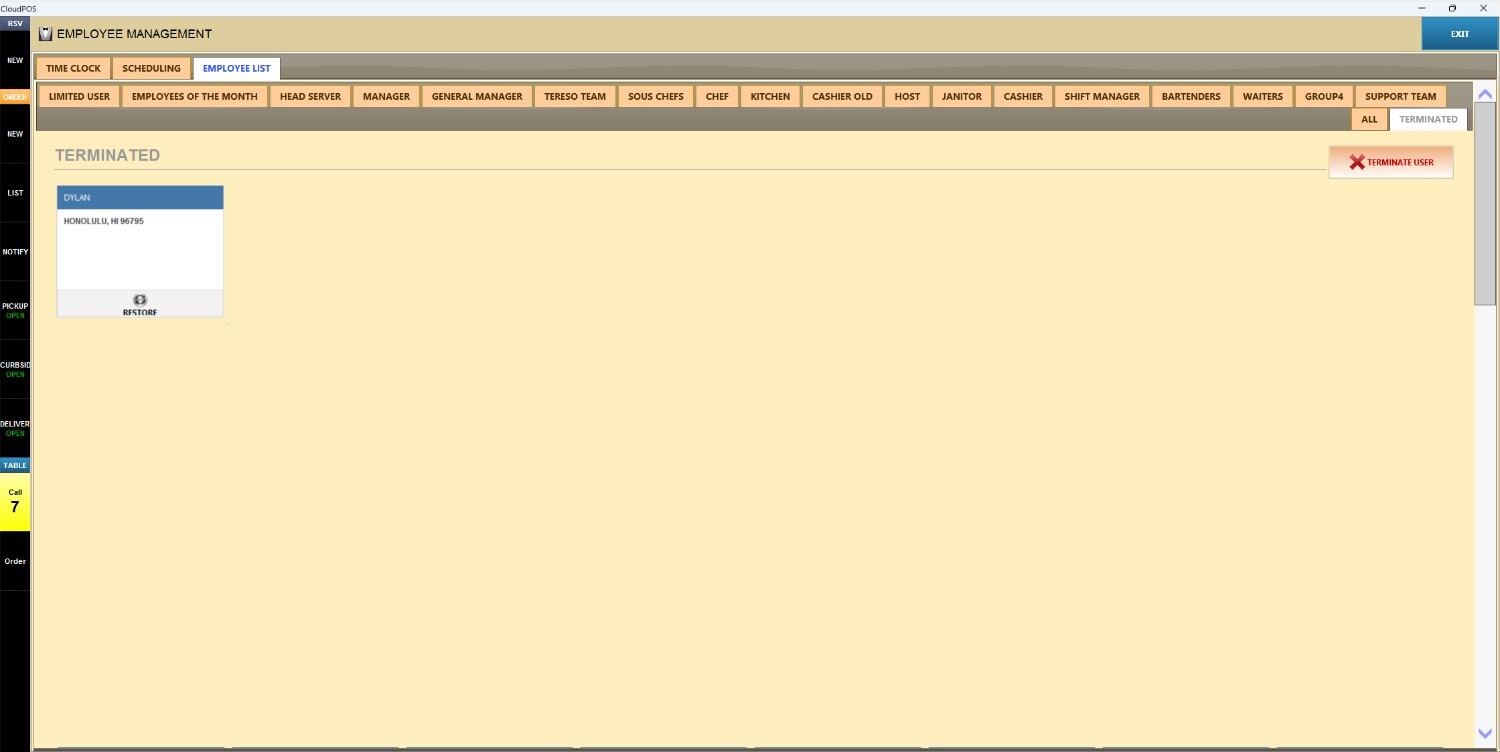
On EMPLOYEE LIST, go to the TERMINATED tab and press TERMINATE USER.
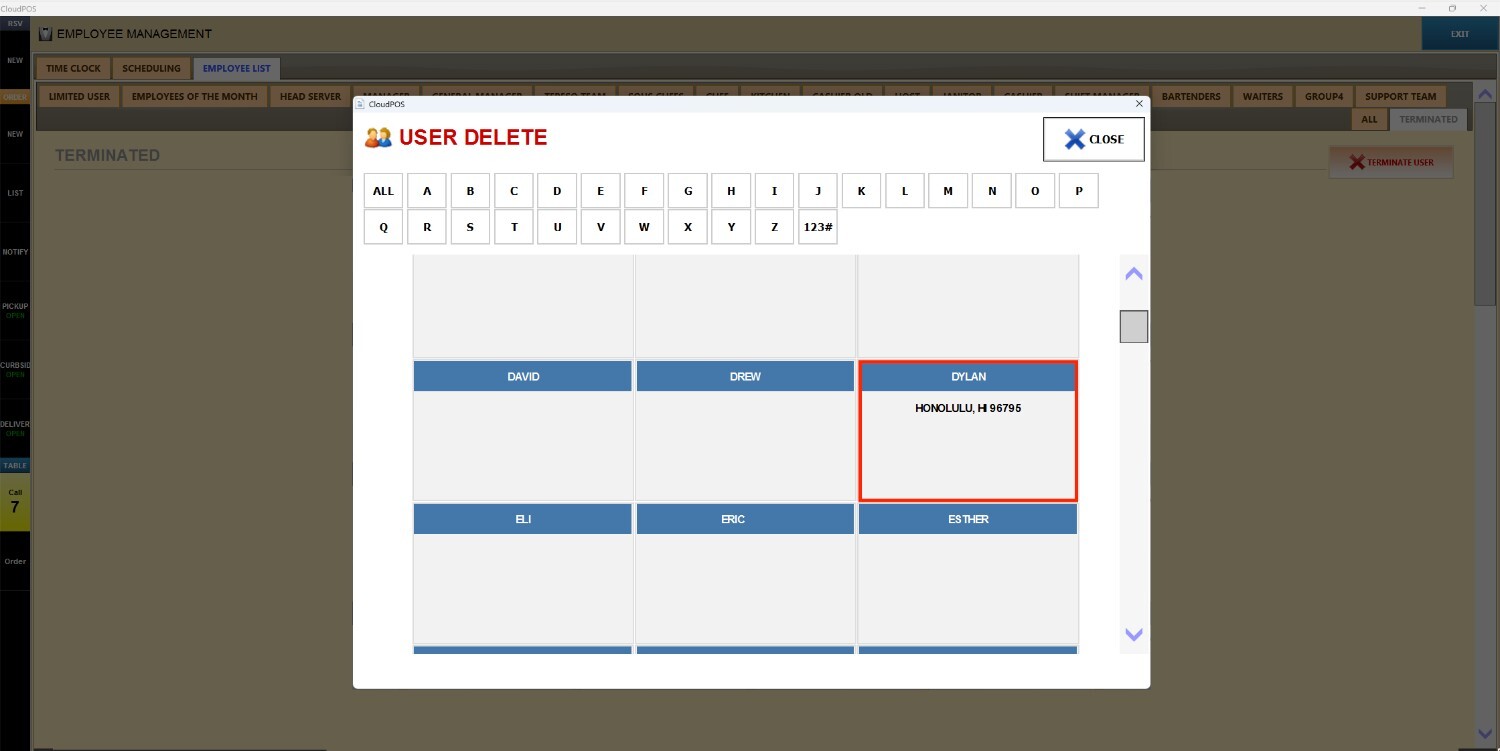
A list of employees eligible for termination will appear. Press on the employee you want to terminate.
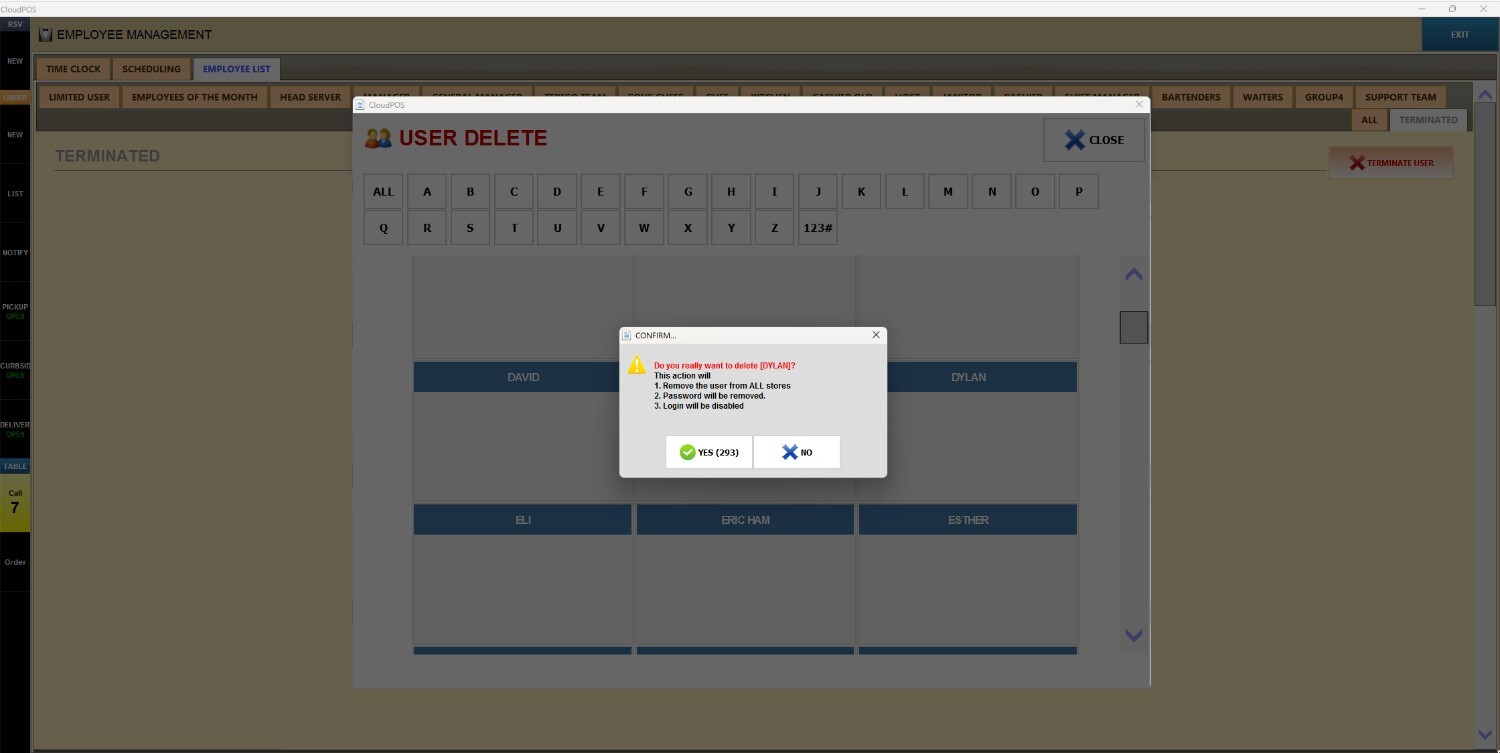
A confirmation pop-up will display a warning explaining the impact of termination.
Select YES to confirm.
Hint: The employee's information remains stored in the system for seven years, even after termination.
Result:
The employee appears inside the TERMINATED tab.
Note: To reinstate a previously terminated employee, refer to How to Restore an Employee.