Availability
This section allows you to configure the availability of tables that can be reserved through Menu11
MENU> SETTINGS> PRINT> RECEIPT> BODY
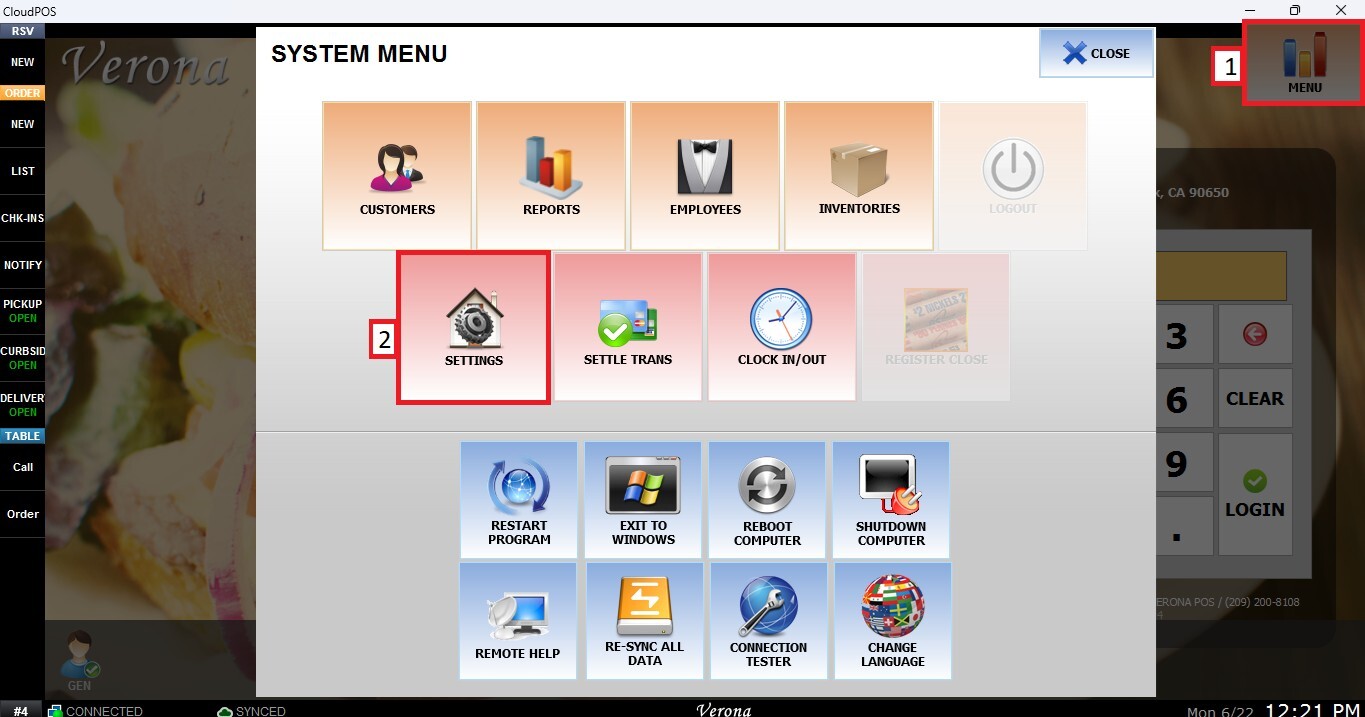
From the MAIN SCREEN, click MENU, then select SETTINGS.
Navigate to the MENU11 tab, then select RESERVE and click AVAILABILITY.
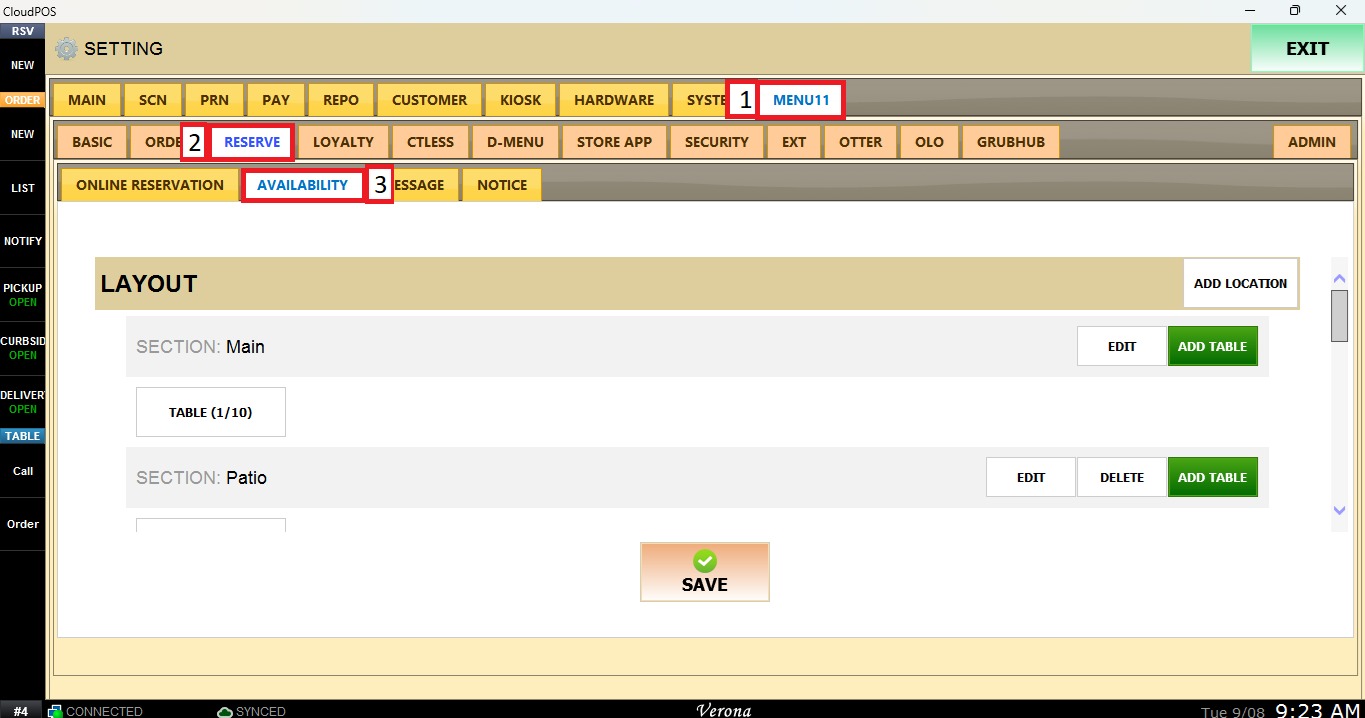
LAYOUT
ADD LOCATION: Allows you to add locations where tables are available for reservations.
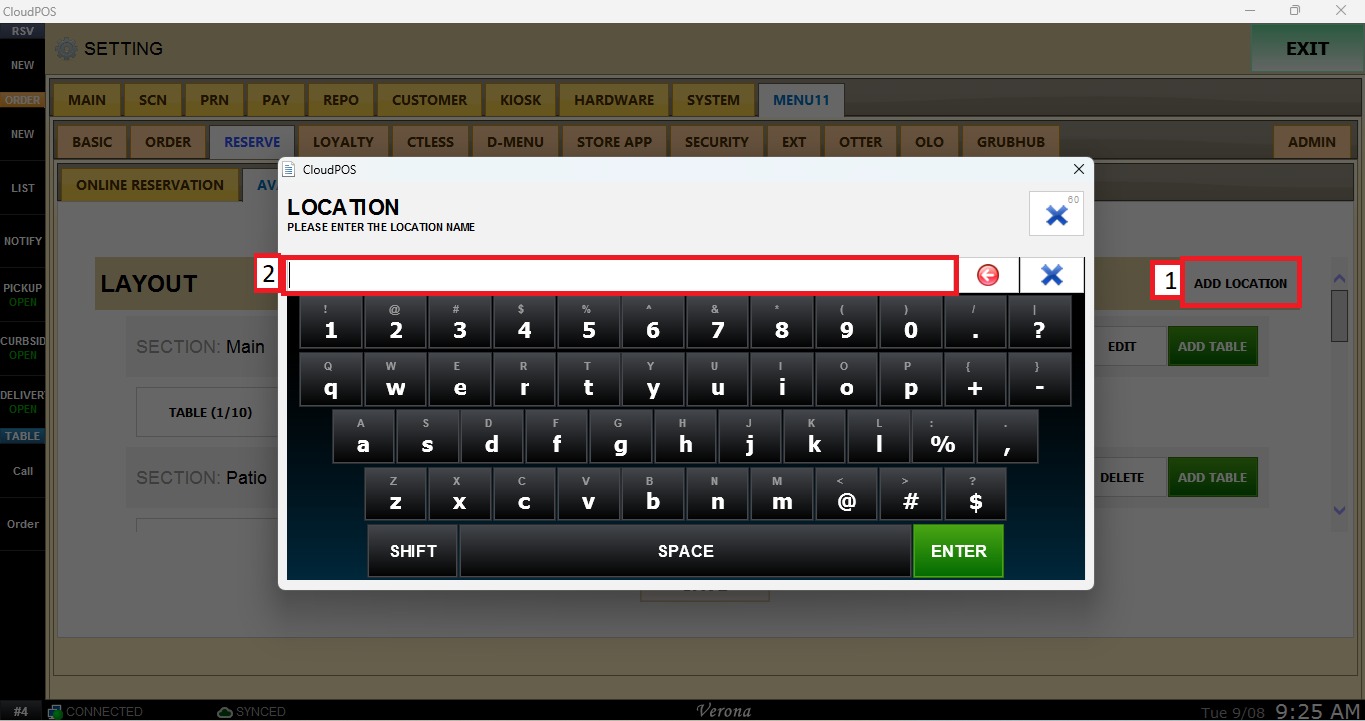
NOTE: By default, the Main section is already added.
ADD TABLE: Adds tables to a location. For each table, set the minimum number of guests, maximum number of guests, and per-hour rate.
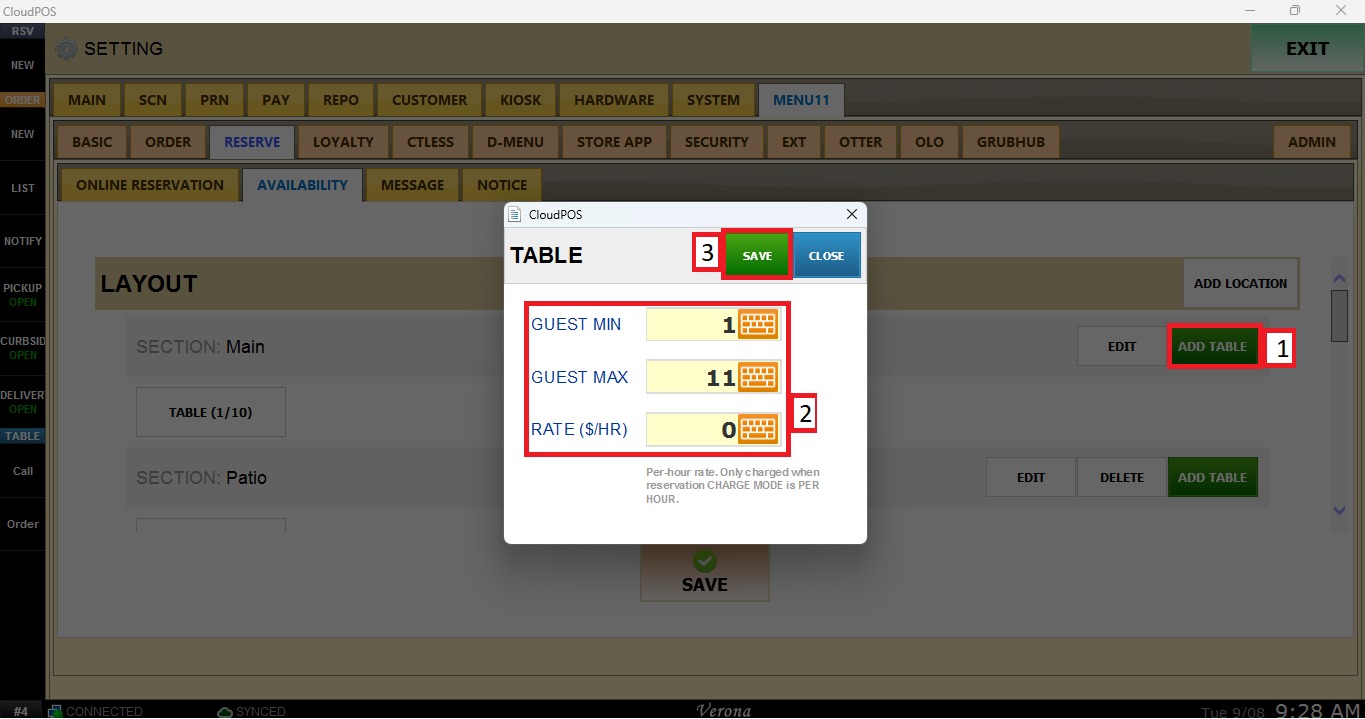
NOTE: The per-hour rate is only charged when the reservation charge mode is set to Per Hour. For more information, please refer to the KB.
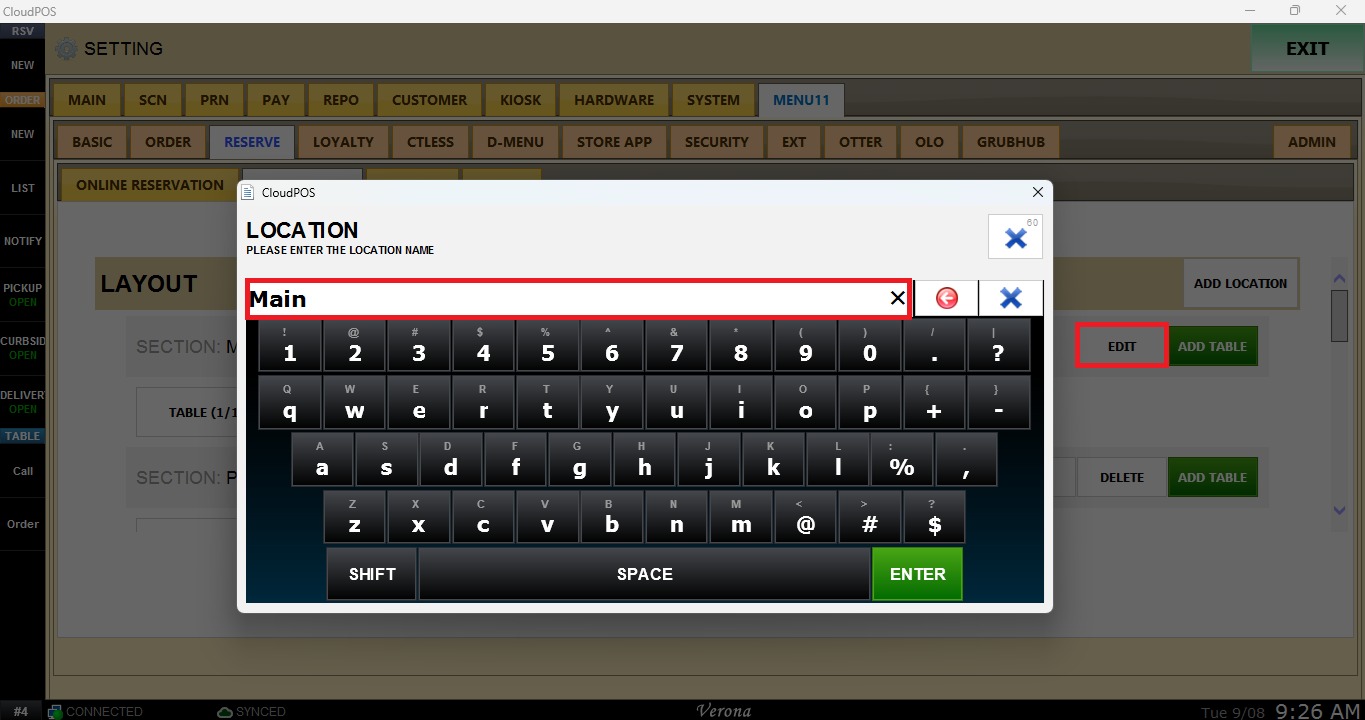
EDIT: Changes the name of a location.
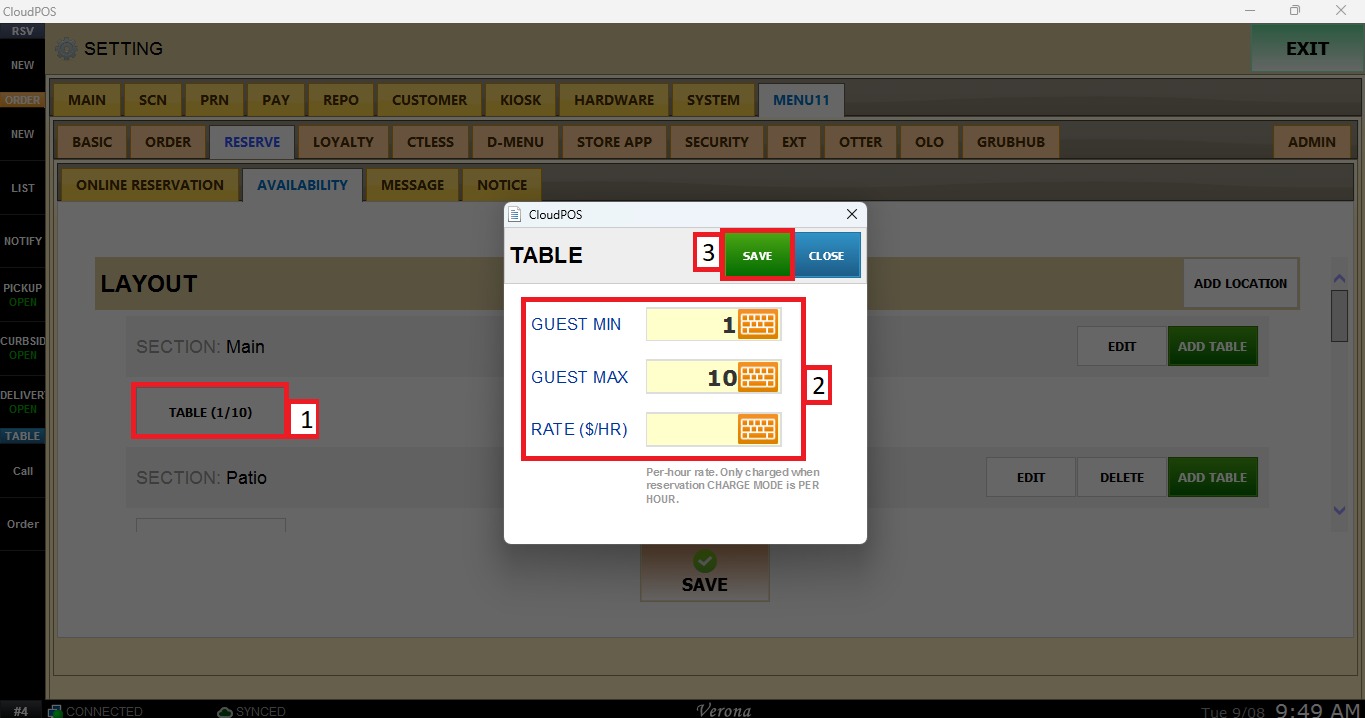
Click on the table to edit the number of guests and the rate.
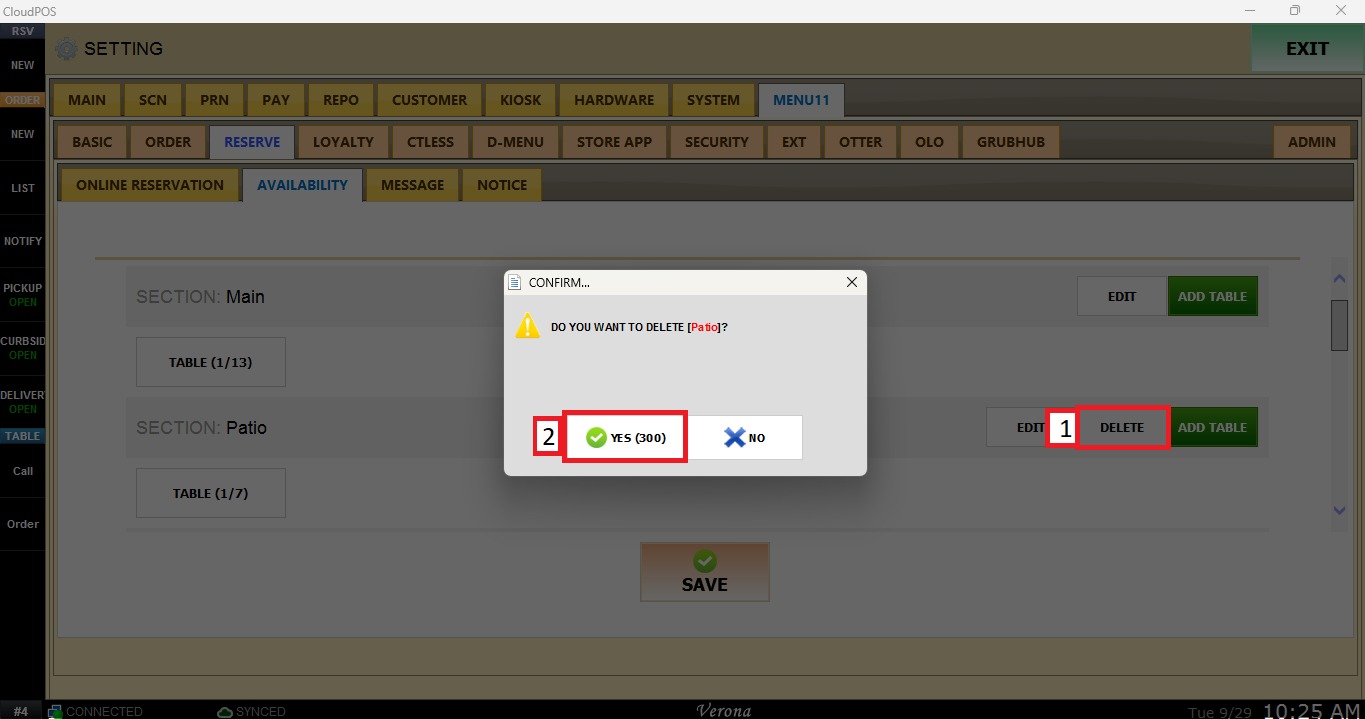
You can remove a location by clicking DELETE.
TIMES
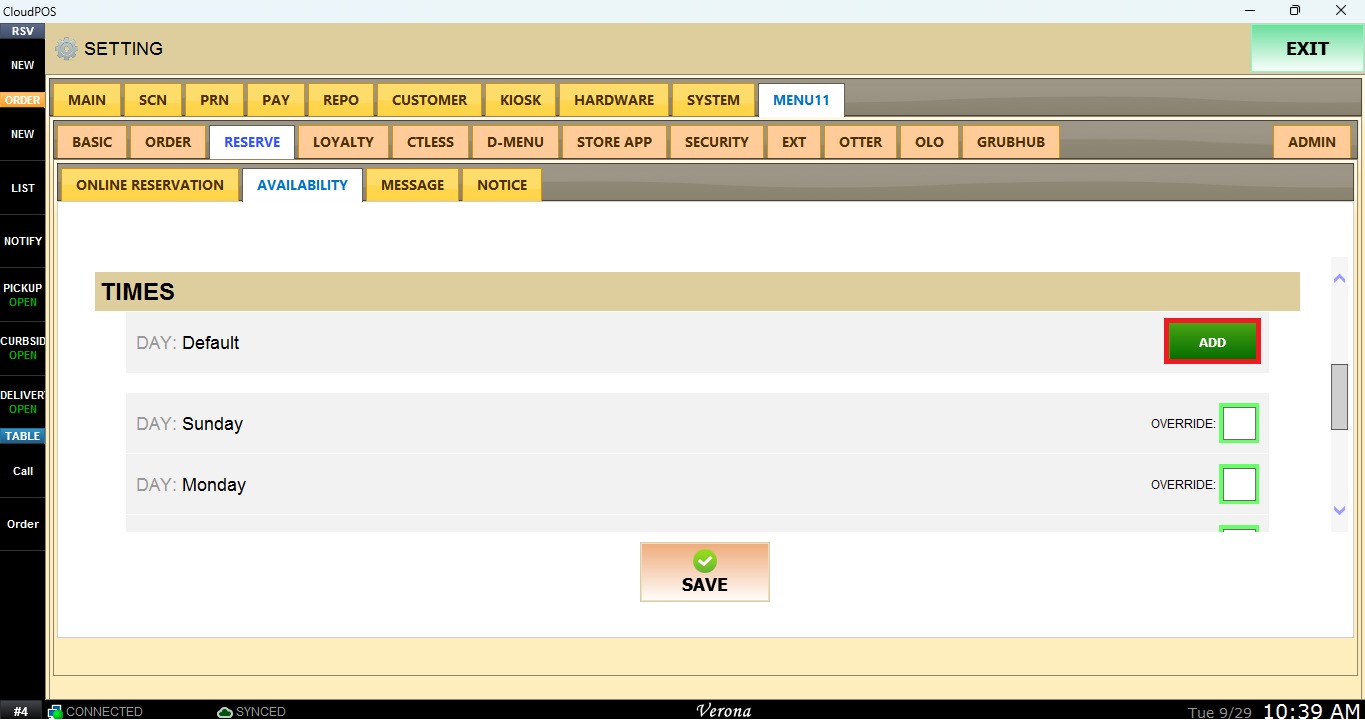
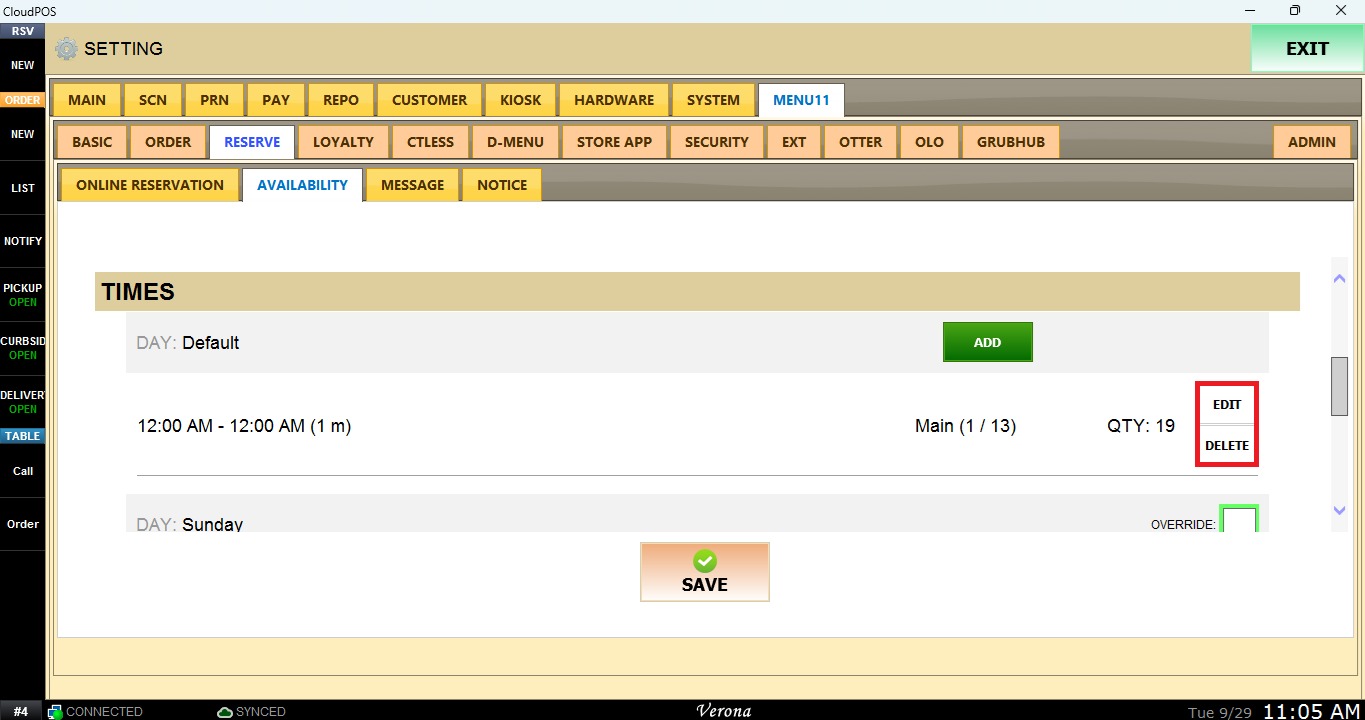
Click ADD to create a new availability interval during which tables can be reserved.
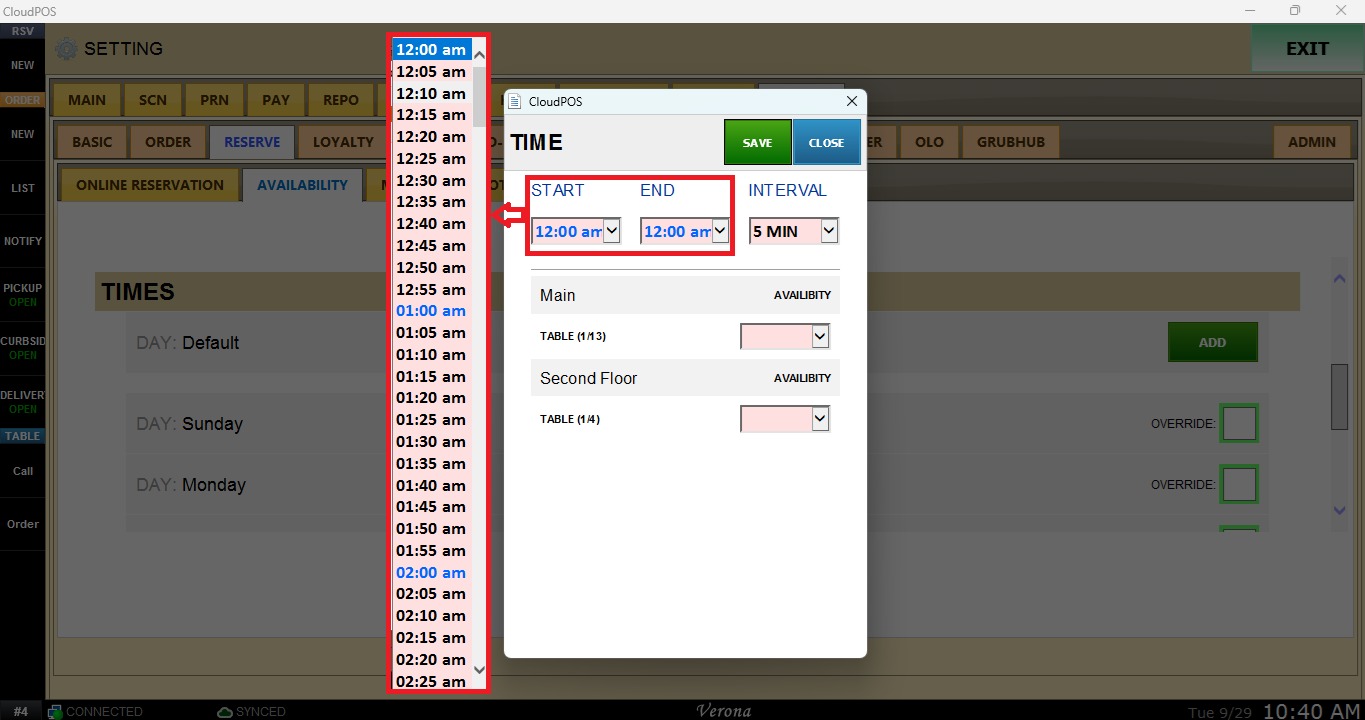
START TIME / END TIME: Define the hours during which tables are available for reservations.
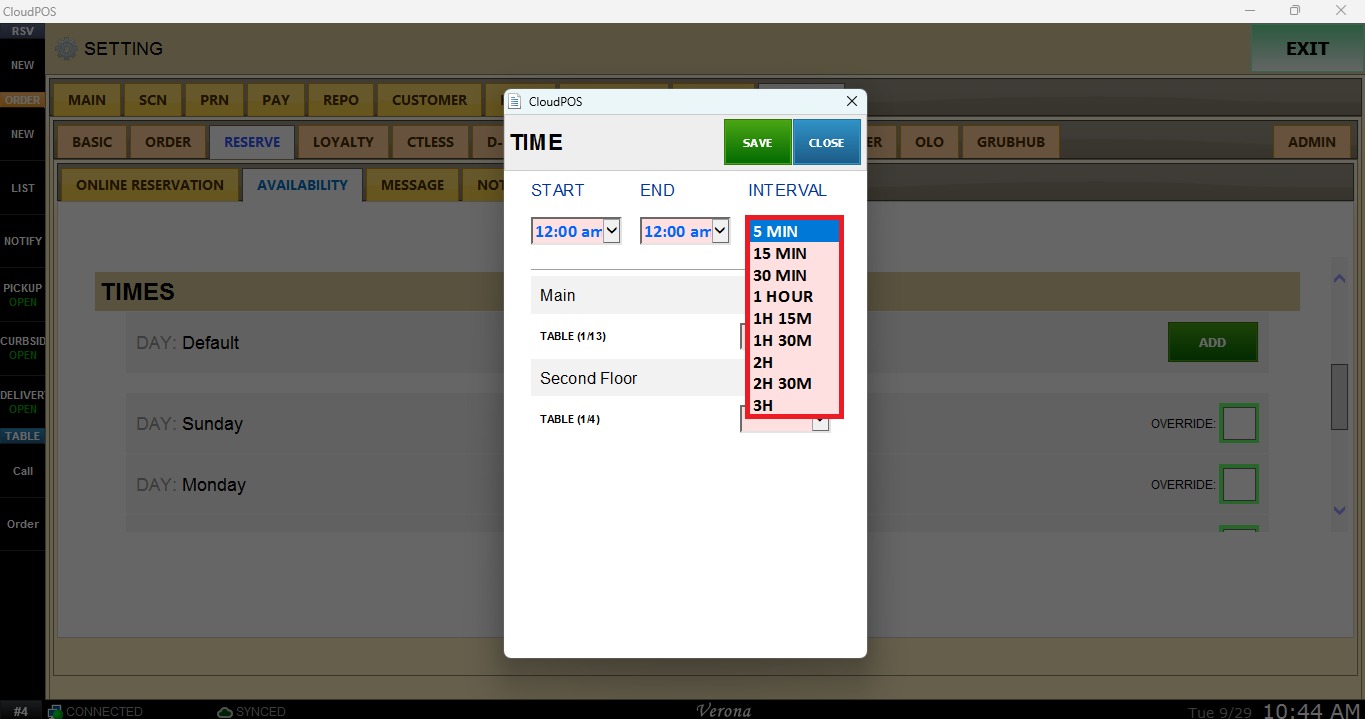
INTERVAL: Specifies the time interval between reservations.
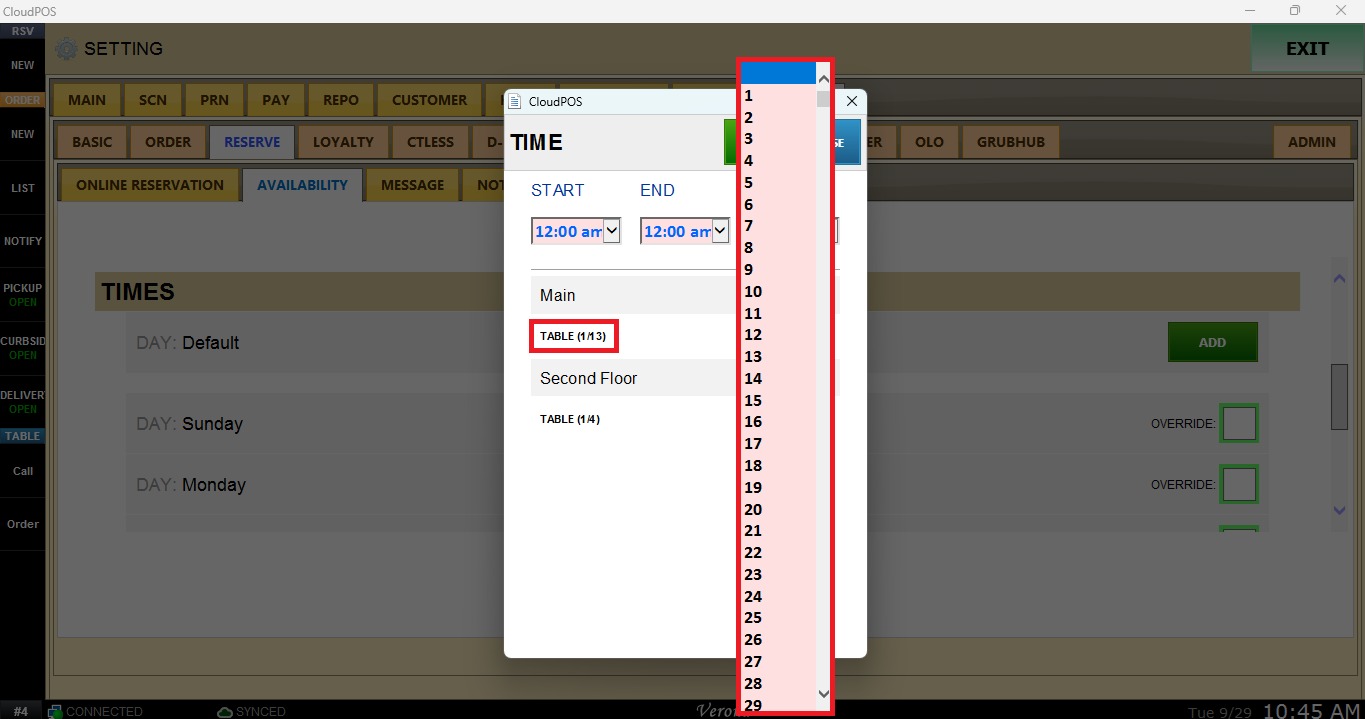
TABLES: Indicates how many tables are available in each time interval.
EDIT / DELETE: Modifies or Removes an availability interval.
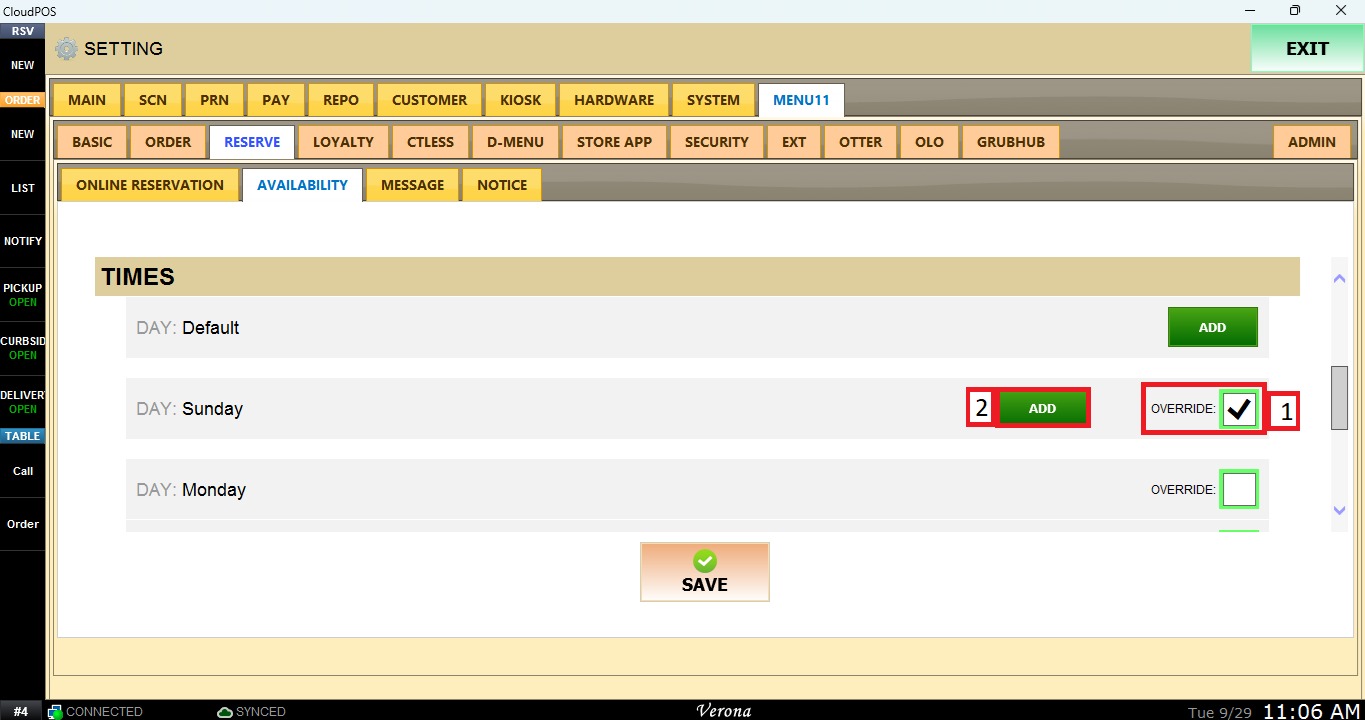
OVERRIDE: Applies different availability times and table quantities to specific days of the week.
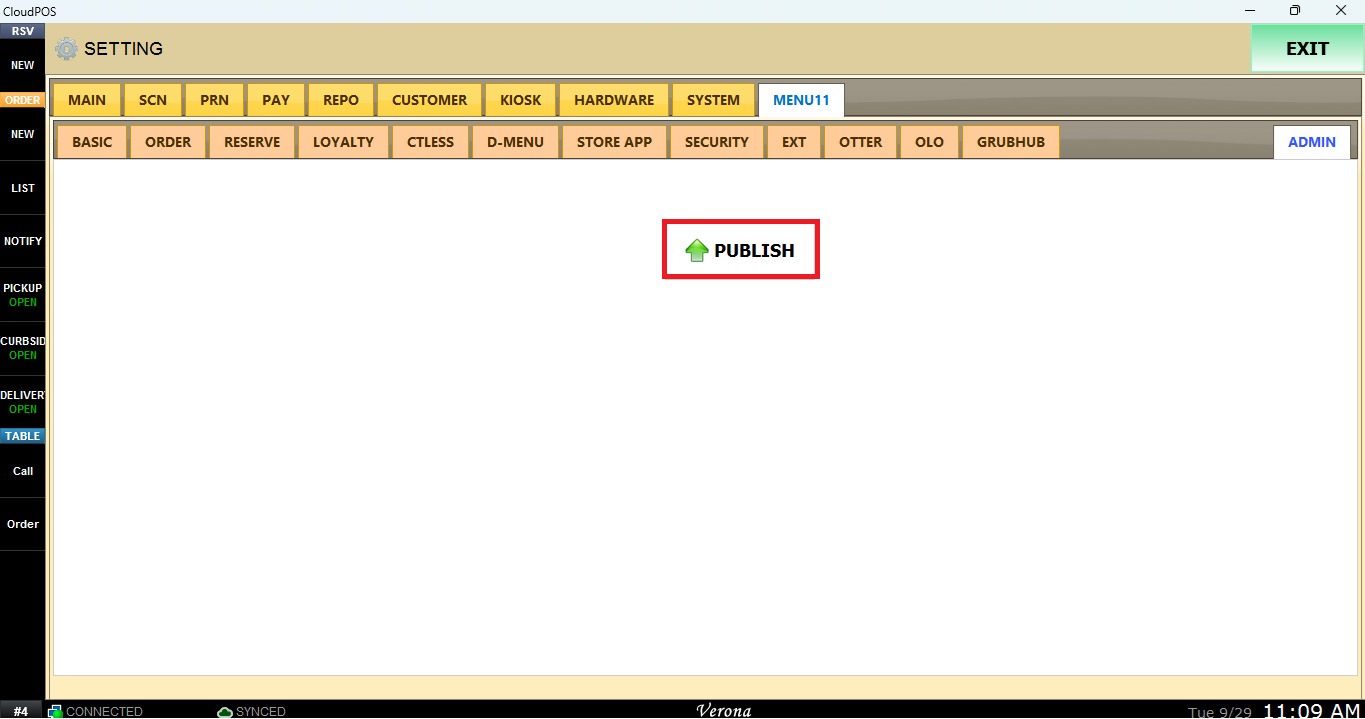
Once the configuration is complete, click SAVE and navigate to ADMIN.
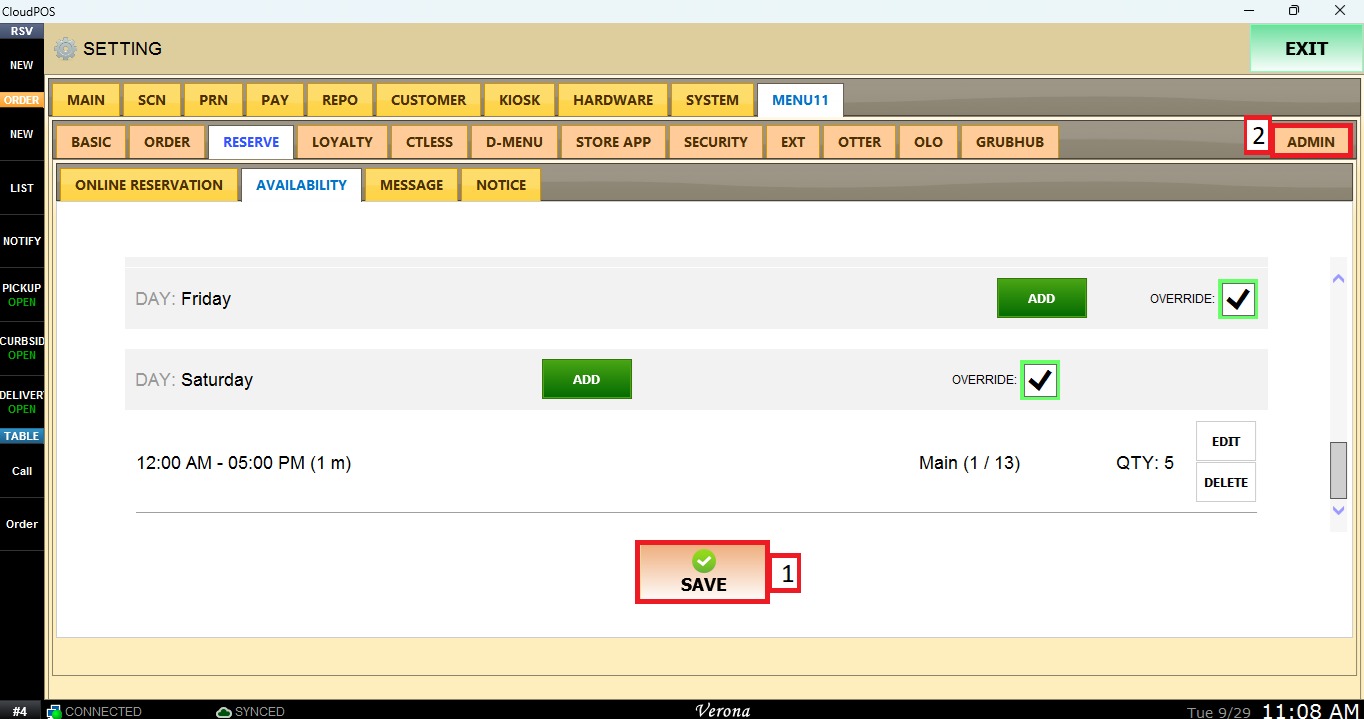
Click on PUBLISH to apply the changes.