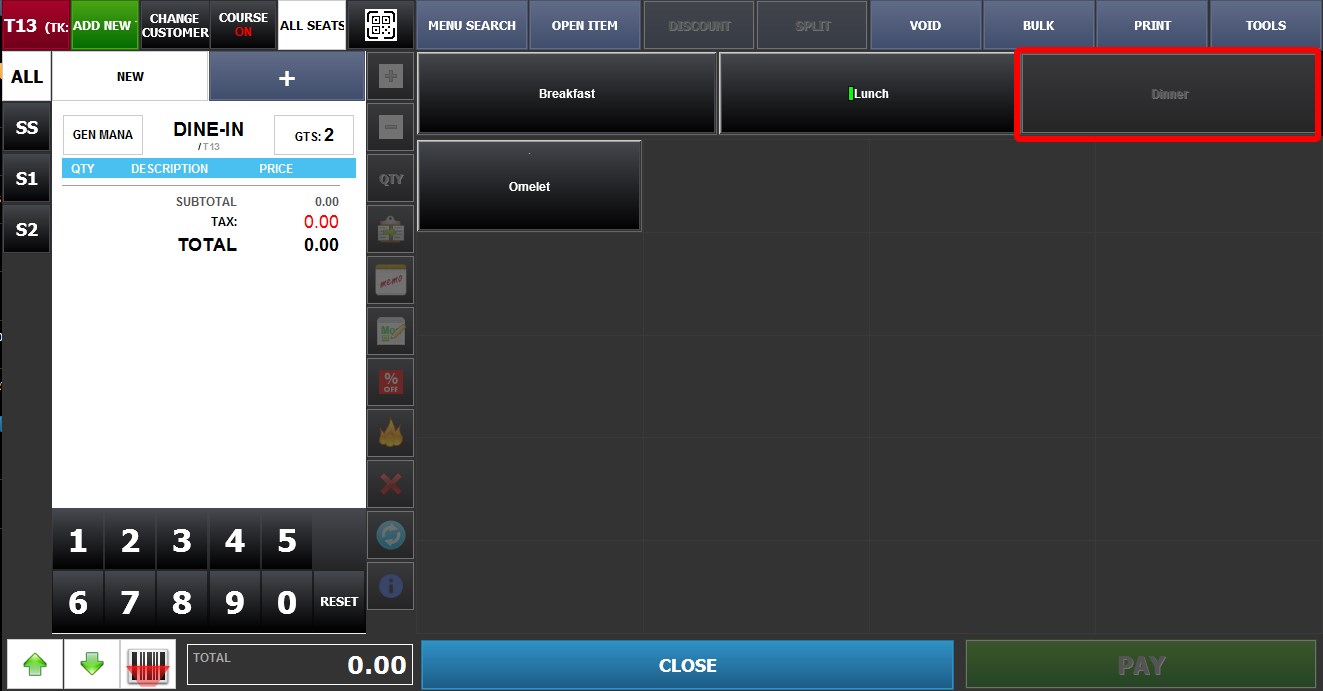
Hour Availabilties
This feature allows menu categories to automatically become available or unavailable based on configured time ranges and days of the week. This helps restaurants control which categories can be ordered during specific service periods such as breakfast, lunch, dinner, late night, or happy hour.
Main Screen > MENU > SETTINGS > REPO > EDIT> CATEGORY> HOUR AVAILABILITY.
Go to MENU, then SETTINGS.
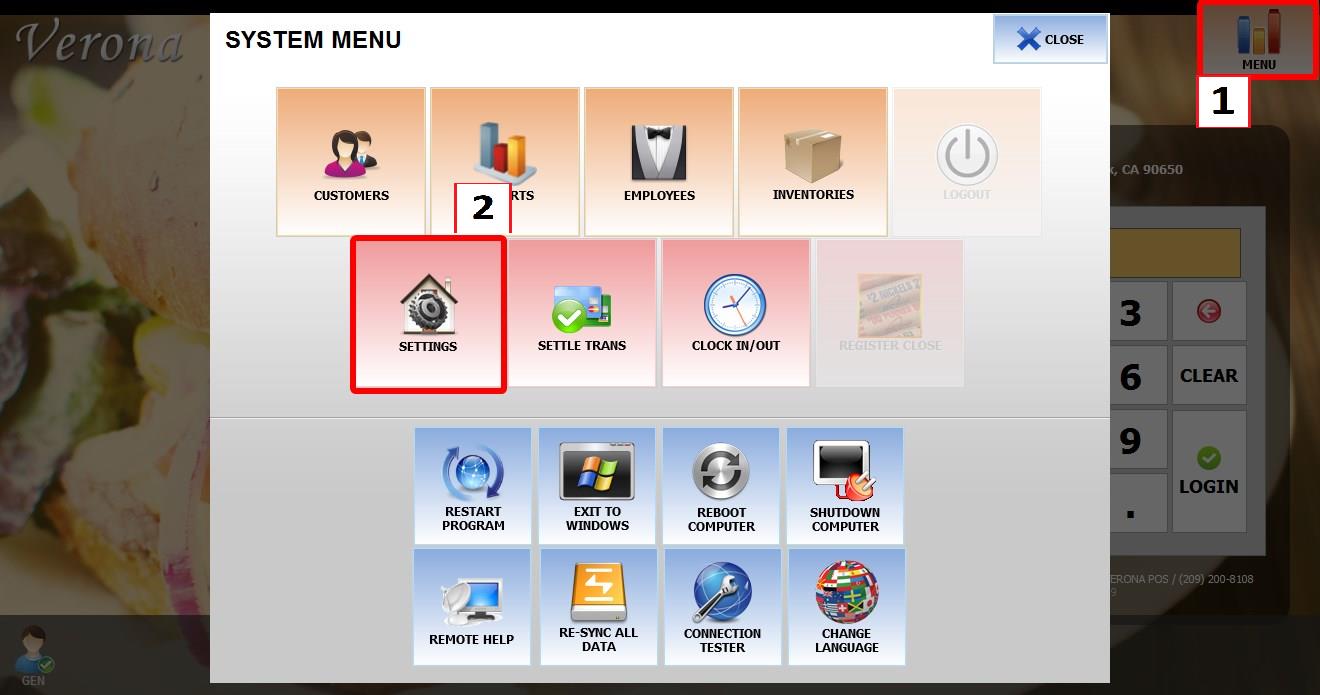
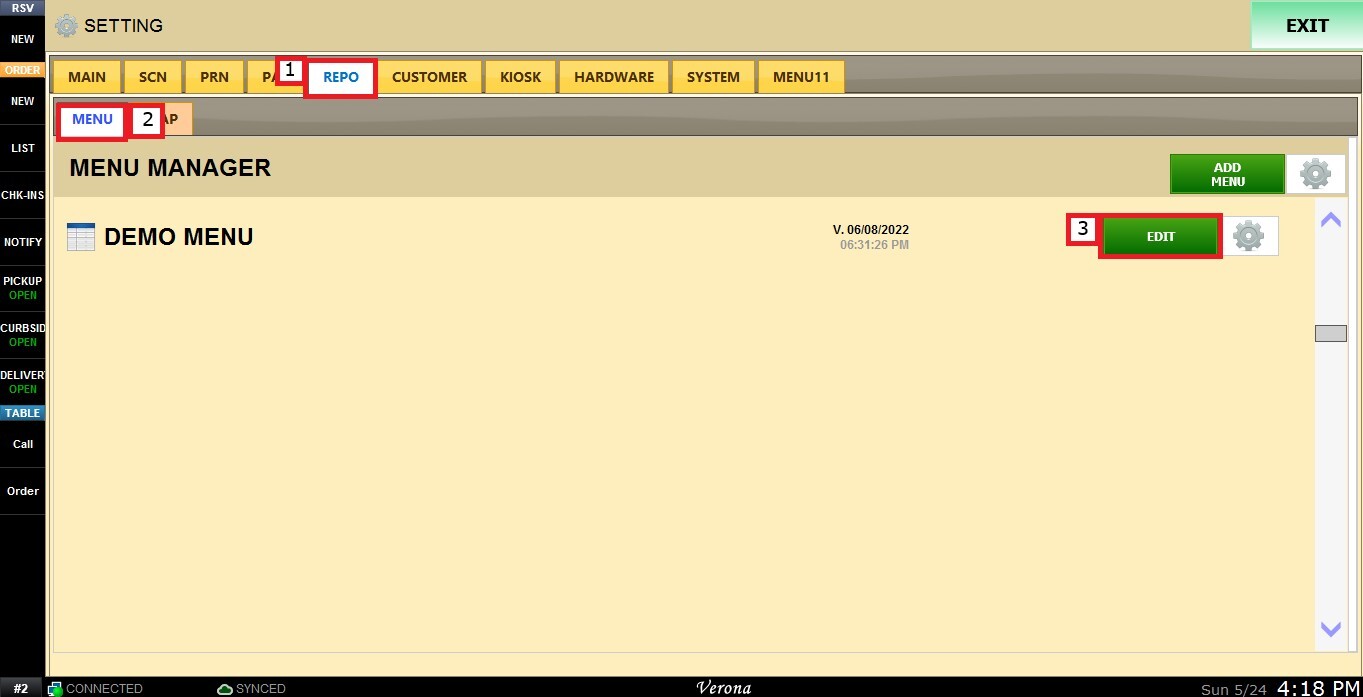
Open the REPO tab, select MENU to locate your menu, and click EDIT.
Select the category you want to configure. Scroll down through the category settings until you find the HOUR AVAILABILITIES dropdown menu.
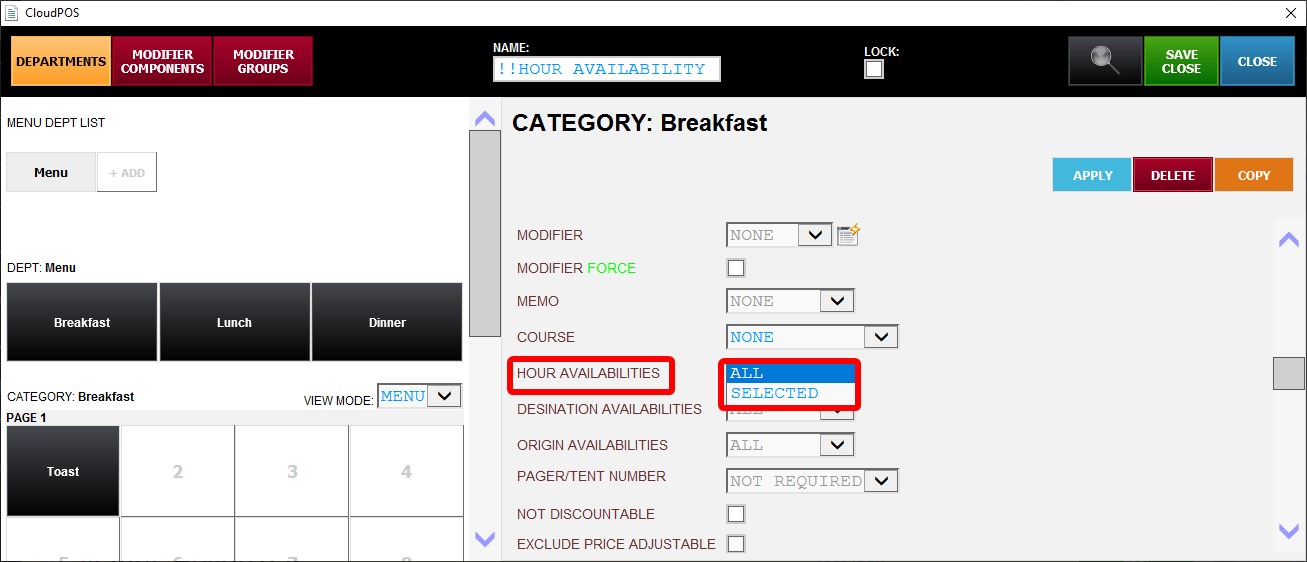
The following options are available:
1. ALL: The category will remain available during all configured operating hours.
2. SELECTED: Allows you to assign specific Hour Availability schedules to the category.
USING SELECTED HOUR AVAILABILITIES
If set to SELECTED, a list of configured Hour Availability labels will appear for selection.
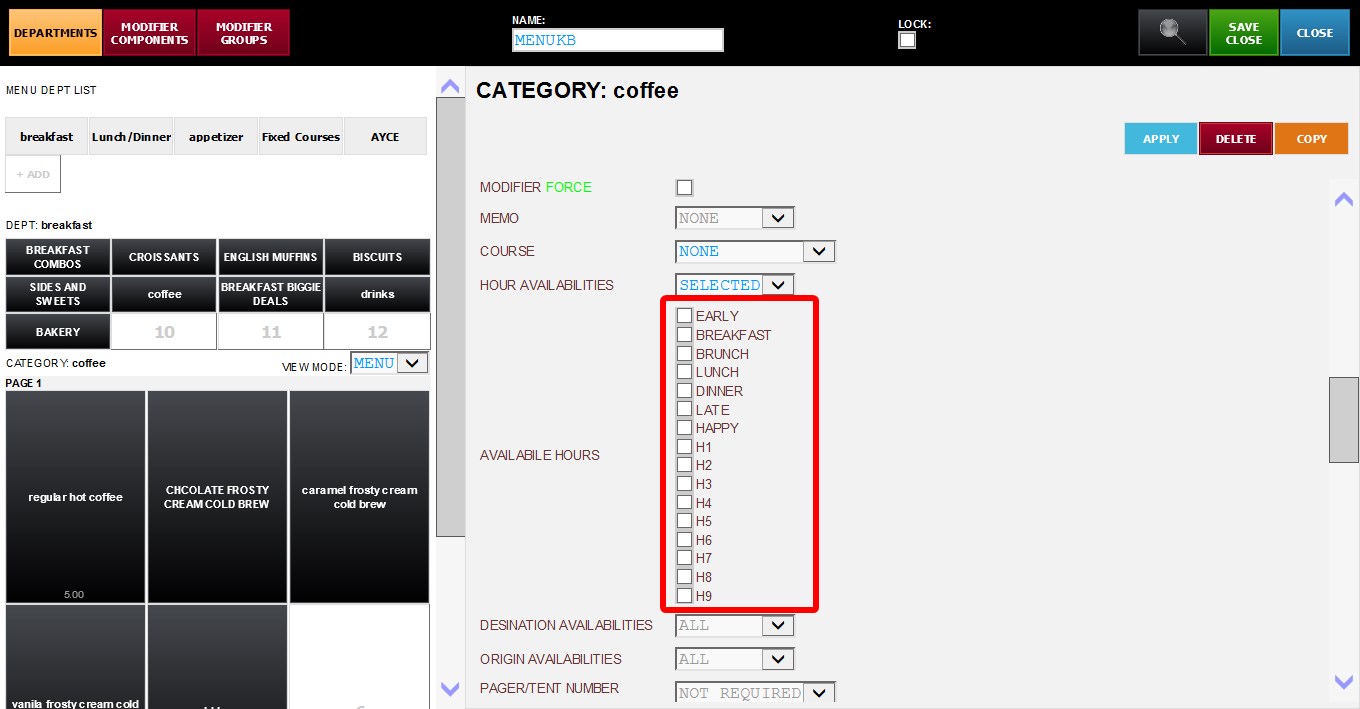
Before using this option, make sure the schedules and time ranges have already been configured. Refer to the Serving Hours Settings guide for setup instructions.
Hint: category can use one Hour Availability schedule while individual items inside that category can use different Hour Availability settings. See Hour Availabilities Item for more information.
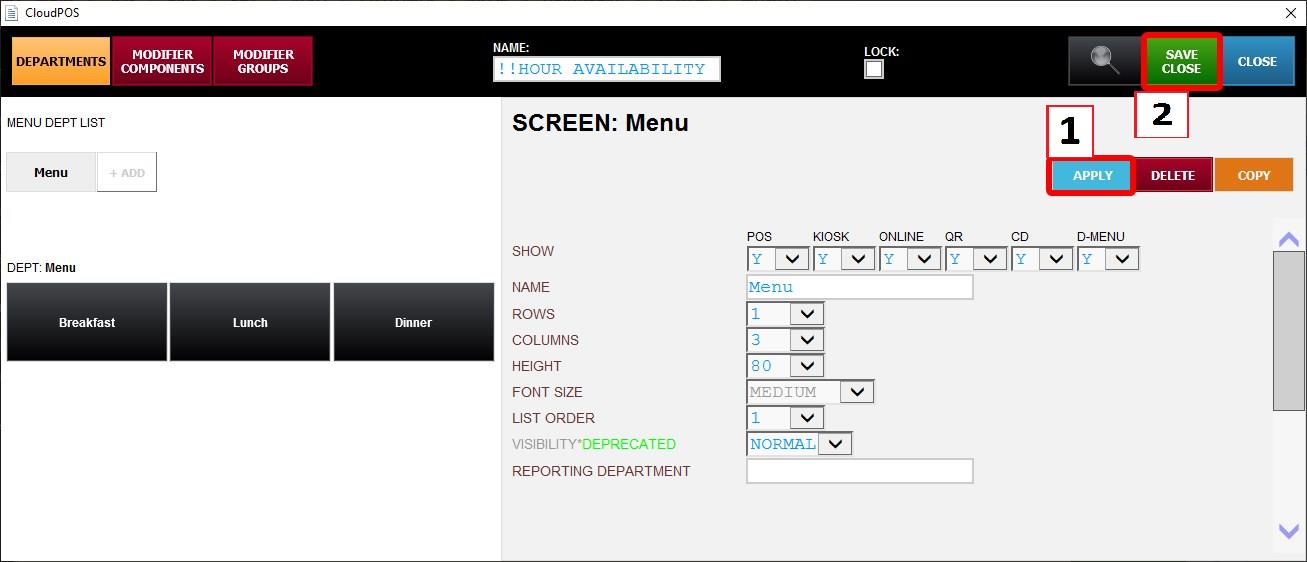
After configuring the desired settings, click APPLY, then SAVE & CLOSE to apply the changes.
If a category is outside of its configured available hours, the category will appear dimmed and will not be available for ordering.