Creating a Department
Departments serve as the main organizational structure of the menu. Within each department, you can create categories to group related items, making the menu easier to organize and navigate.
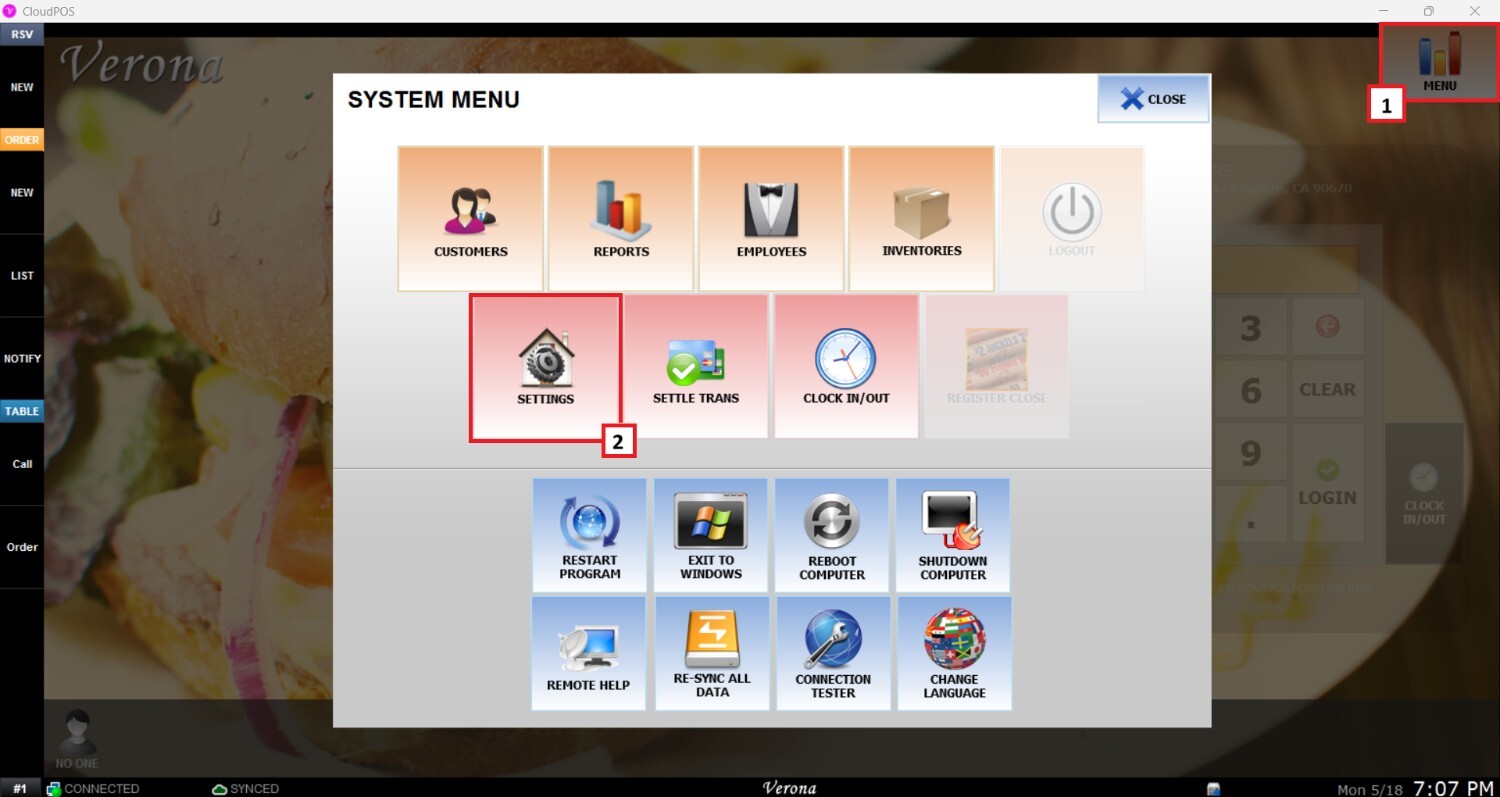
Main Screen > MENU > SETTINGS > REPOSITORY > EDIT
To create a department, go to MENU and then SETTINGS.
On the settings screen, click on REPO (REPOSITORY), then MENU, and EDIT on the right side of the menu to modify.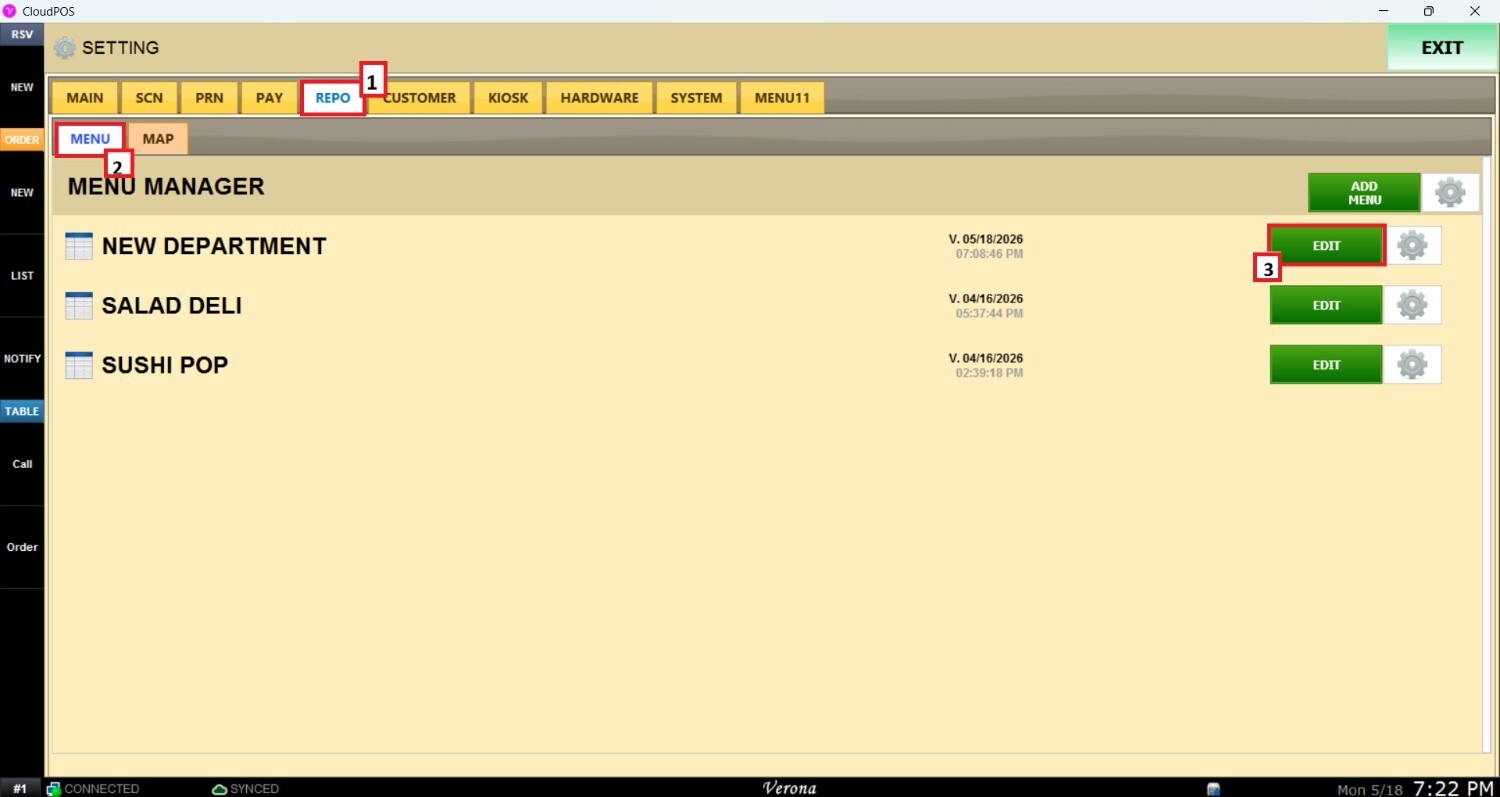
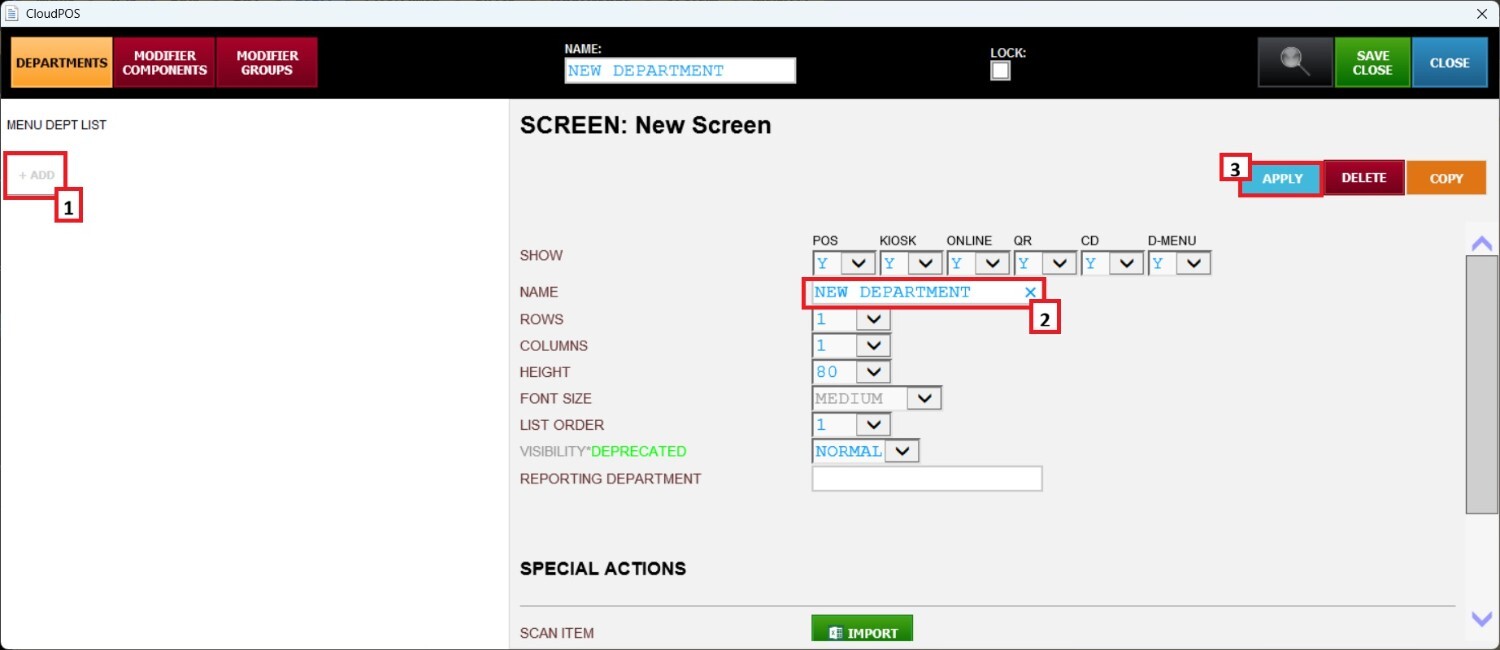
Click on +ADD to display the DEPARTMENT modification panel. Enter the name of the DEPARTMENT in the NAME field, then click on APPLY.
The number of categories in the DEPARTMENT will depend on the number of columns and rows chosen. After selecting the number of columns and rows, click APPLY to view the modifications.
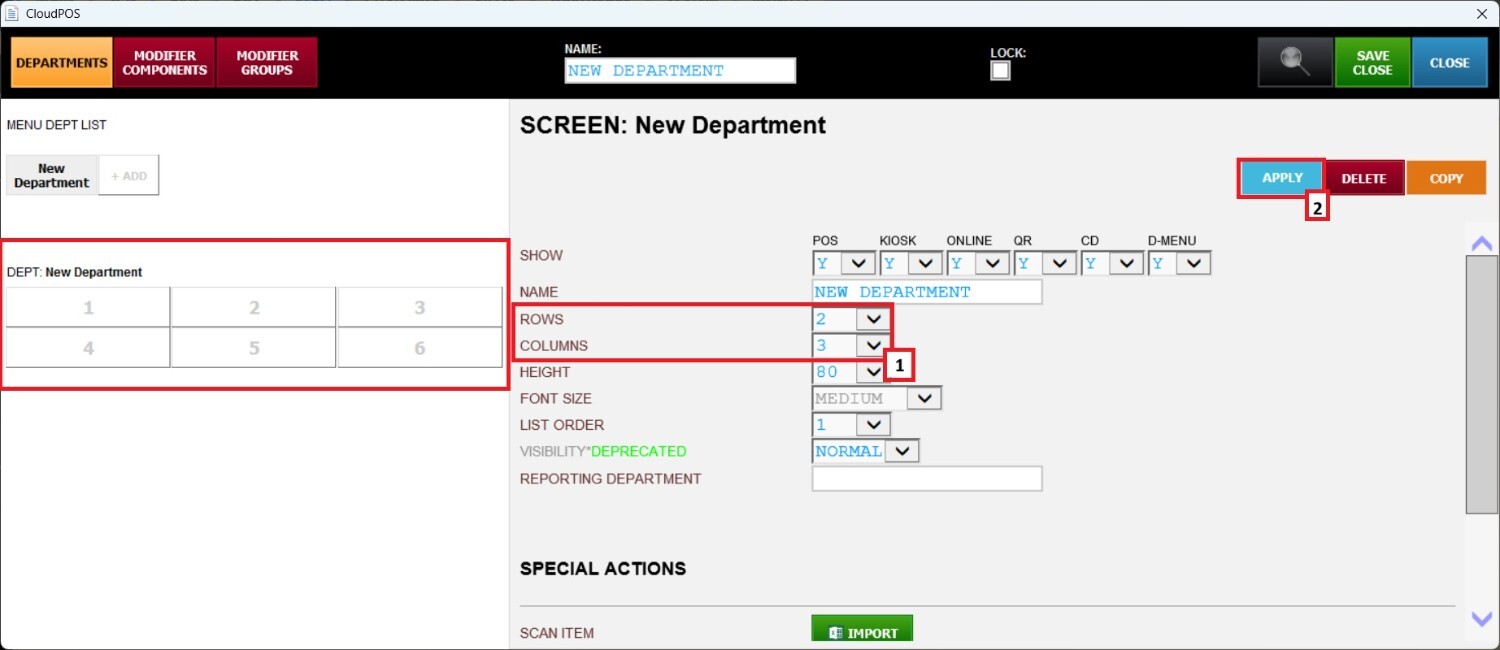
Hint: It is recommended to set a higher number of COLUMNS than the ROWS to have a bigger space to select the department.
Refer to the Creating a Category guide to add categories to the department you just created.