Memo for Item
The Memo for Item feature allows you to add a note or special request to a specific menu item.
MAIN SCREEN> SALES SCREEN> TABLE> ITEM> MEMO.
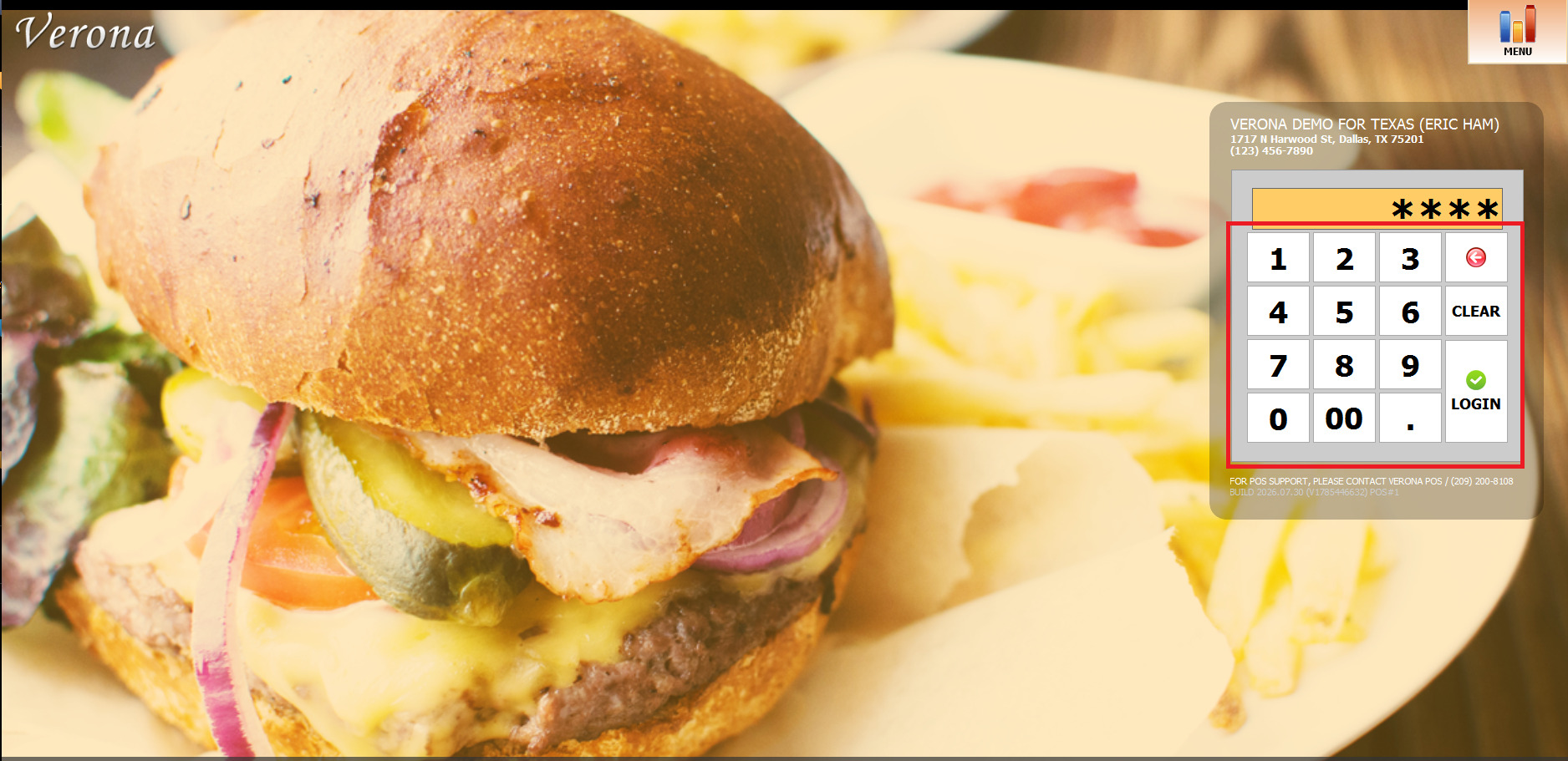
Log in to the Sales screen from the login pad.
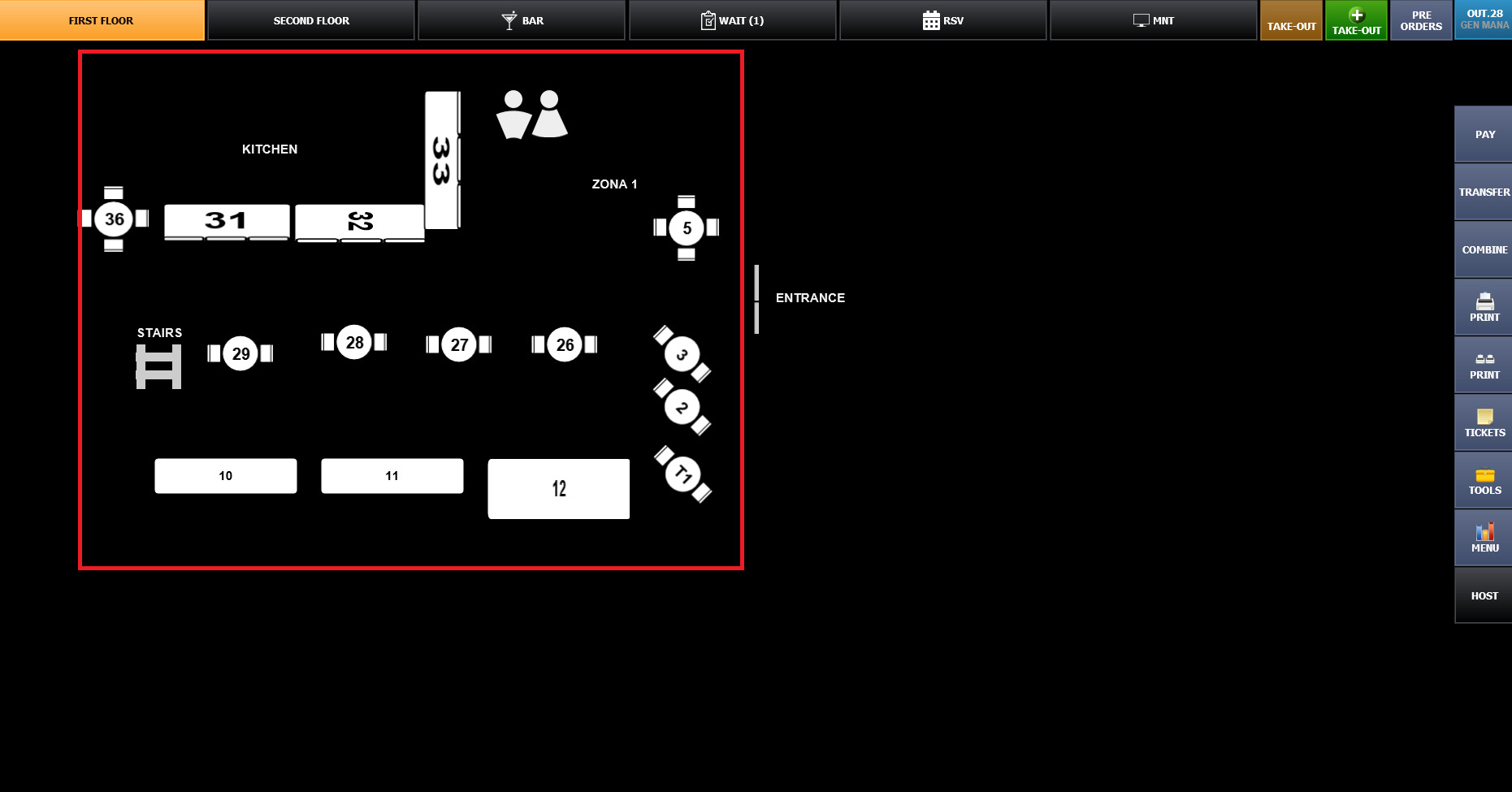
On the Sales screen, select the table.
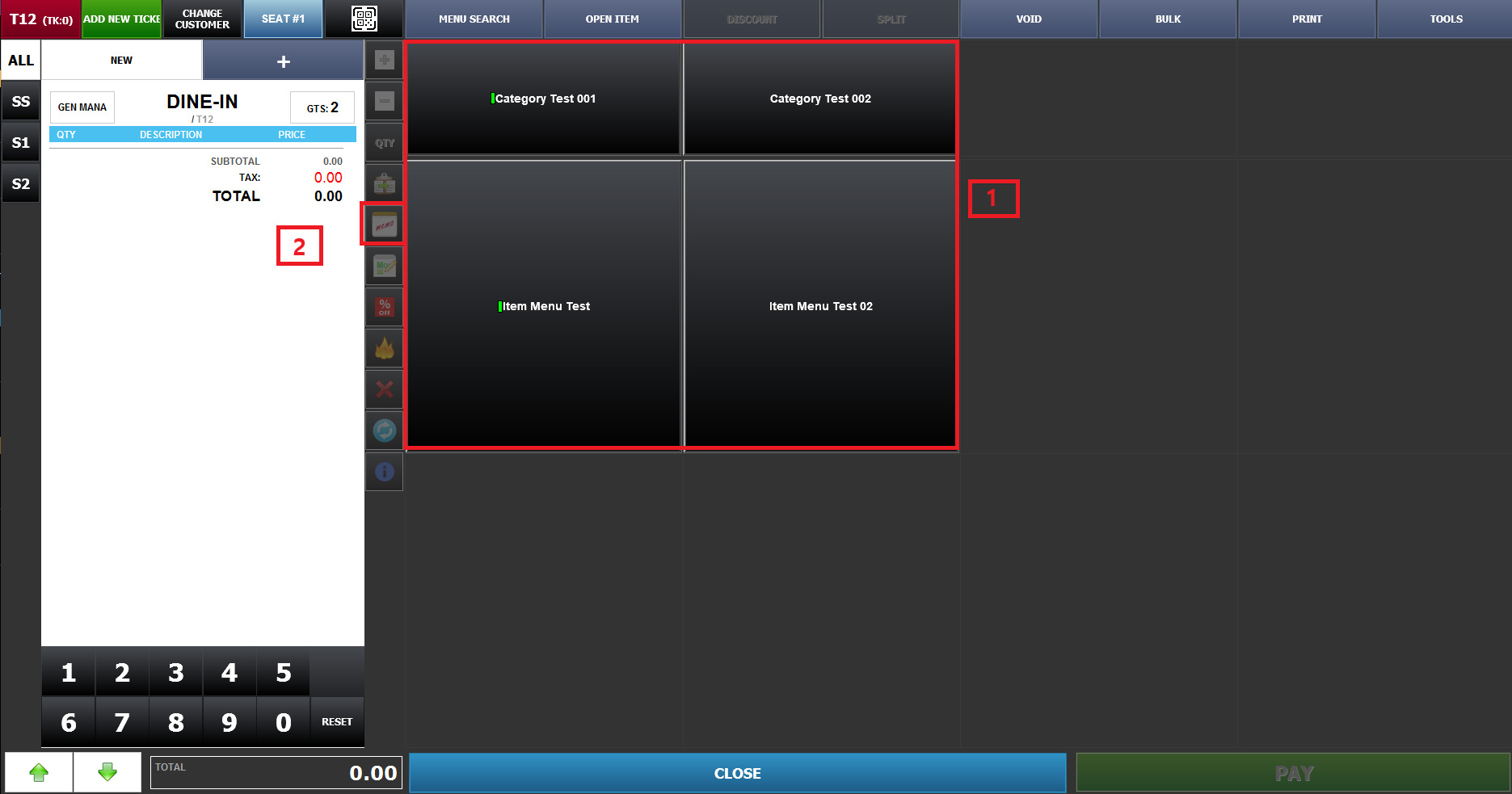
Select the menu that you want to order and add it to the ticket.
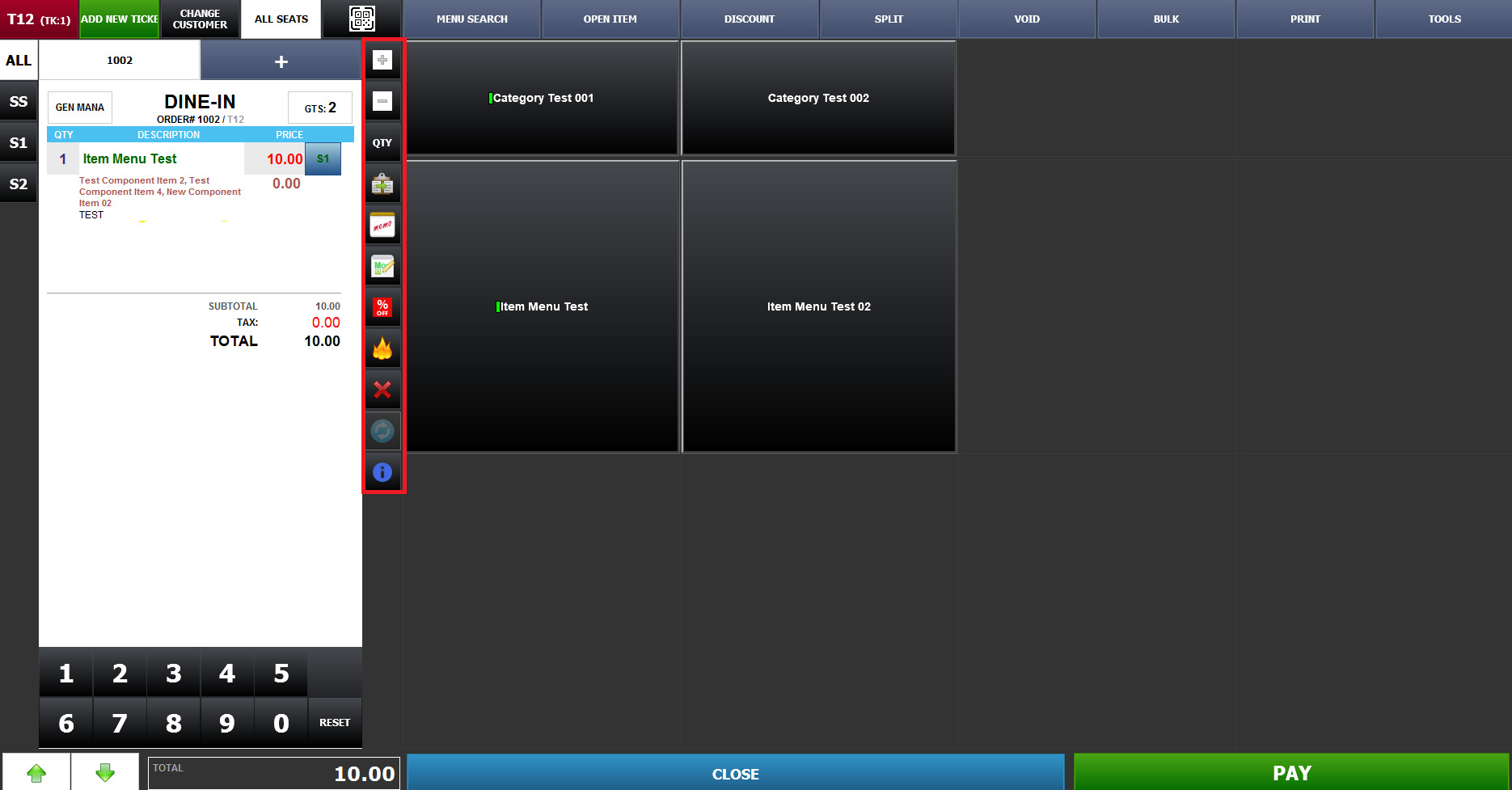
With the item selected, select the MEMO ICON from the FUNCTION BAR in the middle of the screen.
The ITEM NOTE will appear. Enter the note or special request for the item.
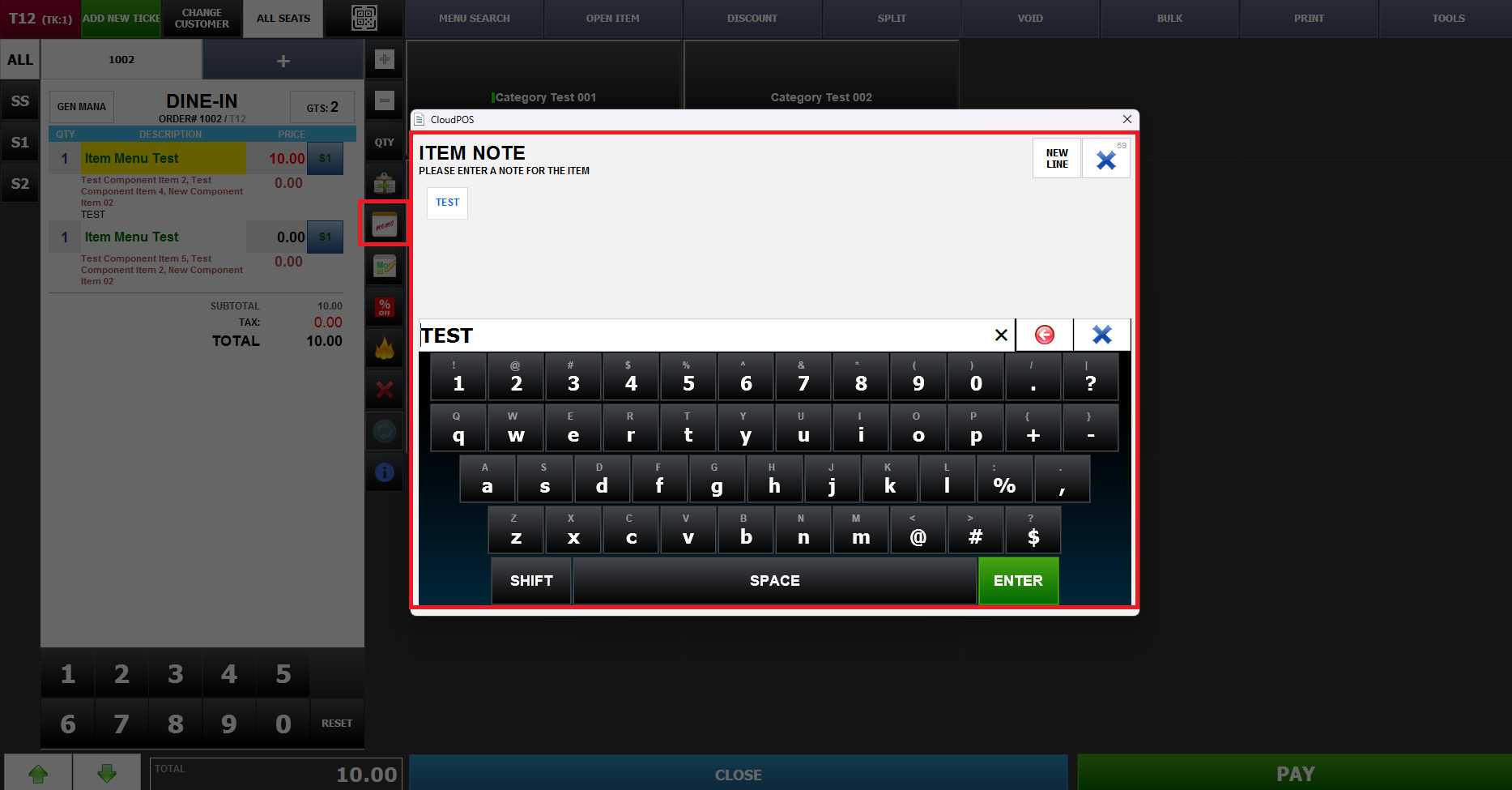
The memo will be added as an additional note to that specific item on the order.
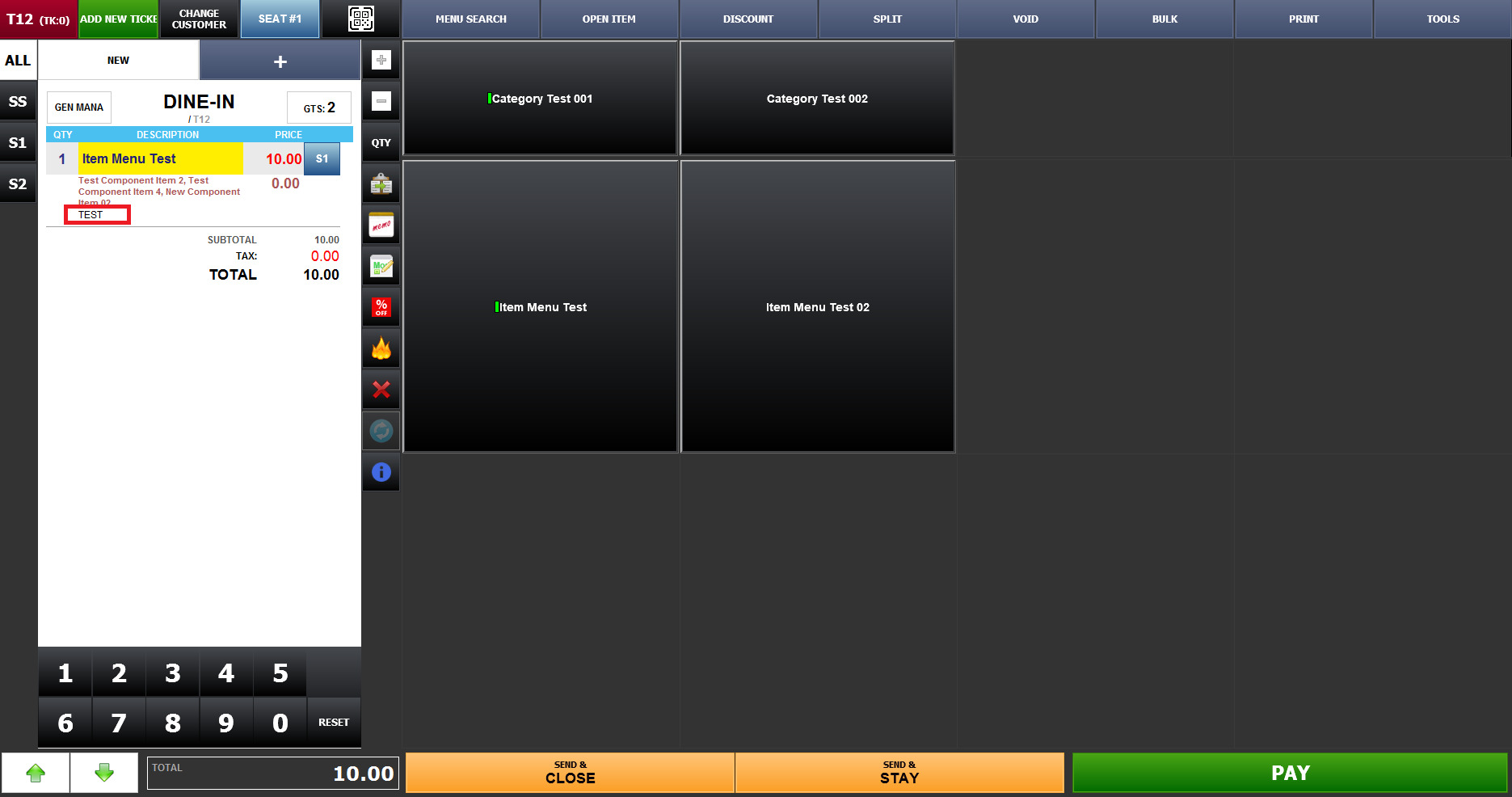
The Memo is attached to the selected item and will also be displayed on the receipt and kitchen printer.
This allows the kitchen staff to clearly see the customer's special requests.