Online & Kiosk
This section within the Category configuration allows you to customize how a menu category is displayed on customer-facing digital platforms such as online ordering websites and self-service kiosks.These can help improve menu presentation by providing clearer category names, descriptions, and customer friendly information outside of the POS environment.
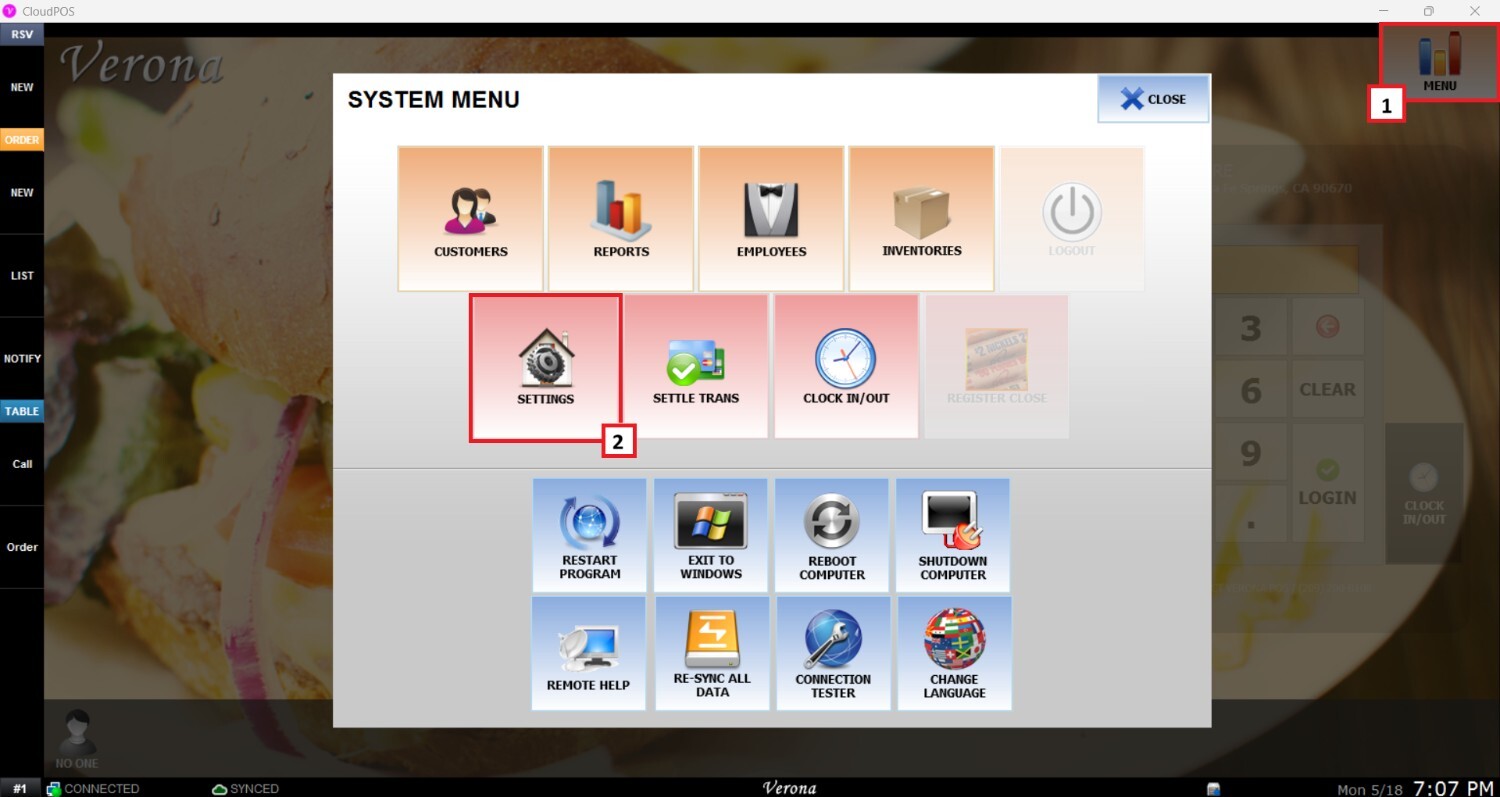
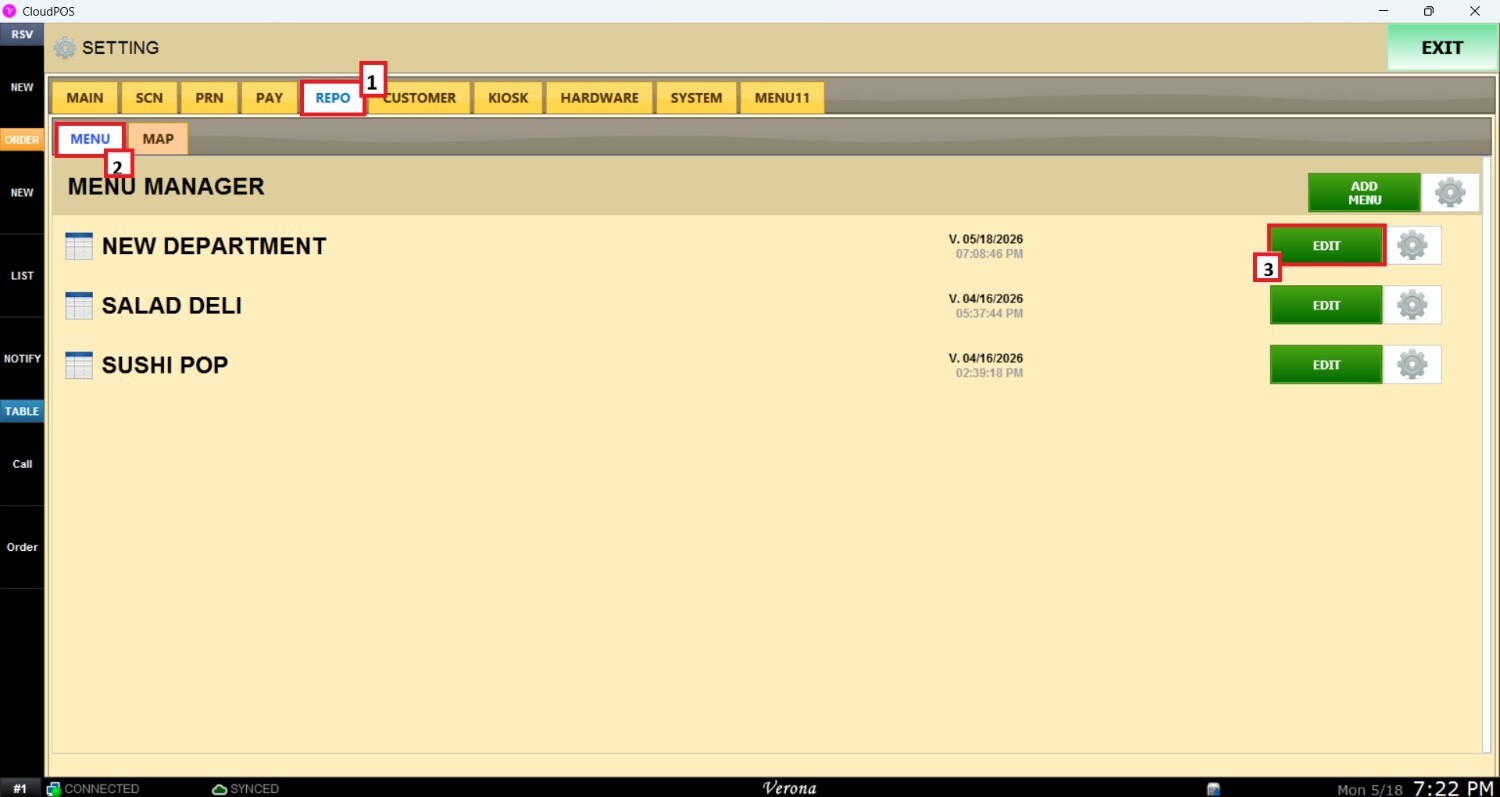
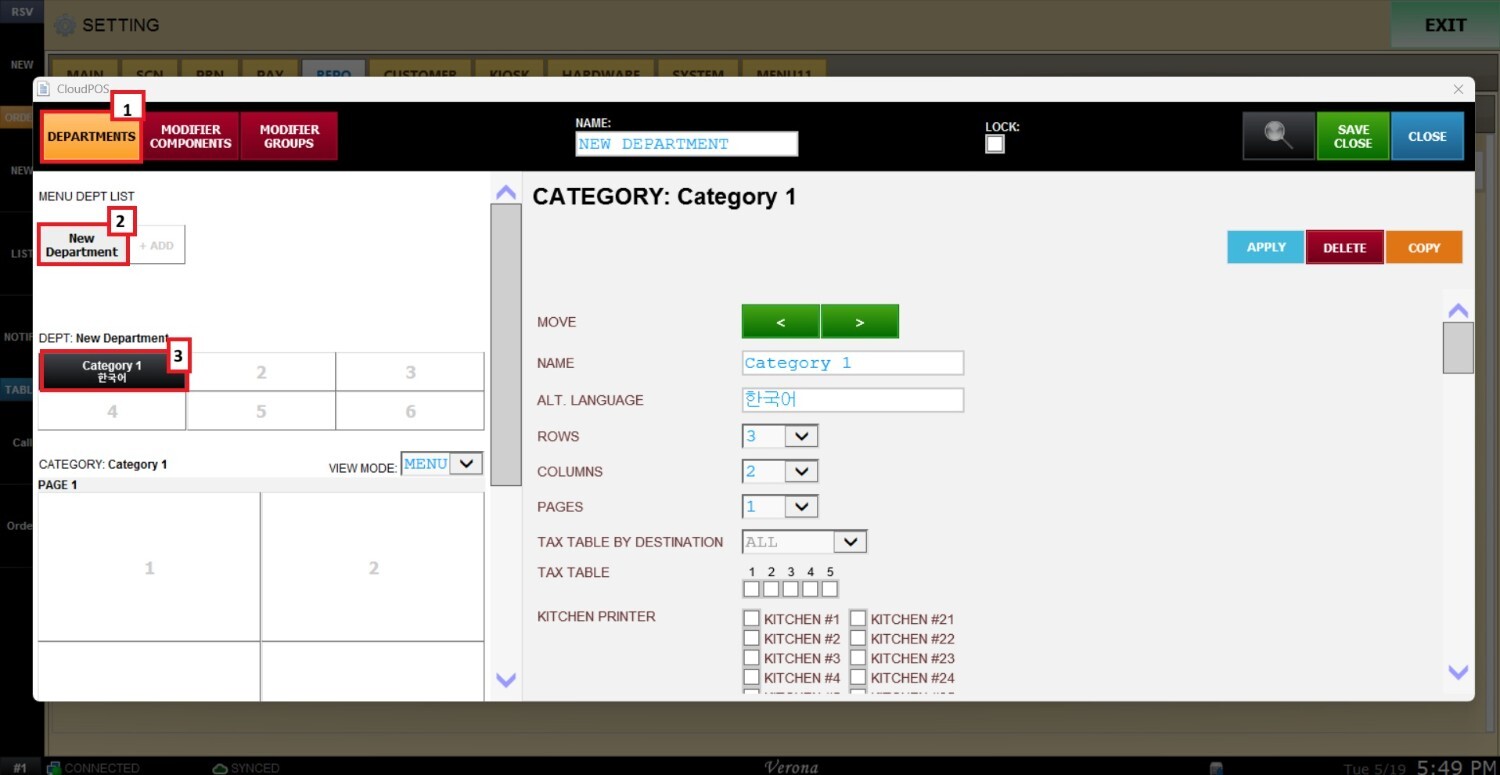
Main Screen> MENU> SETTING> REPO> MENU> EDIT> DEPARTMENTS> CATEGORY
Go to MENU then SETTINGS.
Open the REPO(REPOSITORY) tab, select MENU and Locate the menu you want to modify and click EDIT.
Navigate to the DEPARTMENT section, select the desired department and category.
Scroll down until you reach the ONLINE & KIOSK section, you will find 3 sections:
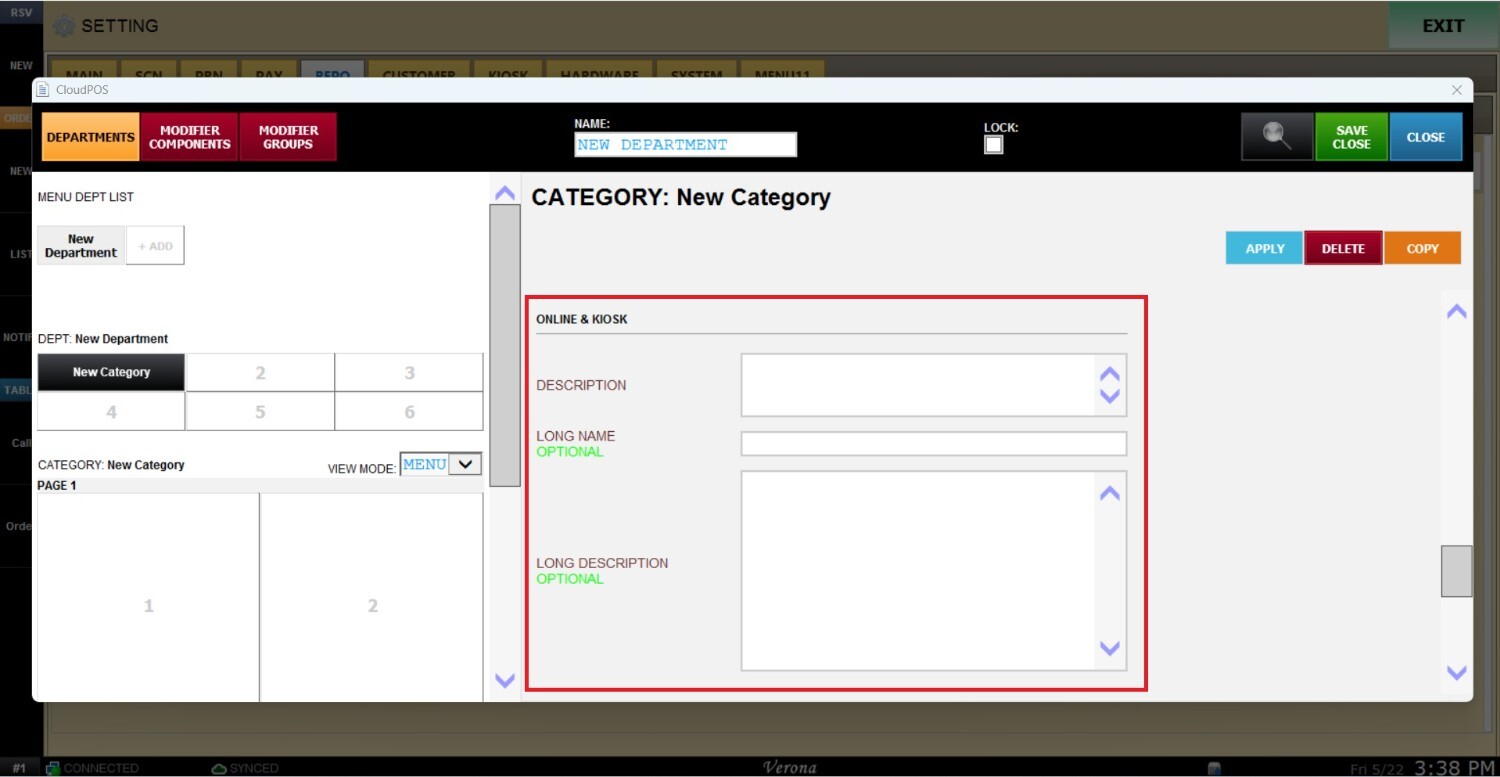
1. DESCRIPTION: Enter a short introductory text or summary for the category. This description appears directly below the category name on supported digital platforms and helps guide customer choices.
[IMAGEN]
2. LONG NAME (OPTIONAL): Allows you to define a more customer friendly or descriptive category name for online ordering and kiosk displays. This field overrides shorter or technical POS button names.
[IMAGEN]
3. LONG DESCRIPTION (OPTIONAL): Provides additional detailed information about the category. This is commonly utilized for promotional bundle rules, generic item inclusions, or general allergy and dietary warnings.
[IMAGEN]
After completing the desired fields, press APPLY and SAVE AND CLOSE to finalize the changes.
[IMAGEN]