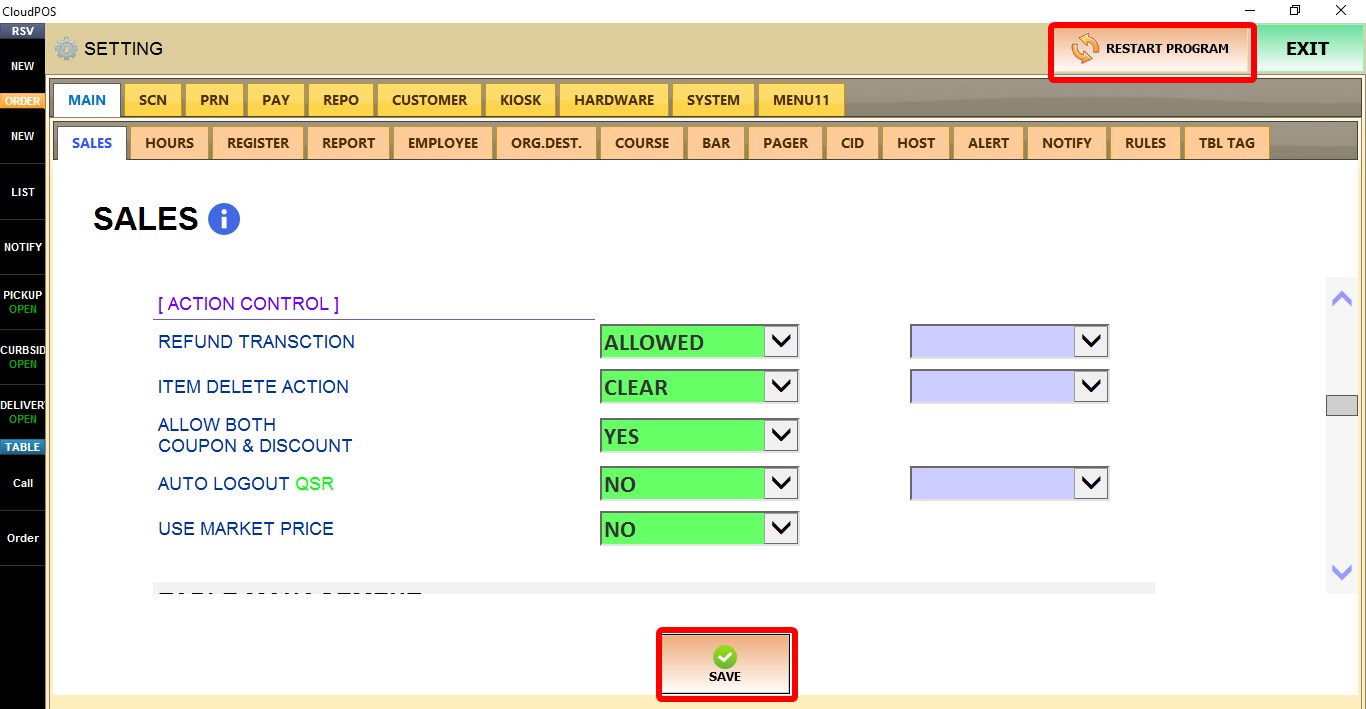
Action Control
The ACTION CONTROL settings determine how transactions, item deletion, discounts, automatic logout, and market price items are handled during order entry.
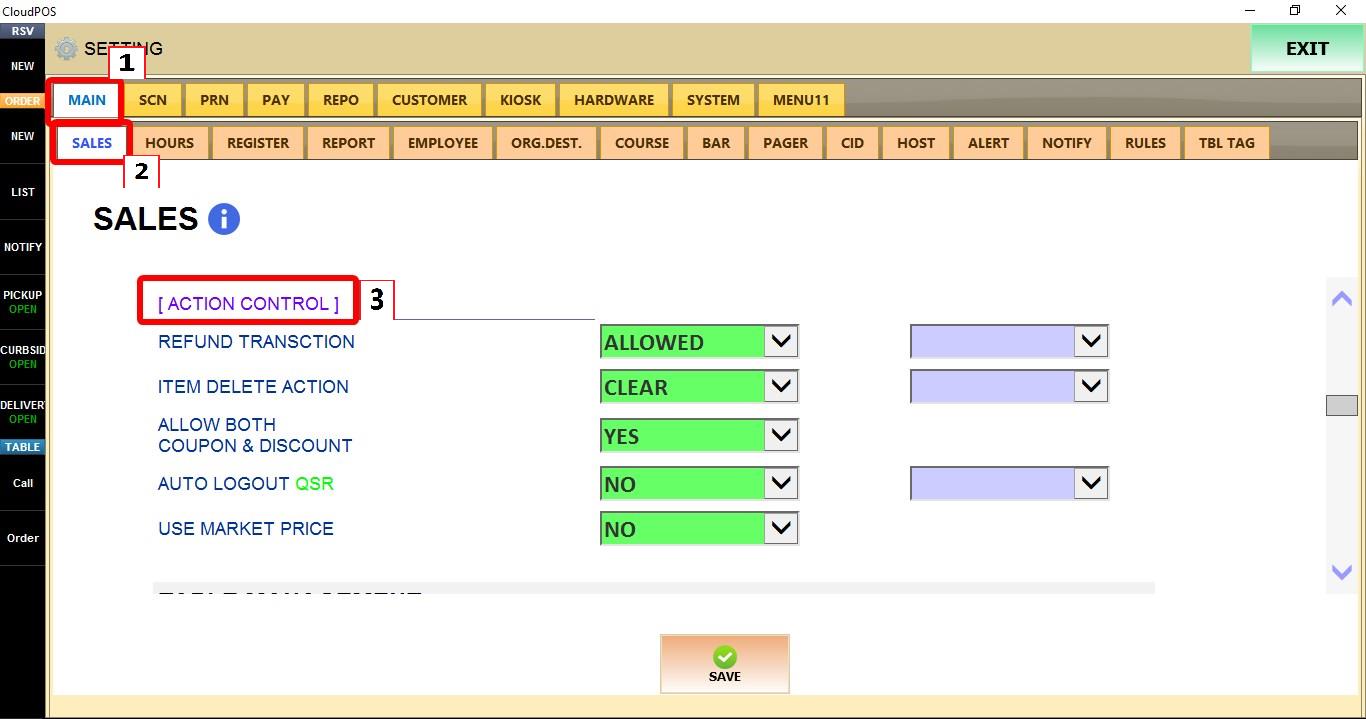
MENU > SETTINGS > MAIN > SALES > ACTION CONTROL
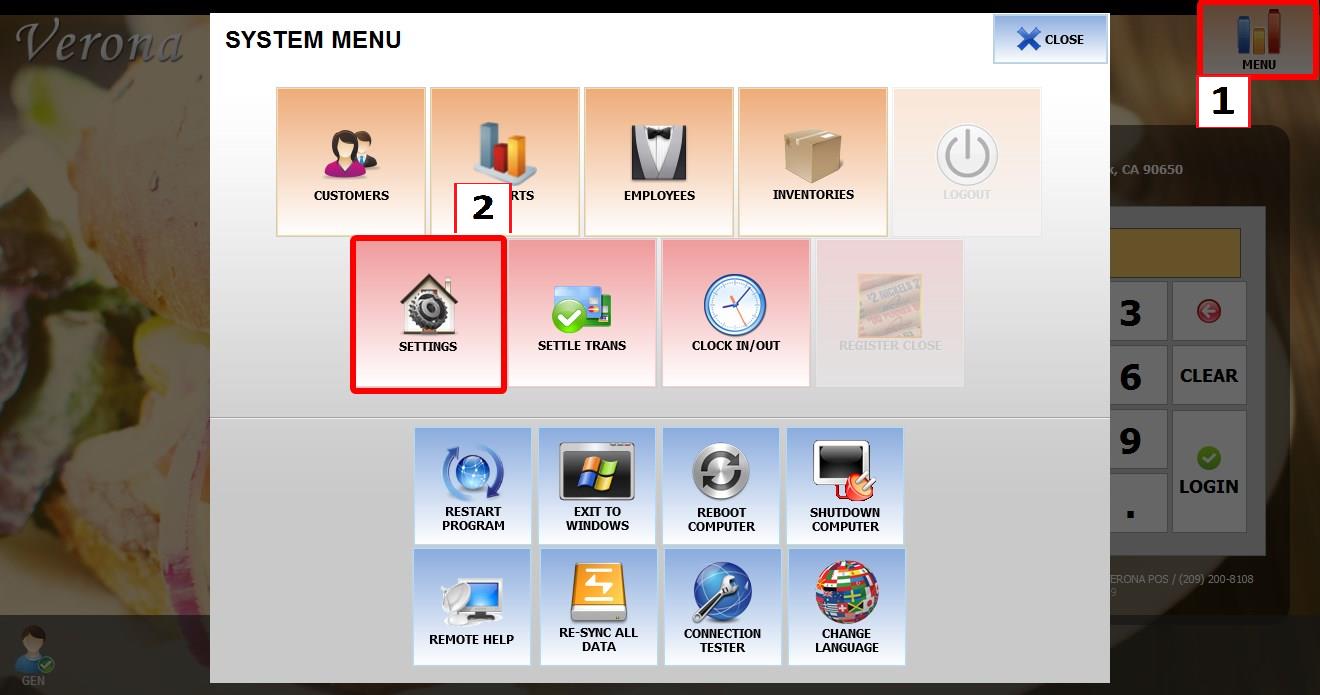
From the MAIN SCREEN, click MENU, then select SETTINGS.

Go to MAIN > SALES > ACTION CONTROL.
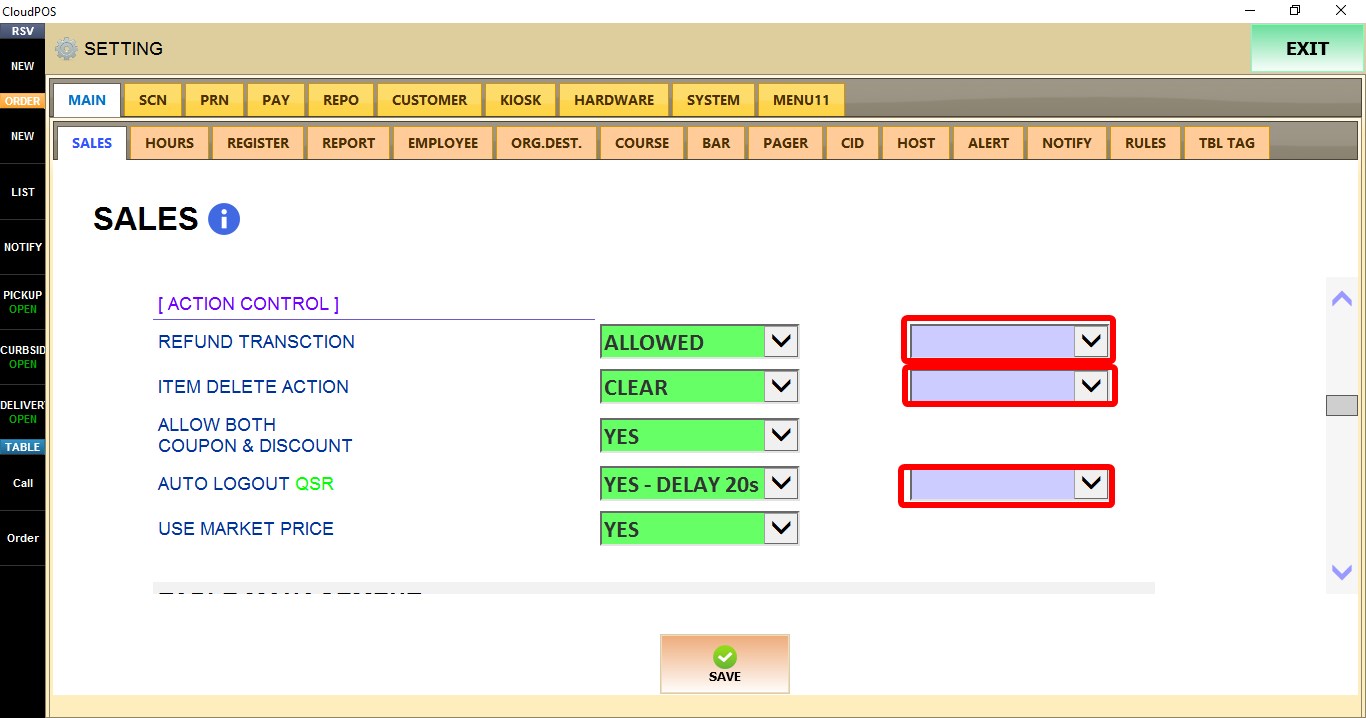
TERMINAL / ACTION CONTROL SETTINGS
Use the TERMINAL dropdown to configure these settings for a specific POS terminal. Changes only apply to the selected terminal.
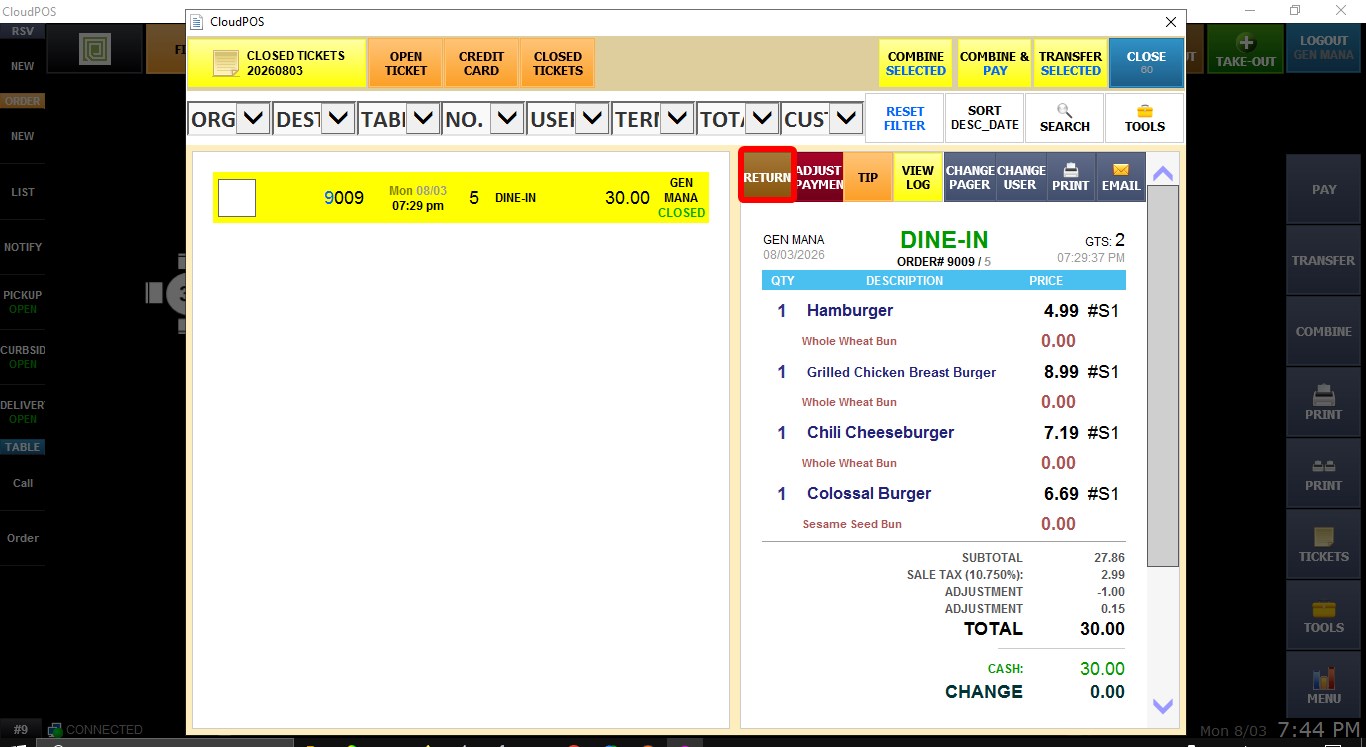
REFUND TRANSACTION
Controls whether refund transactions can be performed on the selected POS terminal.
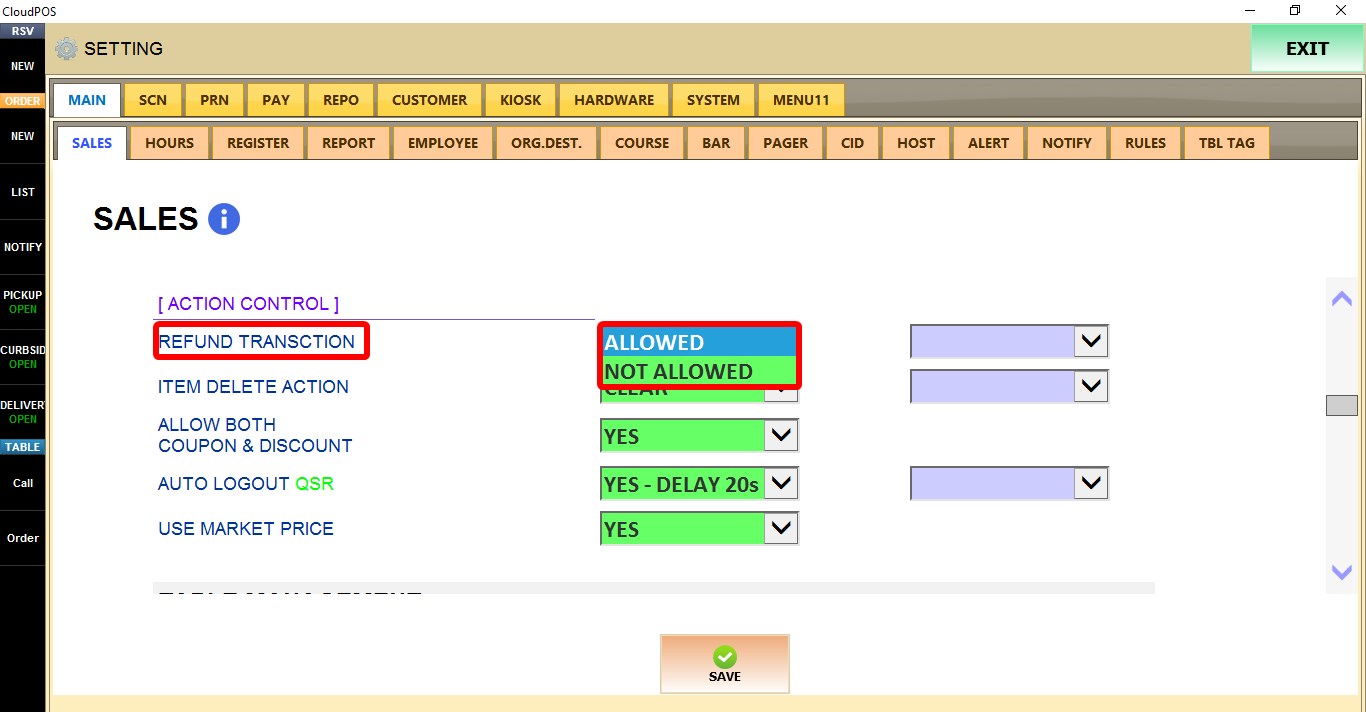
1. ALLOWED: Enables refund transactions.
2. NOT ALLOWED: Prevents refund transactions.
ITEM DELETE ACTION
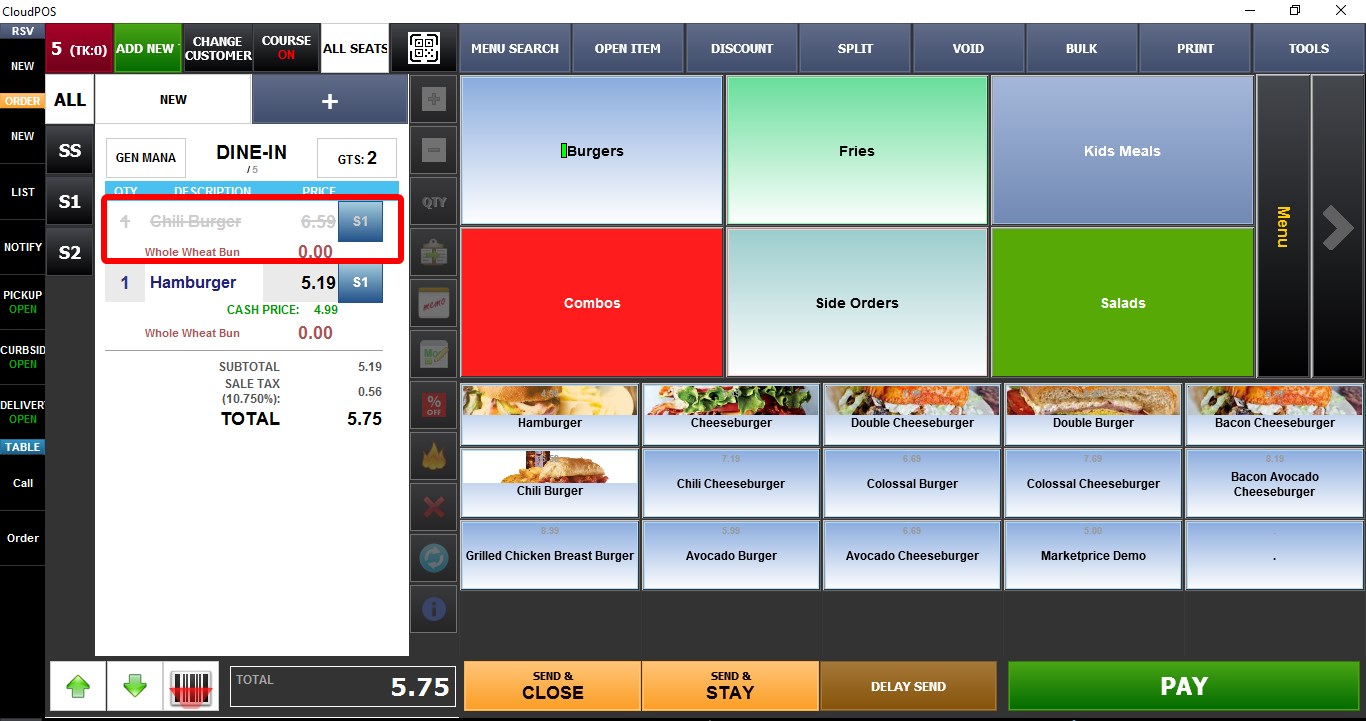
Controls how deleted items are handled.
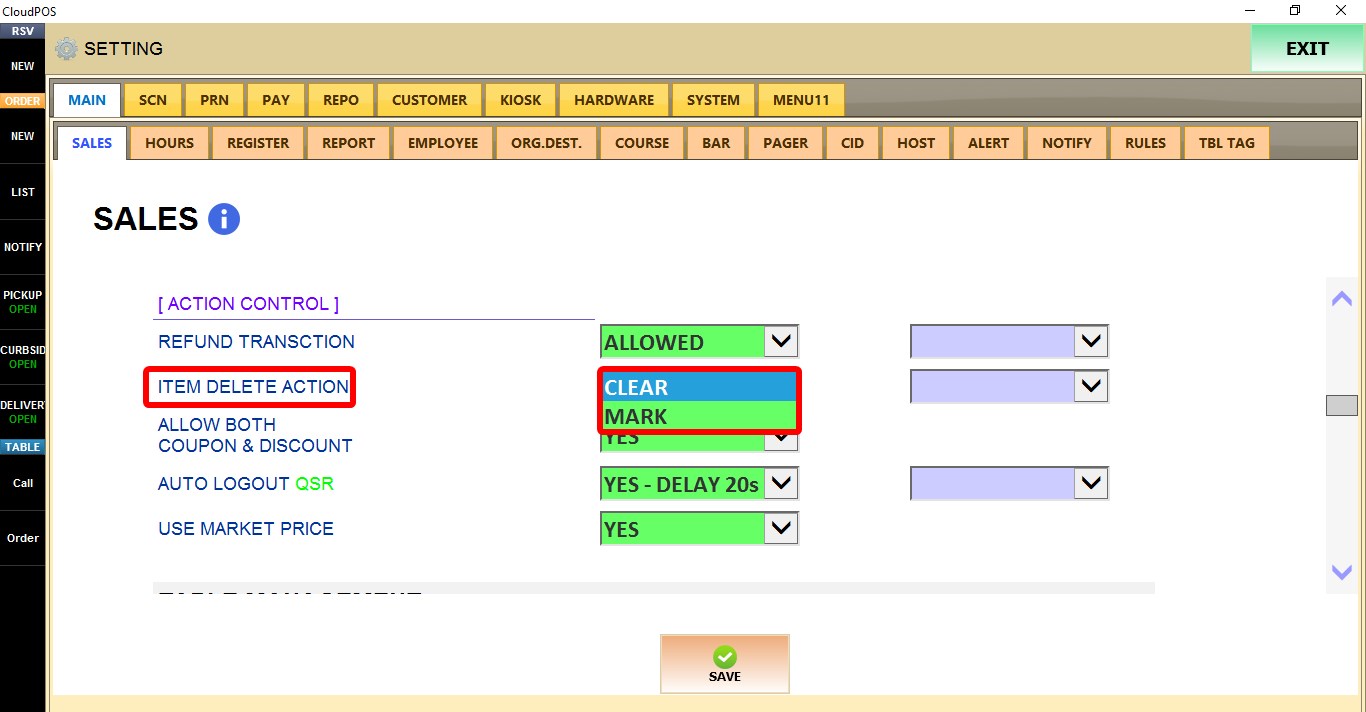
1. CLEAR: Permanently removes the deleted item from the ticket.
2. MARK: Keeps the deleted item on the ticket and marks it as deleted for reference.
ALLOW BOTH COUPON & DISCOUNT
Controls whether a coupon and a discount can be applied to the same transaction.

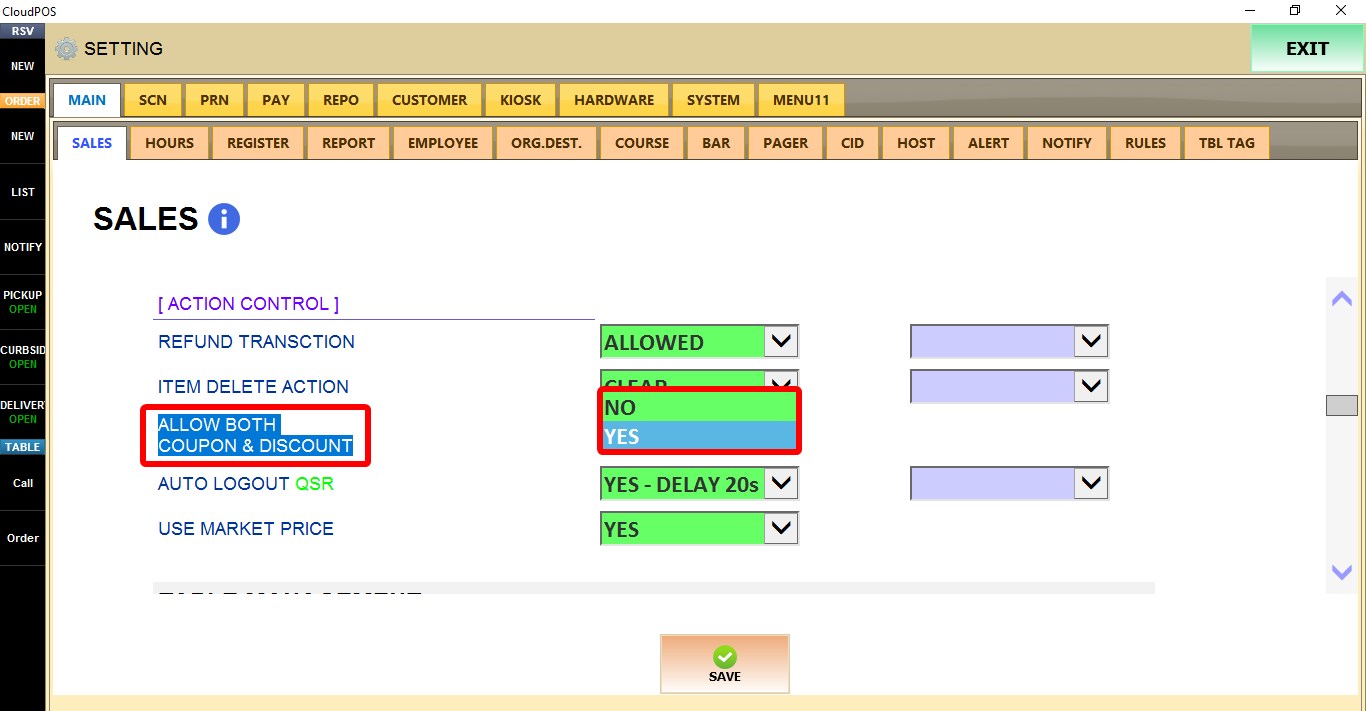
1. NO: Only one of the two can be applied.
2. YES: Allows both a coupon and a discount to be applied to the same transaction.
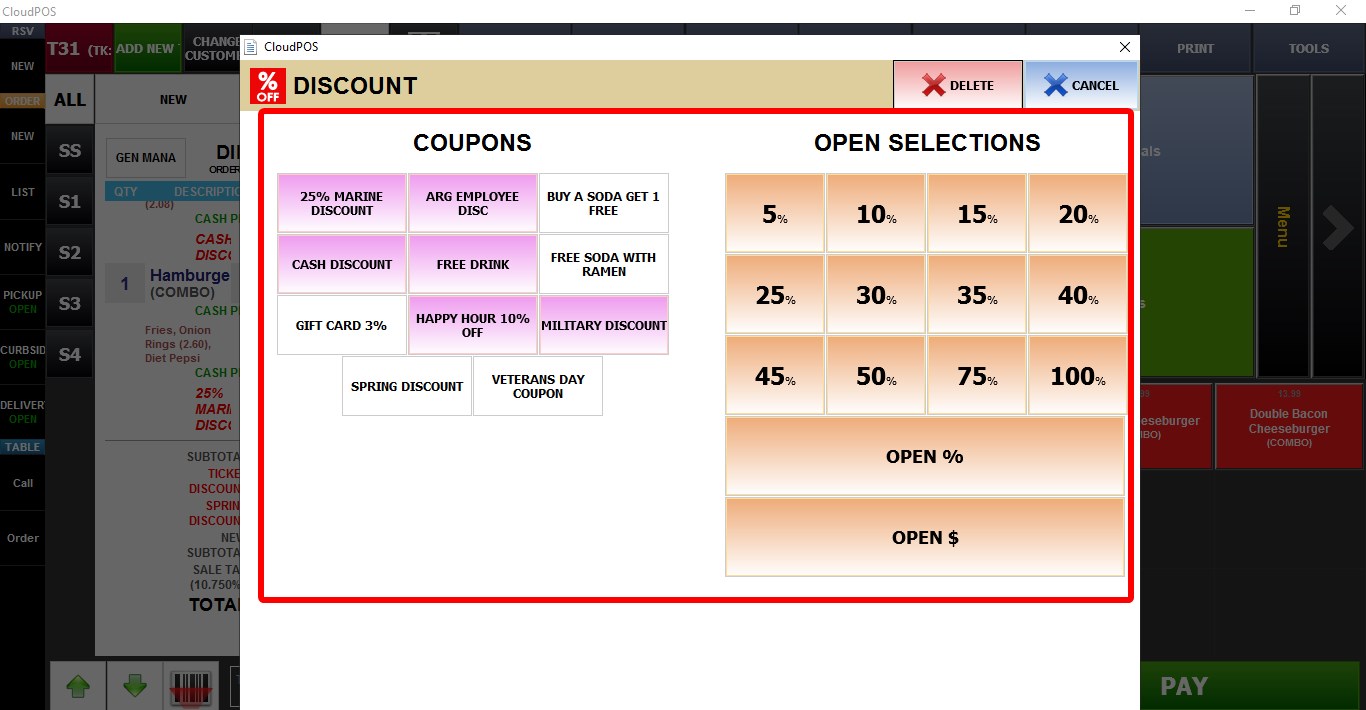
AUTO LOGOUT QSR
Automatically logs out the current user after a period of inactivity.
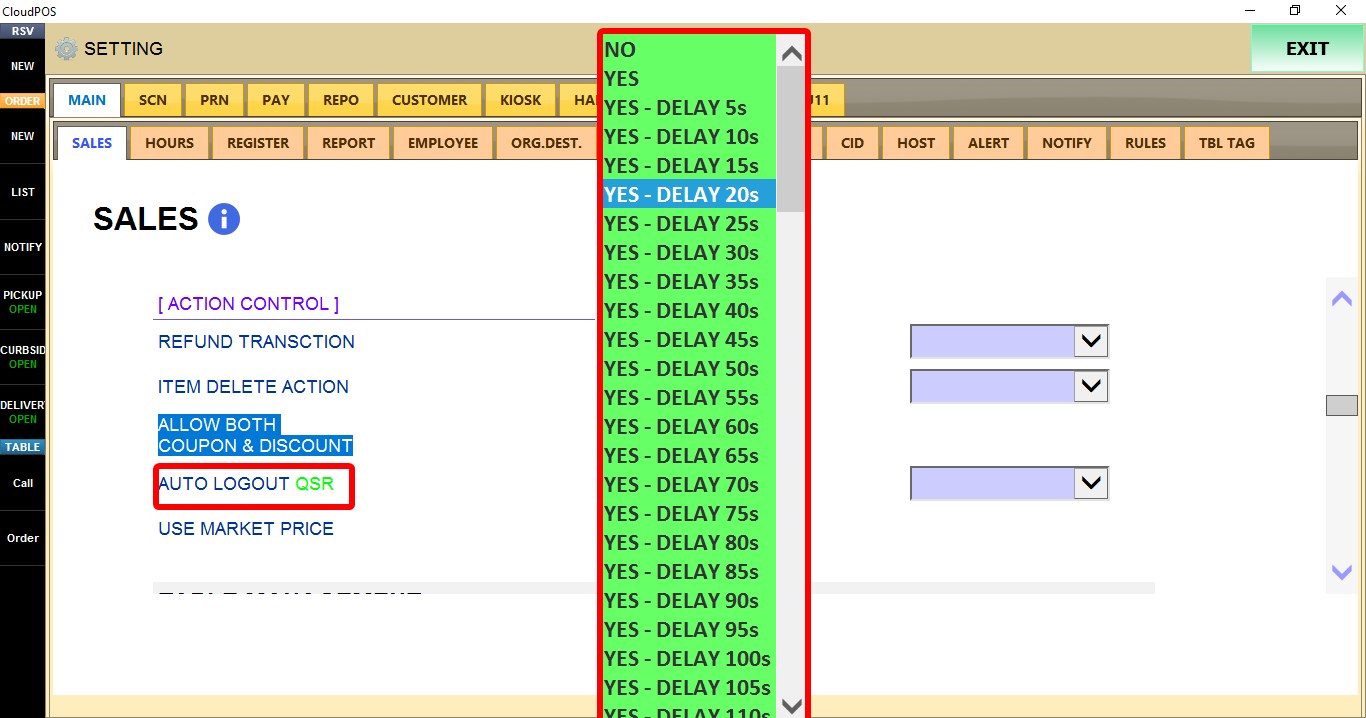
1. NO: Disables automatic logout.
2. YES: Enables automatic logout immediately after the transaction is completed.
3. YES - DELAY 5s through YES - DELAY 500s: Enables automatic logout after the selected delay.
USE MARKET PRICE
Controls how Market Price menu items are handled during ordering.
Refer to Market price guide for more info
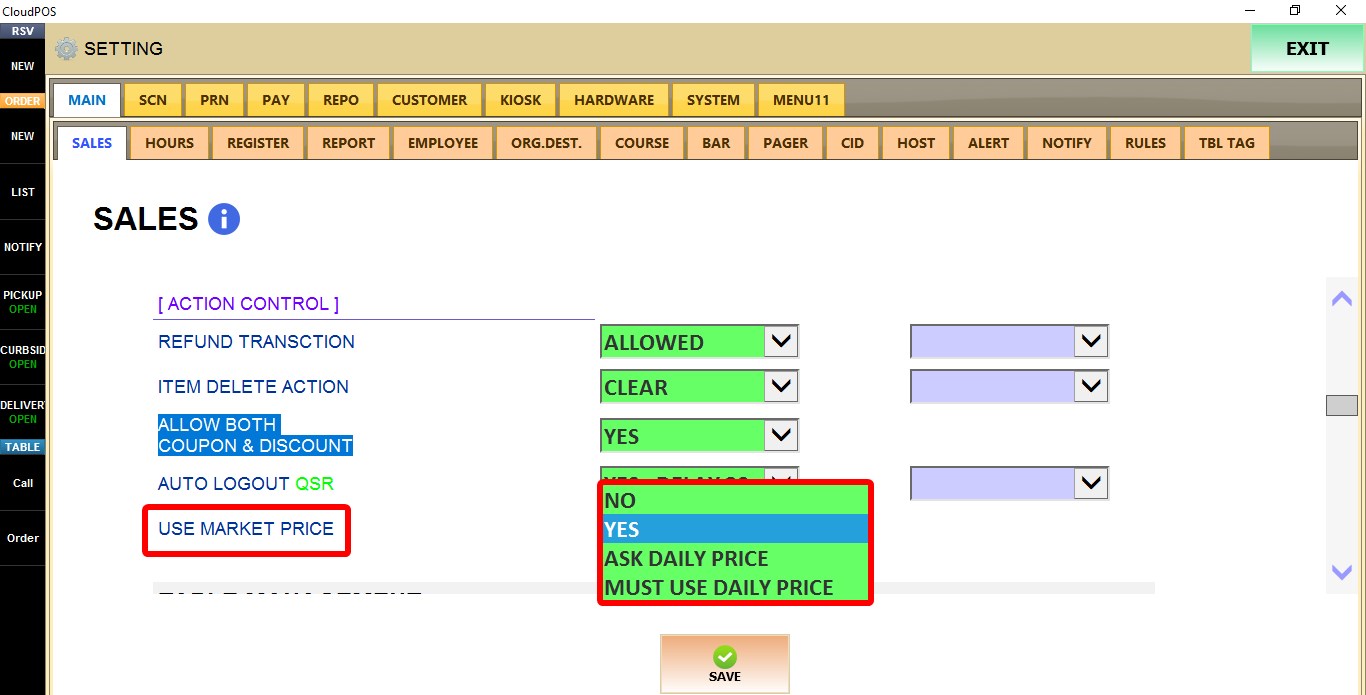
1. NO: Disables Market Price.
2. YES: Enables Market Price.
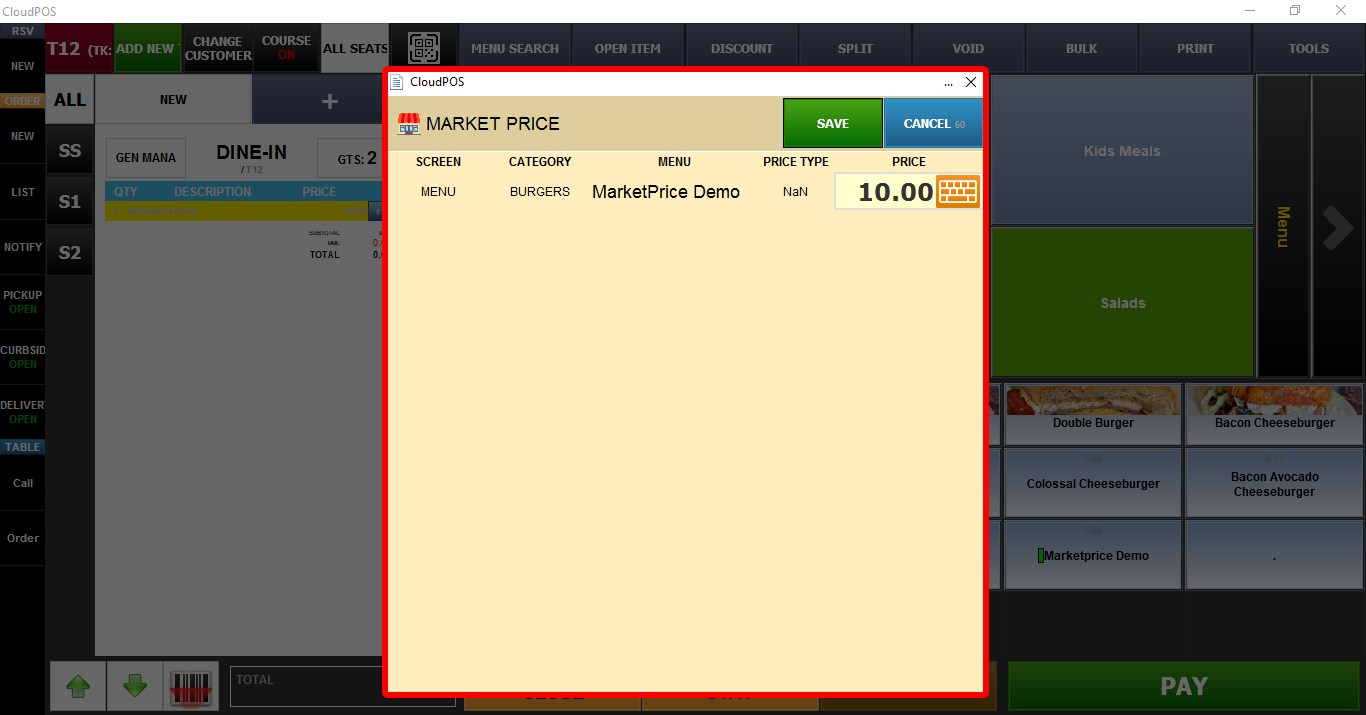
3. ASK DAILY PRICE: Prompts the user to enter the daily market price when ordering a Market Price item.
4. MUST USE DAILY PRICE: Requires a daily market price to be entered as soon as you open the sales screen before Market Price items can be ordered.
Click SAVE to apply the changes.