Special Action Category
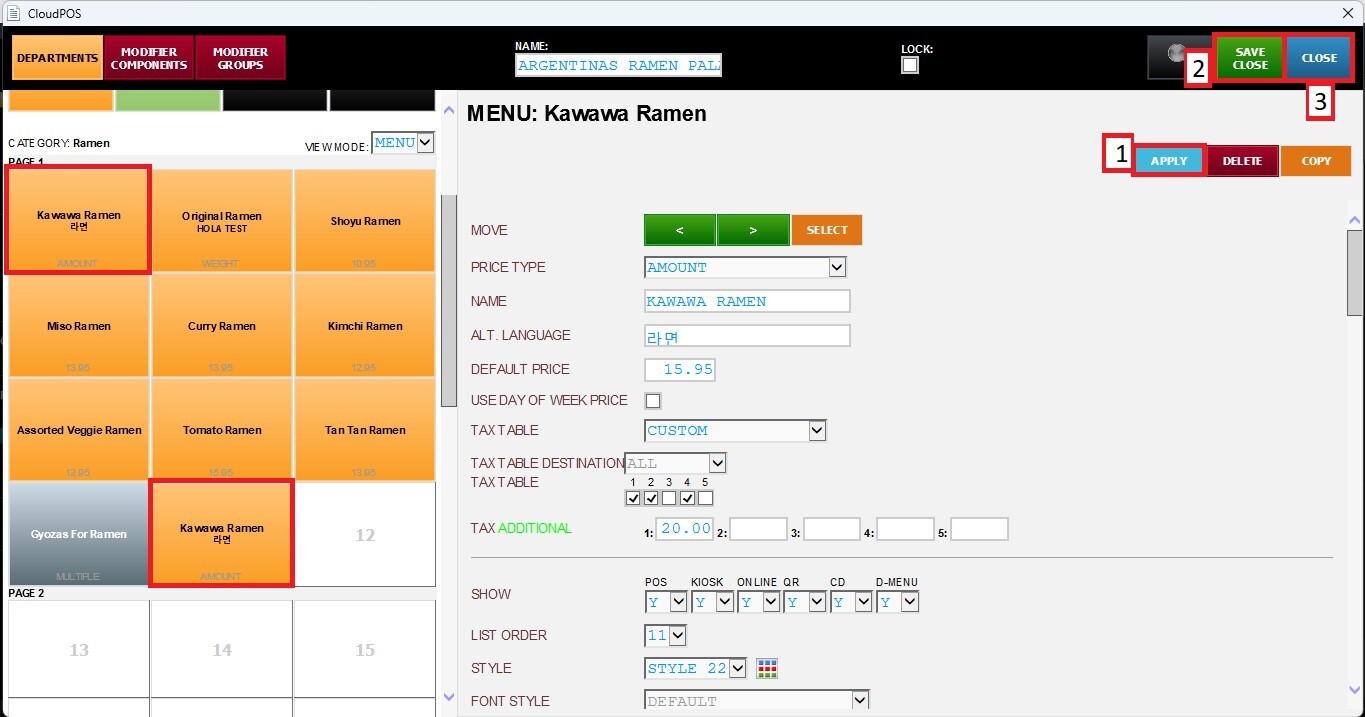
This section allows you to move or copy the selected menu item to a different category. This is useful when reorganizing the menu, duplicating items across multiple categories, or relocating an item without recreating it manually.
Main Screen> MENU> SETTING> REPO> MENU> EDIT> DEPARTMENTS> CATEGORY
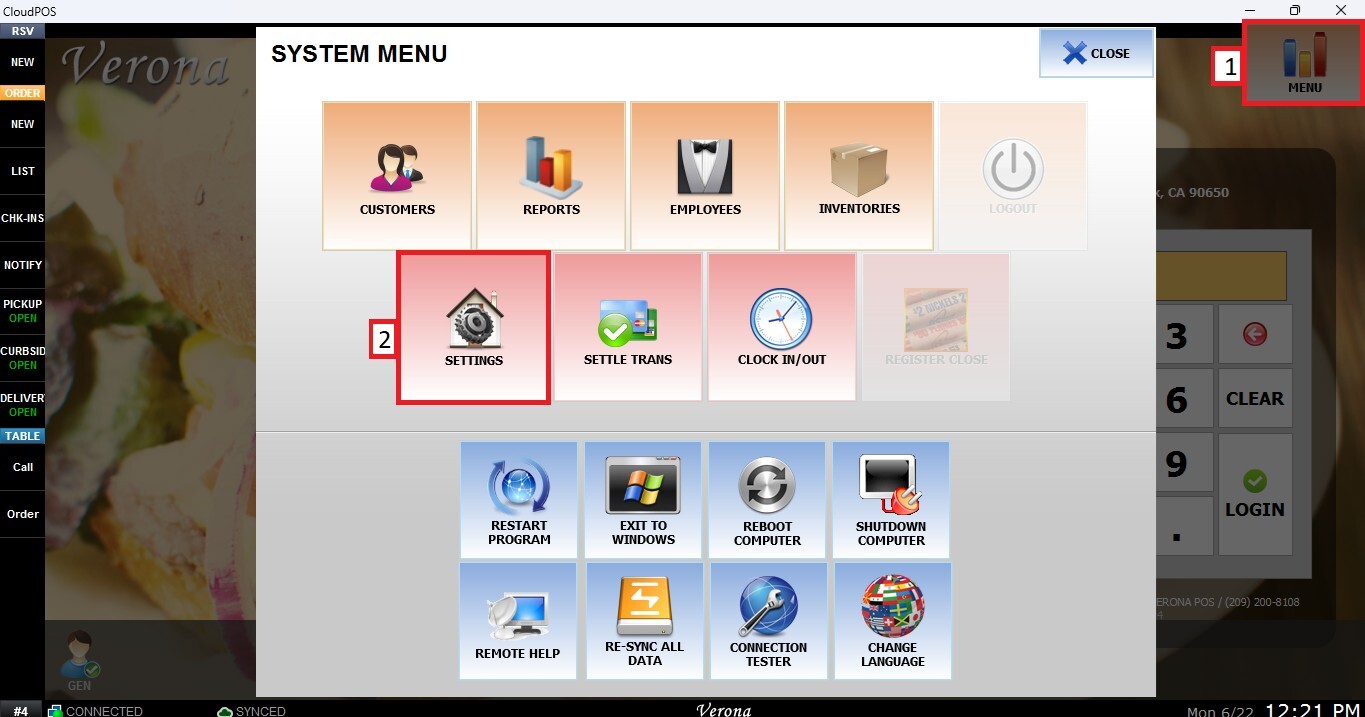
Go to MENU then SETTINGS.
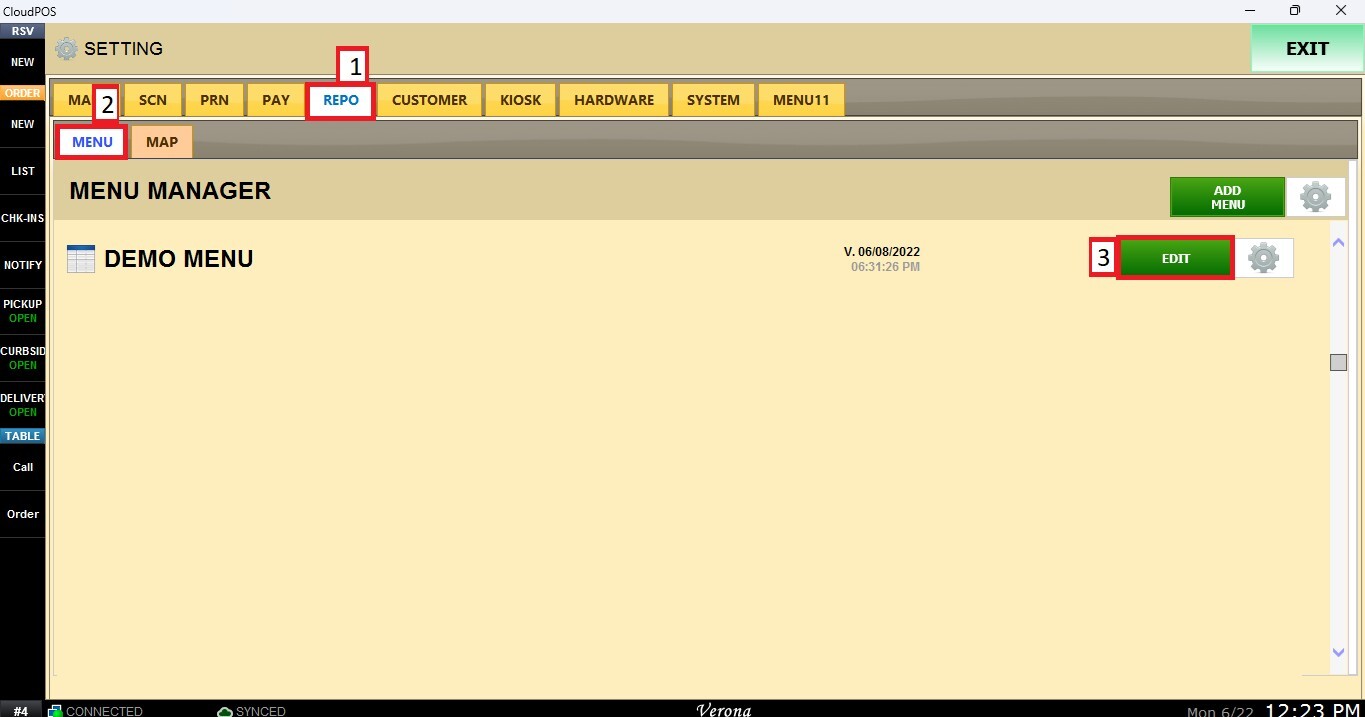
Open the REPO tab, select MENU and Locate the menu you want to modify and click EDIT.
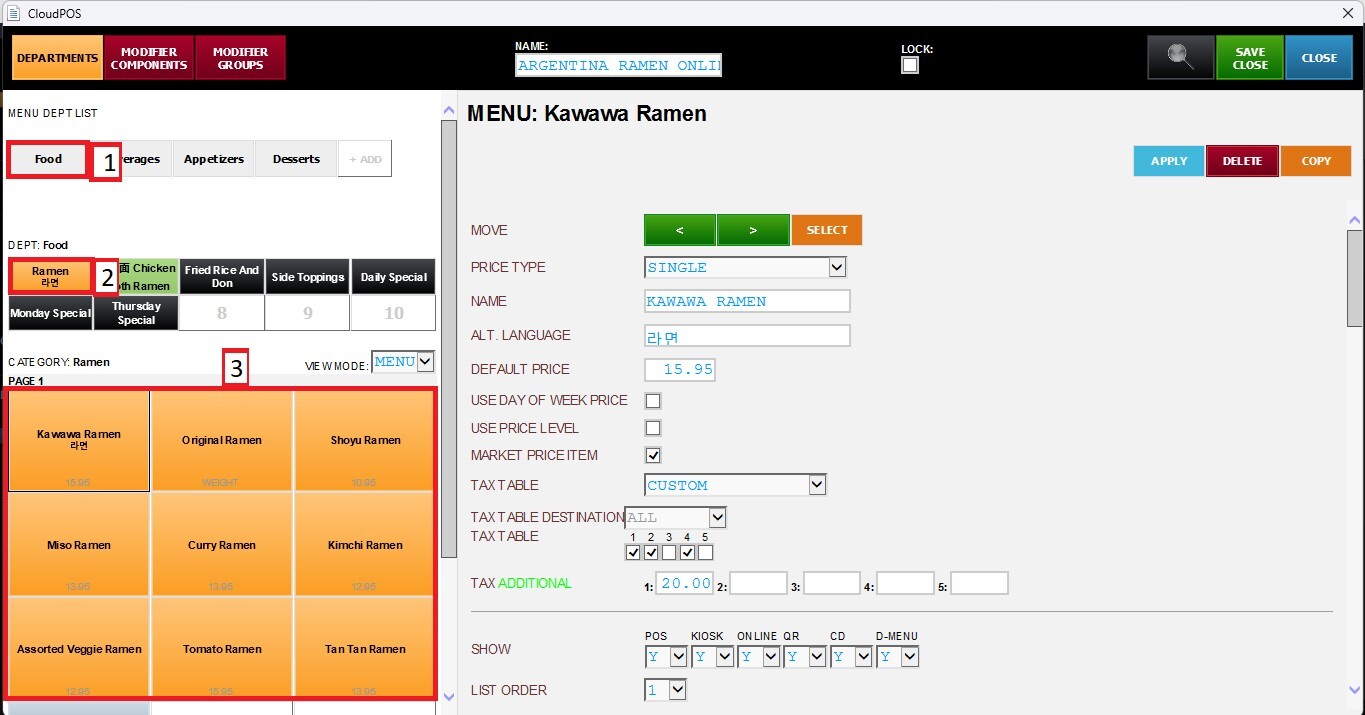
Navigate to the corresponding Department and Category, then select the Item you want to configure.
Scroll down until you reach the Special Actions section.
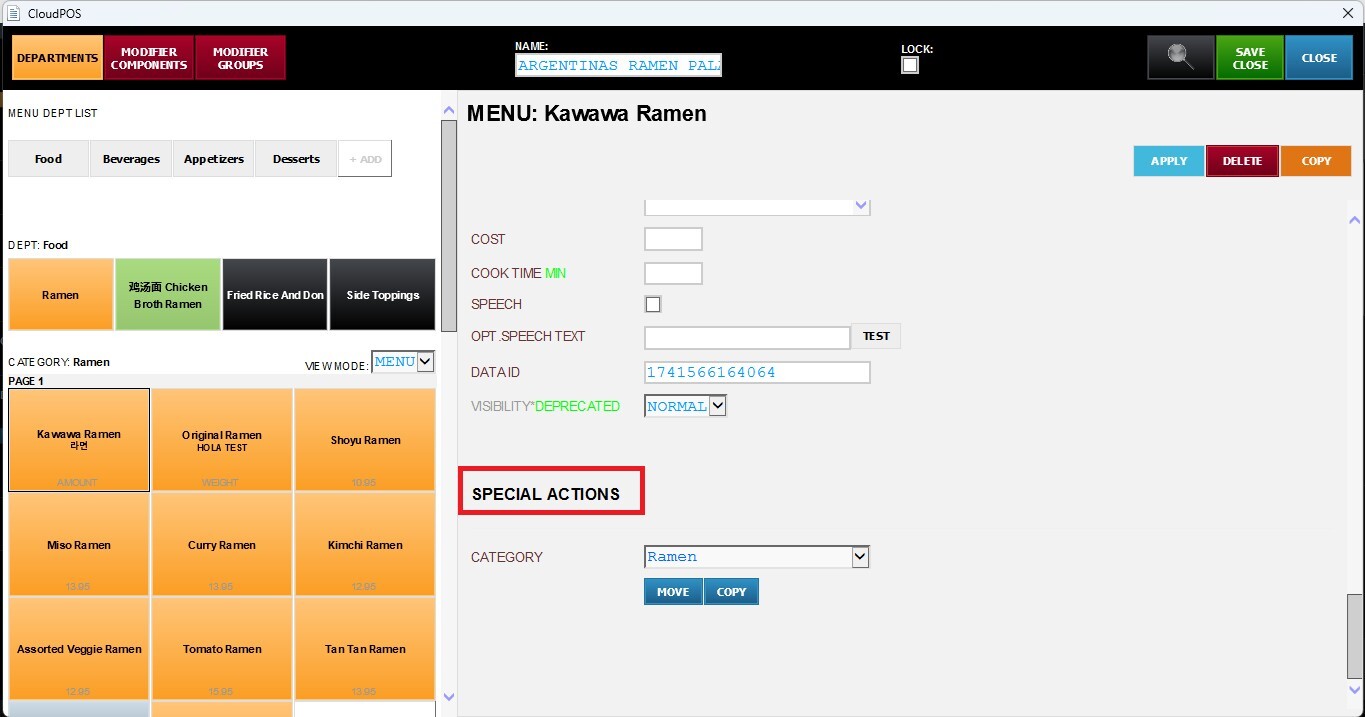
Category
Select the destination category from the drop-down list where you want to MOVE or COPY the selected item.
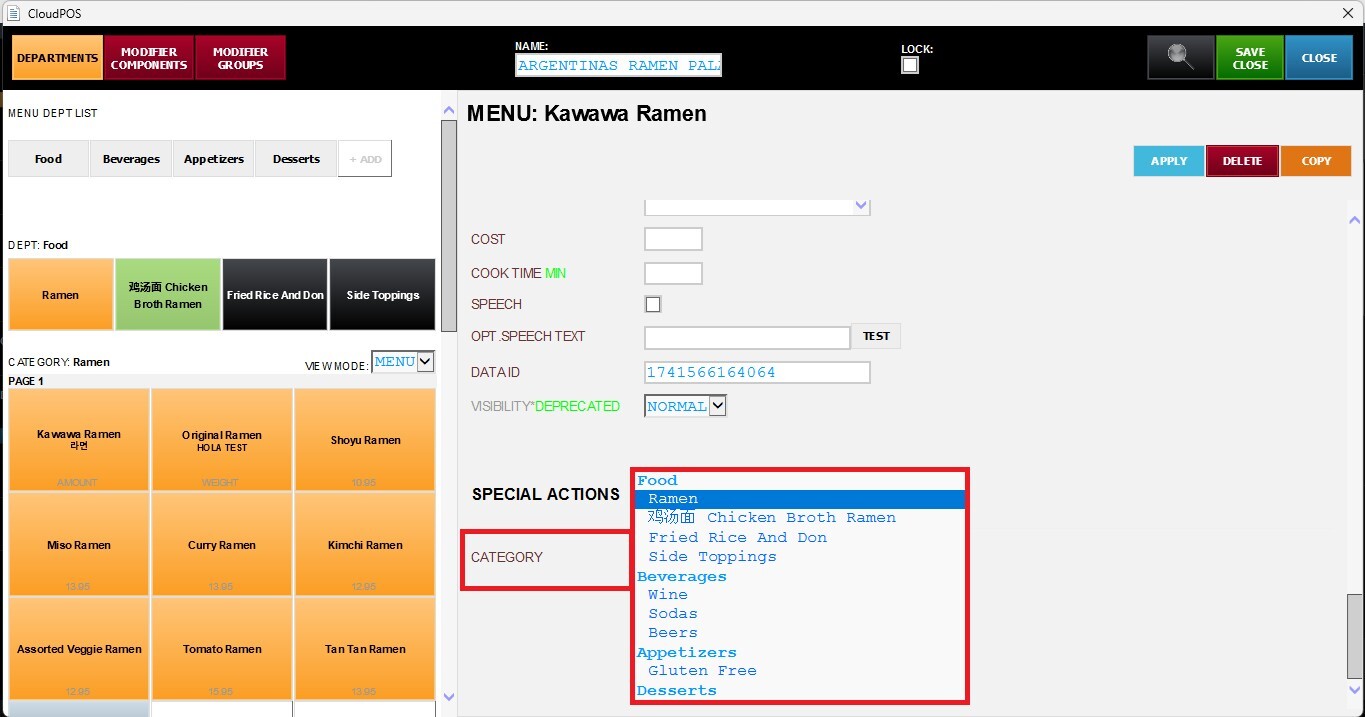
After selecting the destination category, choose one of the following options:
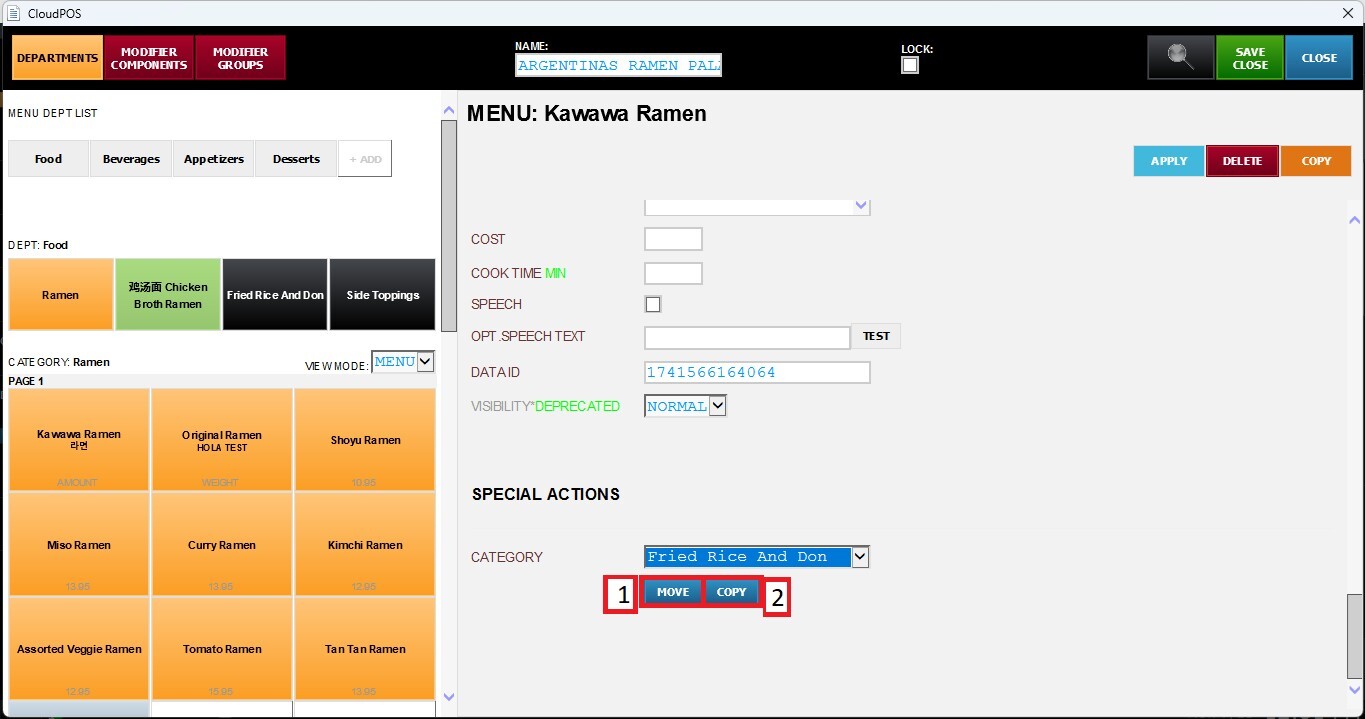
1. Move
Moves the selected item from its current category to another category. The item will no longer appear in the original category after the move is completed.
2. Copy
Creates a copy of the selected item in another category while keeping the original item in its current category.
Click APPLY, then SAVE & CLOSE to save all changes.