Host Button
The HOST BUTTON setting controls whether the HOST button is available on the SALES screen. The HOST button enables HOST MODE, allowing tables to be marked as waiting to be seated before they are opened for service.
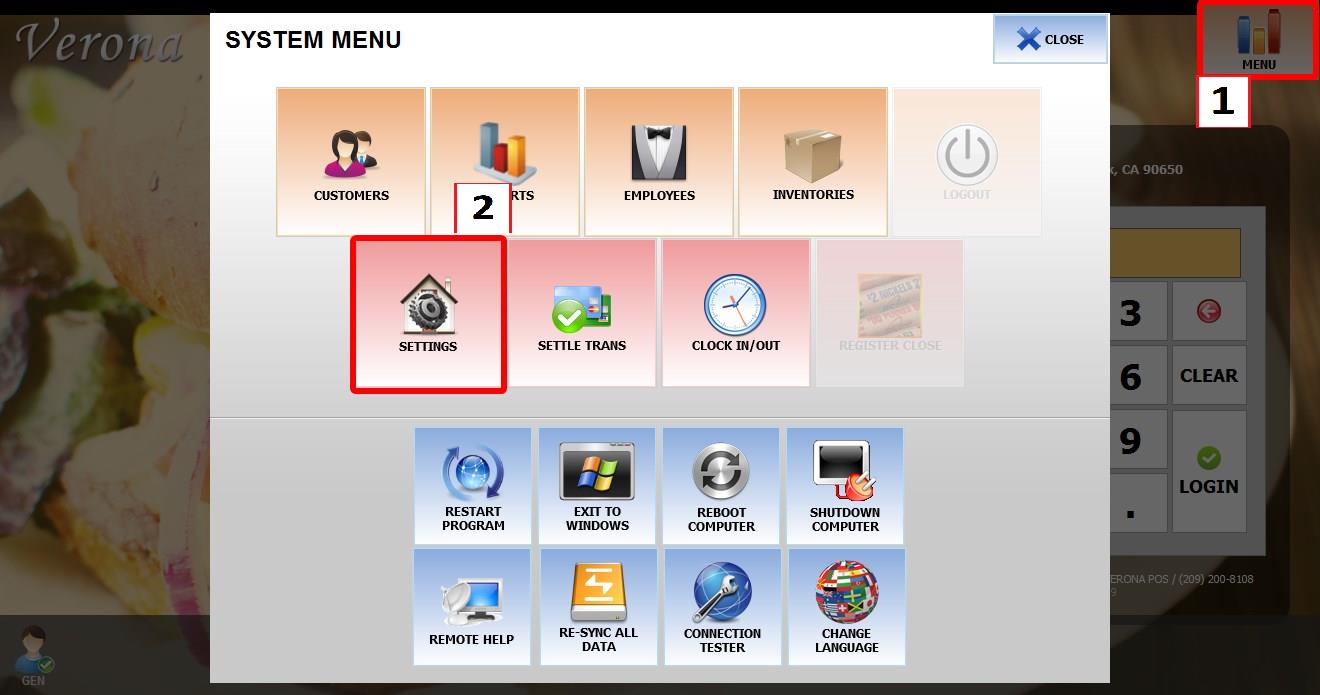
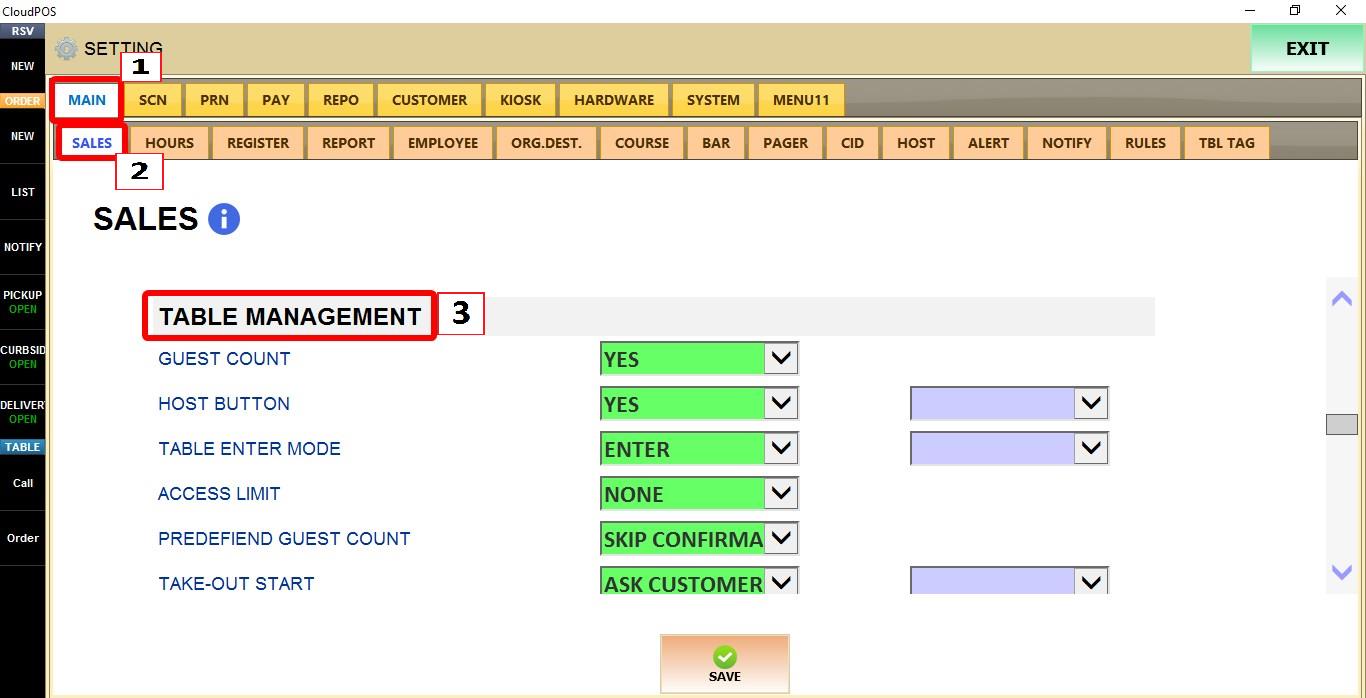
MENU > SETTINGS > MAIN > SALES > TABLE MANAGEMENT
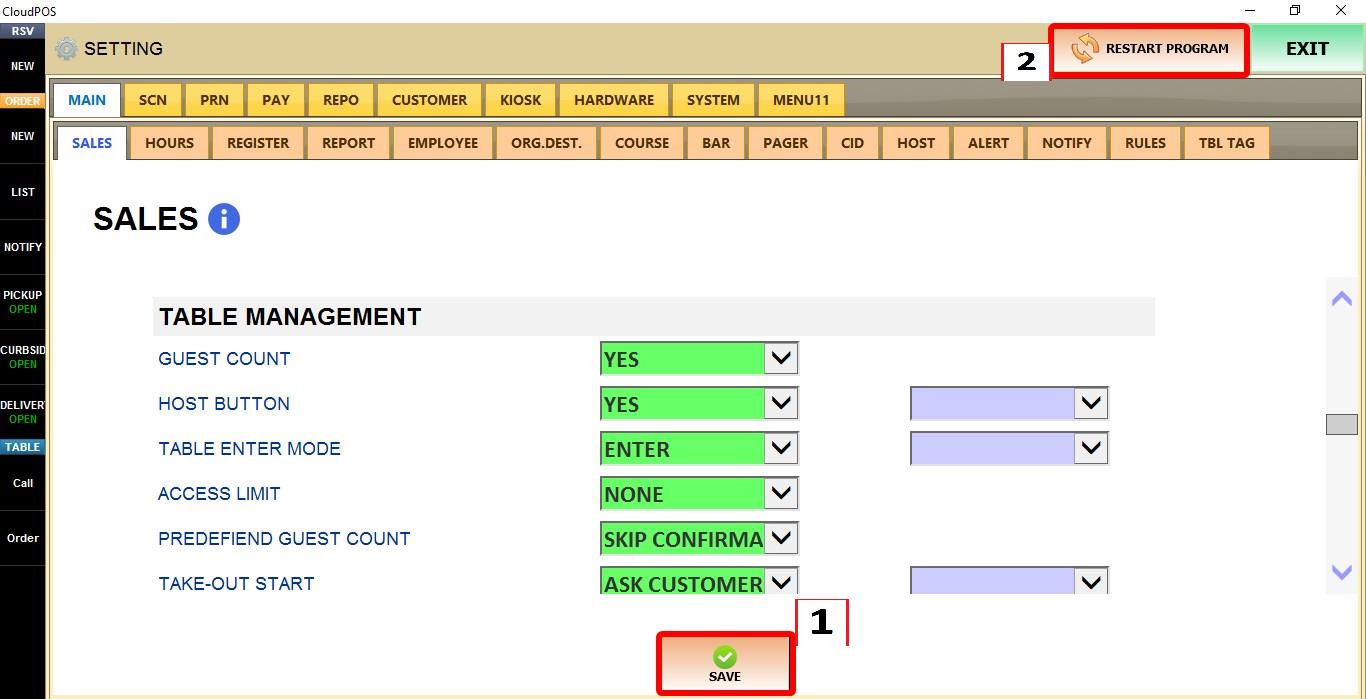
From the MAIN SCREEN, click MENU, then select SETTINGS.

Go to MAIN > SALES > TABLE MANAGEMENT.
HOST BUTTON
Use the setting dropdown below to enable or disable the HOST button in the sales screen.
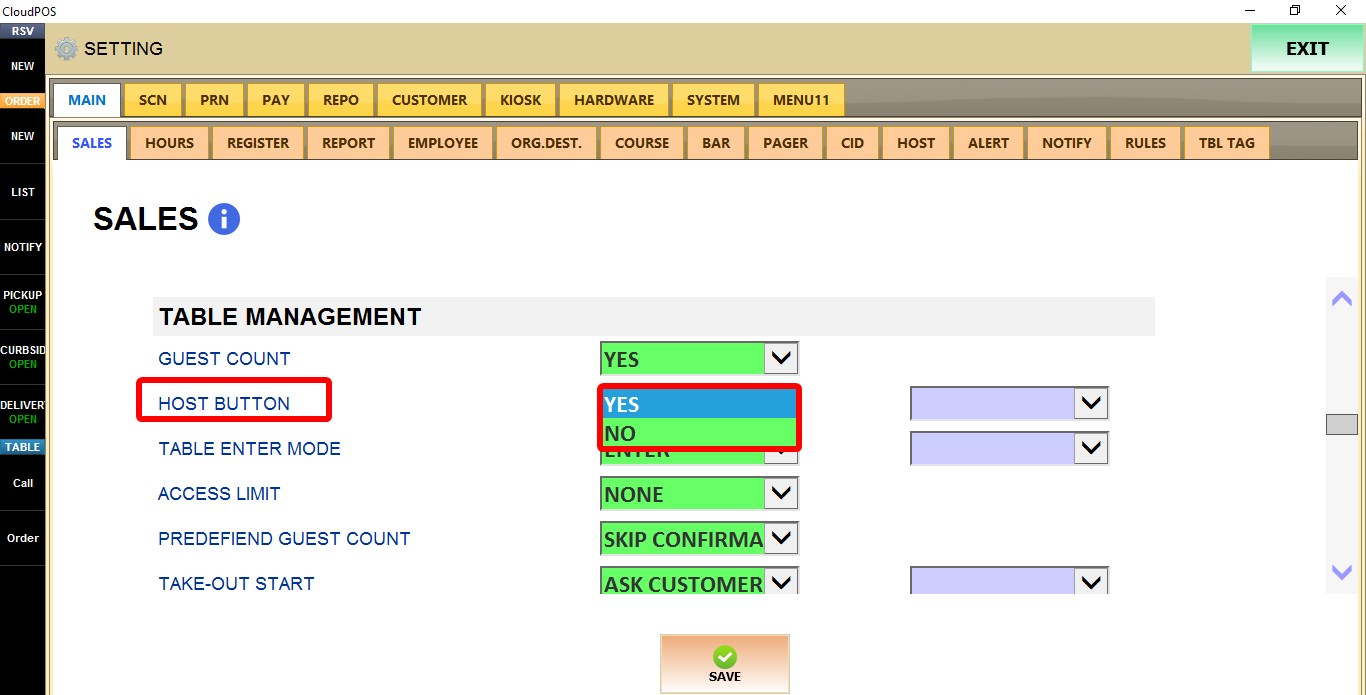
1. NO: Hides the HOST button from the SALES screen.
2. YES: Displays the HOST button on the SALES screen.
TERMINAL
Use the TERMINAL dropdown to configure this setting for the specific POS terminal you are on.
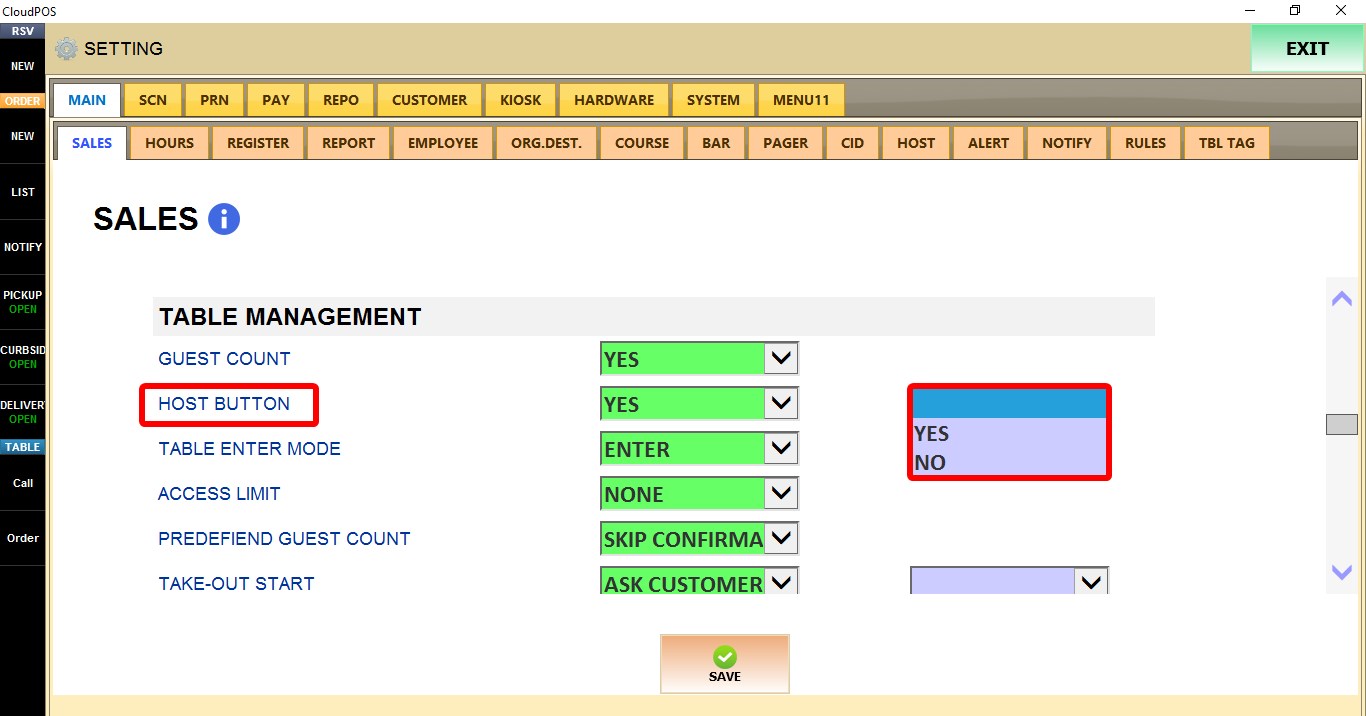
Click SAVE to apply the changes.

RESULT
When enabled, the HOST button appears on the SALES screen. 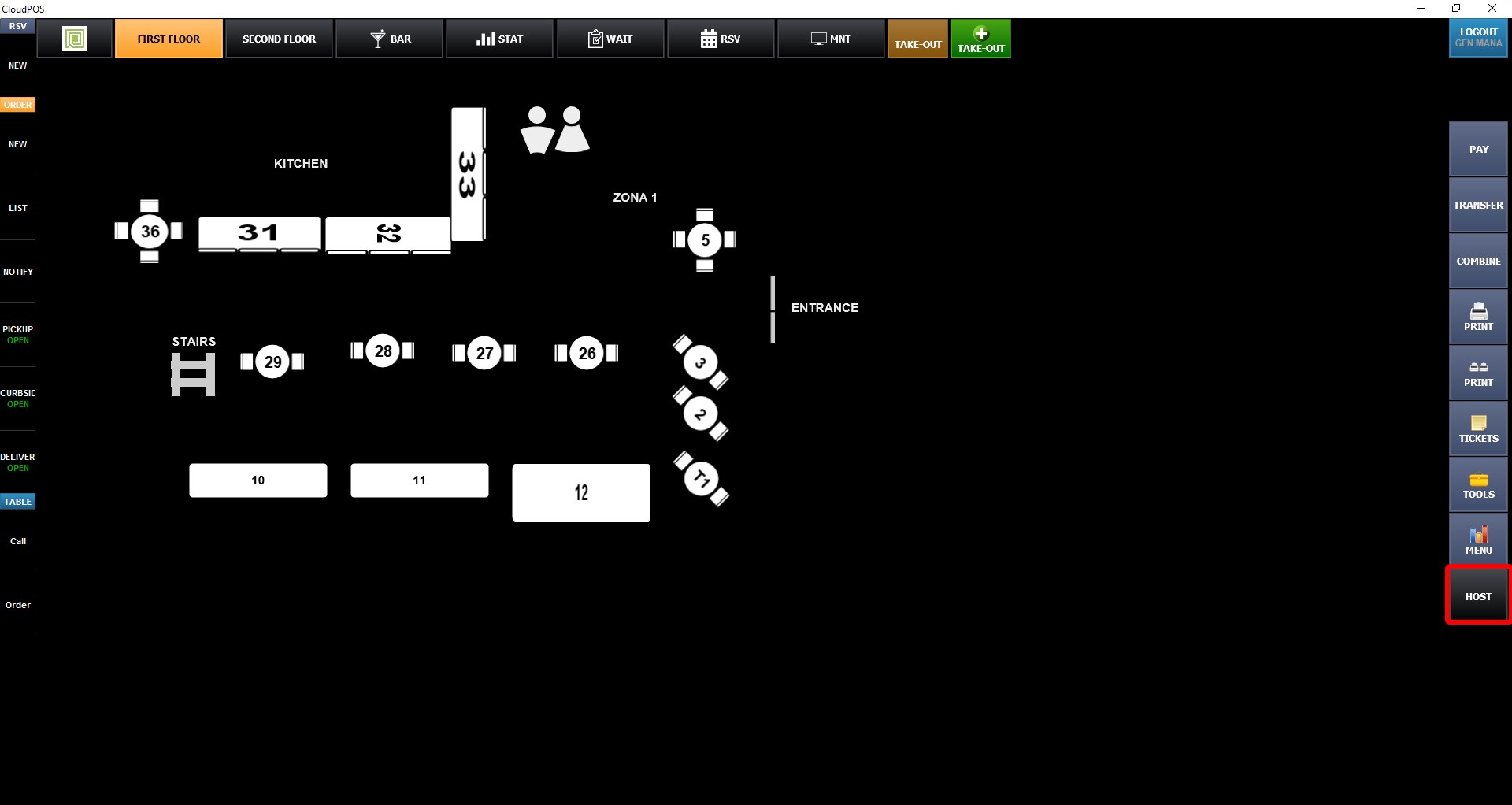
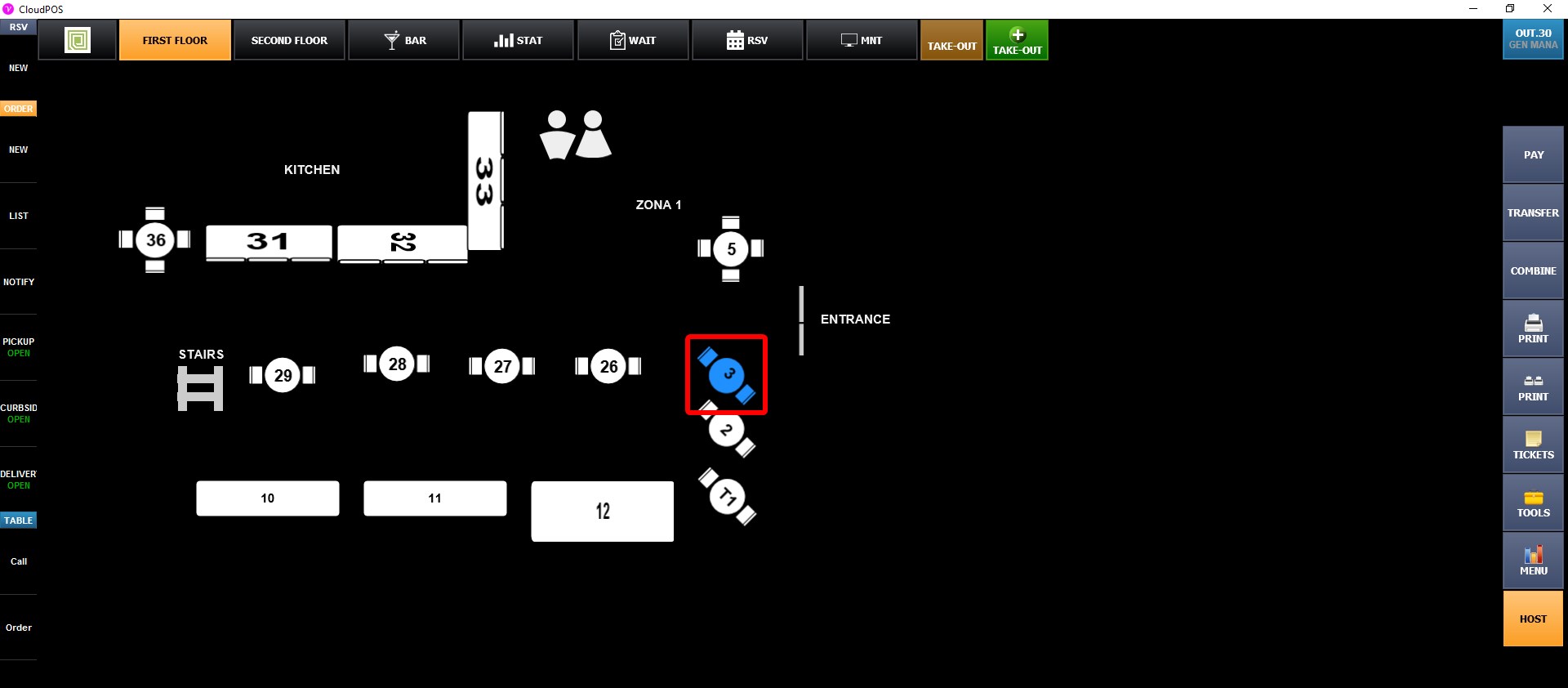
Turning HOST MODE on allows empty tables to be marked as waiting to be seated by clicking on the empty table. These tables are highlighted in blue until they are opened for service by clicking the host mode button one more time then clicking the highlighted blue table.
For more information about host mode, refer to the HOST MODE guide.
