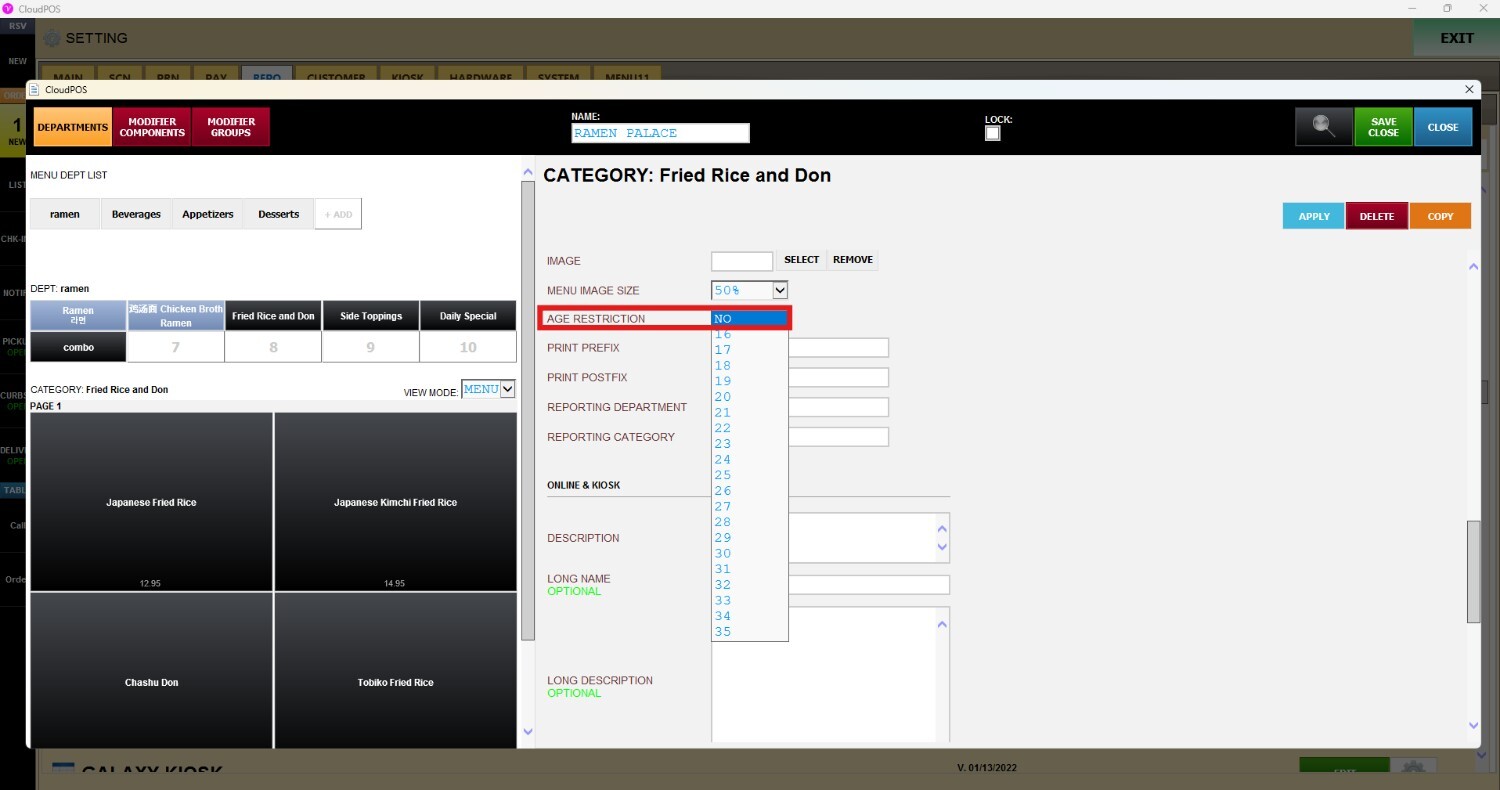
Age Restriction
This section allows you to configure age restrictions at the category level. Any age restriction applied to a category will automatically apply to all products contained within that category, helping ensure restricted items follow the appropriate verification requirements during the checkout process.
Main Screen> MENU > SETTINGS > REPOSITORY > EDIT>CATEGORY > AGE RESTRICTION
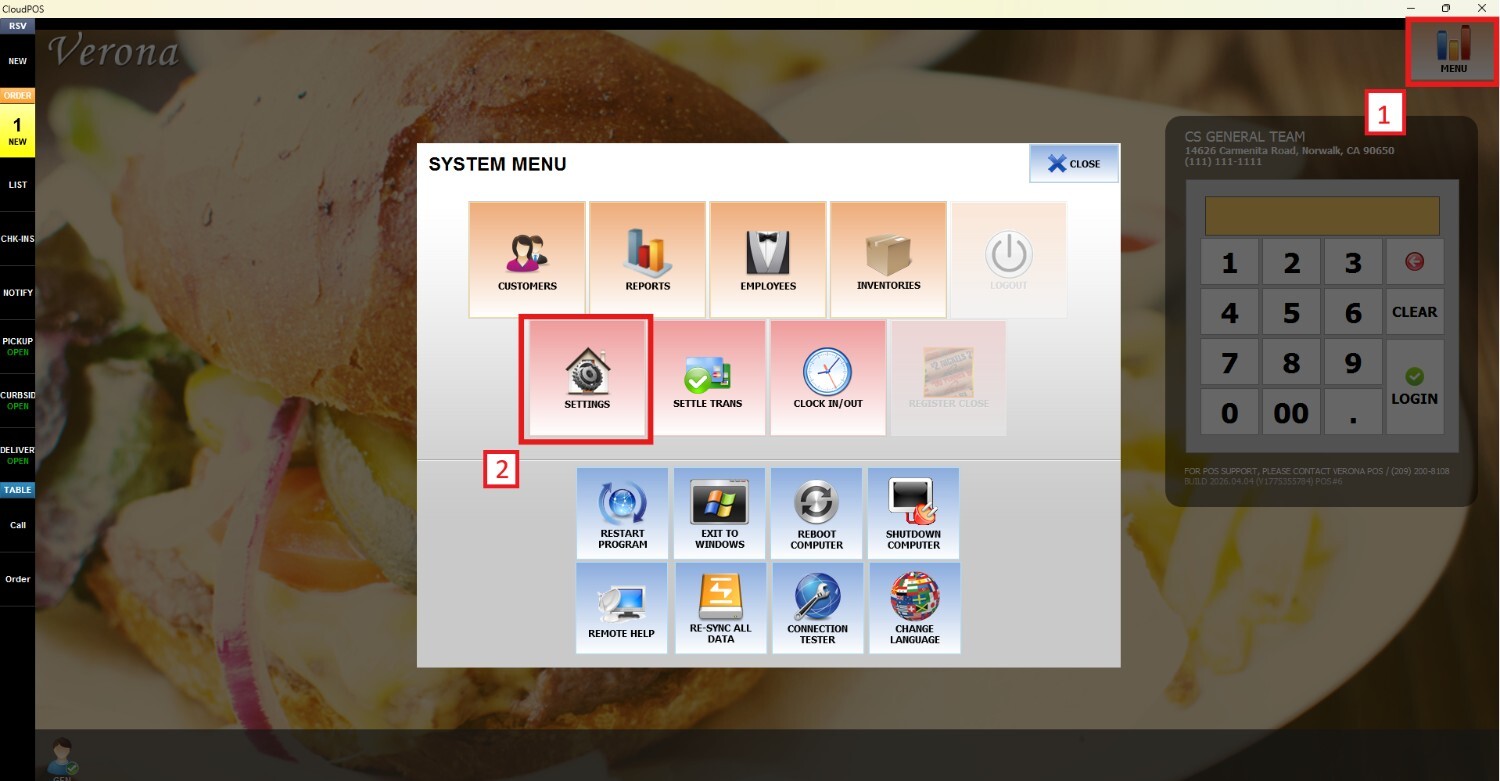
Go to MENU and press SETTINGS
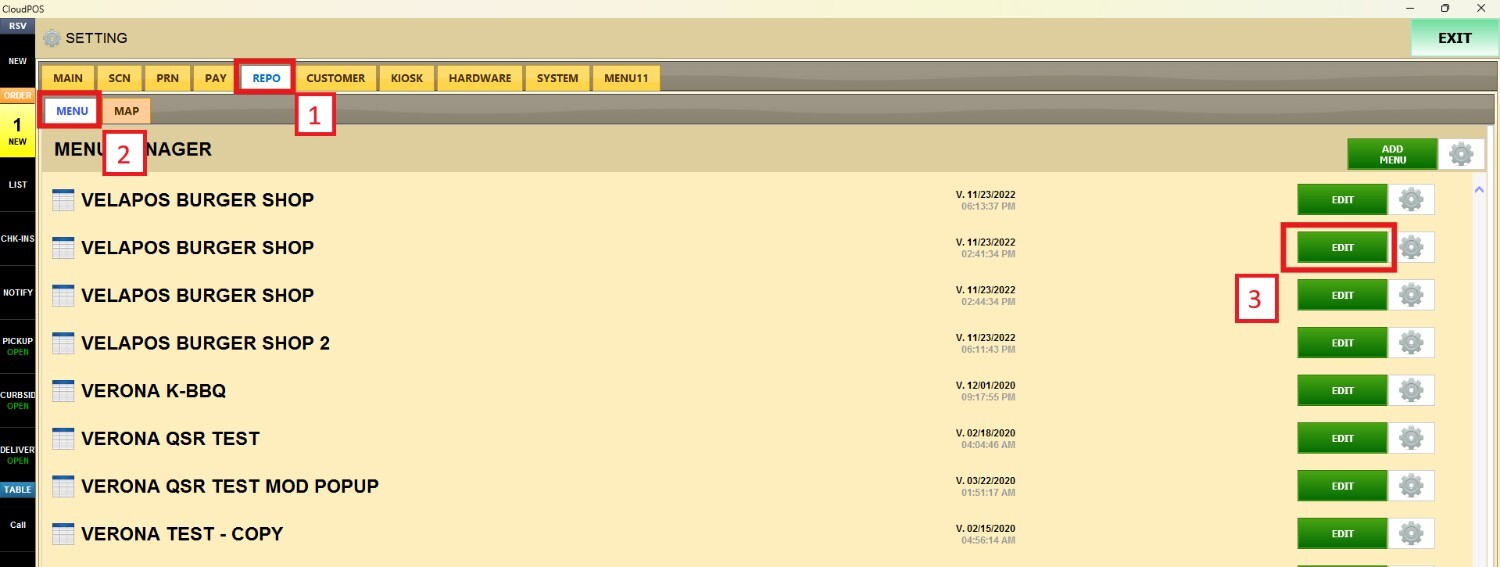
Open the REPO tab, click MENU to locate your menu and press EDIT
Select a category and scroll down until you find AGE RESTRICTION. Open the drop-down menu and choose the minimum age requirement that will apply to the selected category