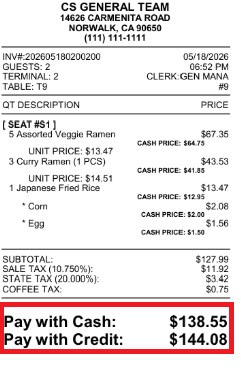
Price Adjust
This feature allows you to configure a credit card adjustment fee that automatically calculates and displays separate cash and credit prices throughout the POS. When enabled, the Sales Screen displays the adjusted credit price while preserving the cash price, making it easy for both employees and customers to see the pricing difference.
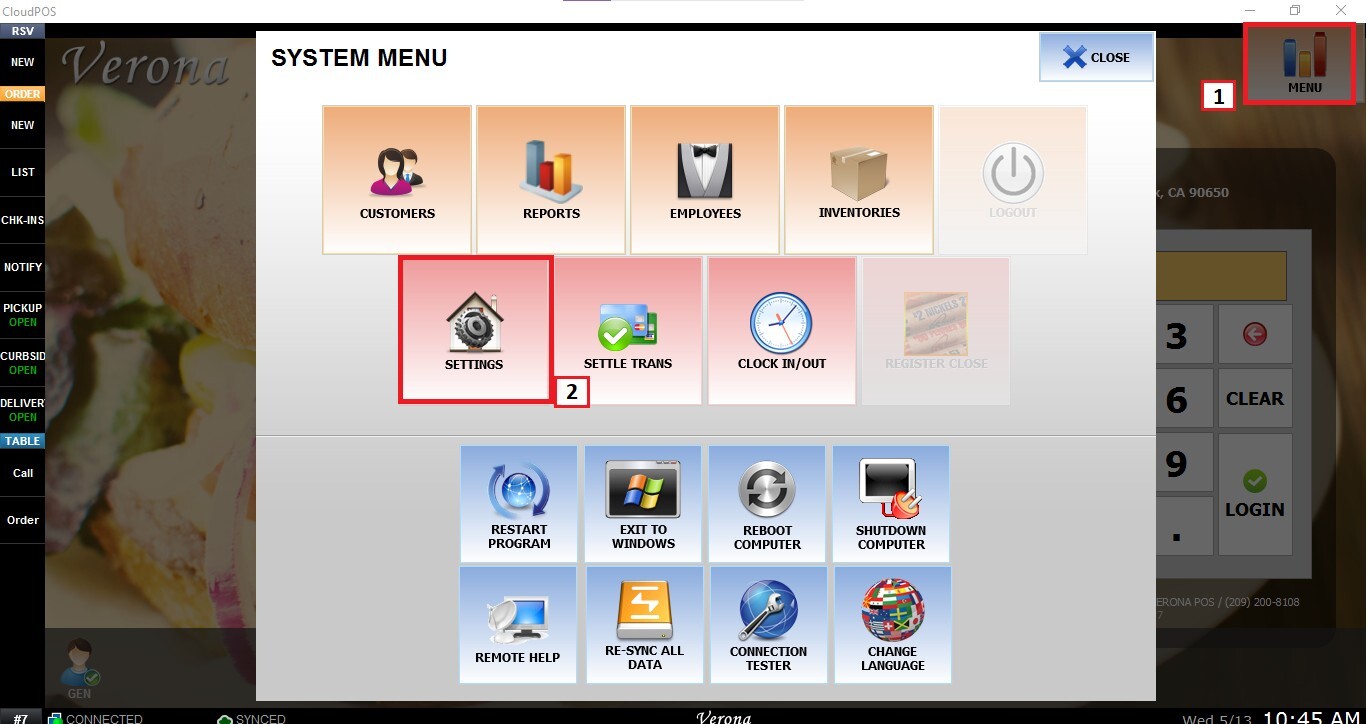
Main Screen>MENU>SETTINGS>PAY>ADJUST
From the Main Screen, click MENU and then SETTINGS.
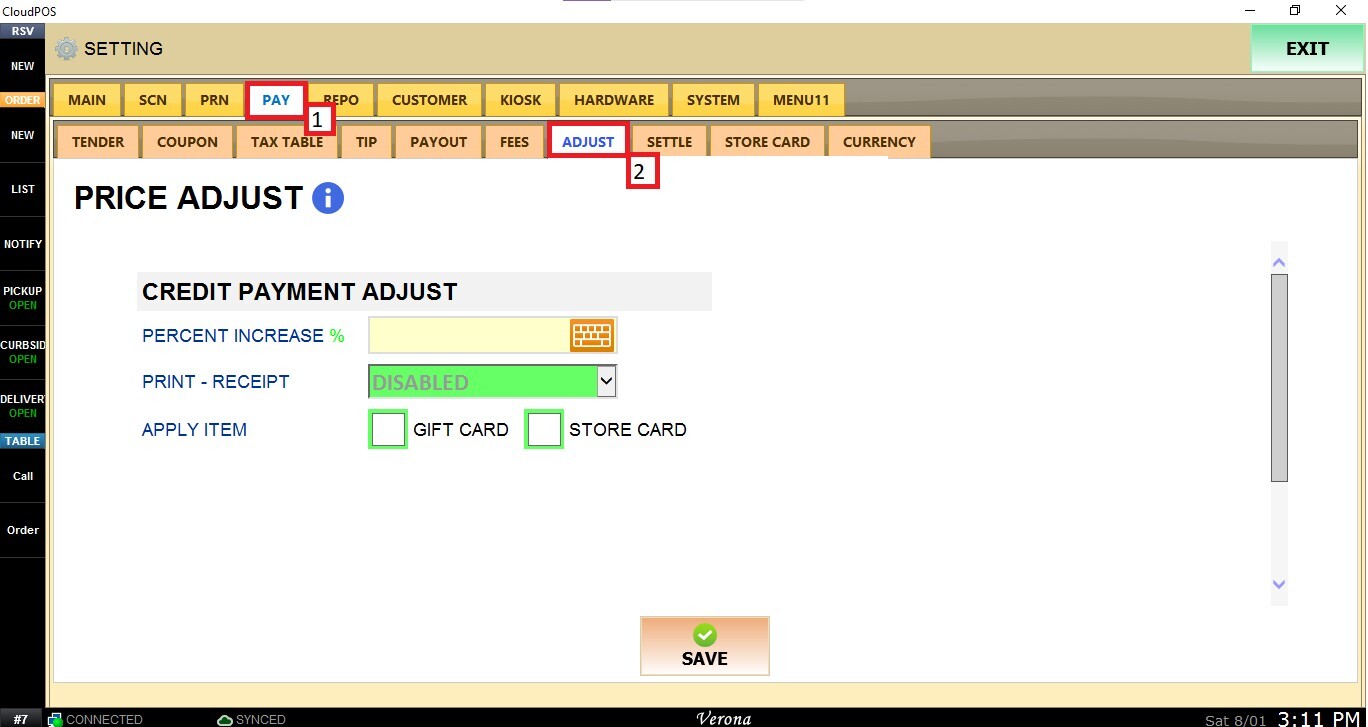
Navigate to PAY and open the ADJUST tab
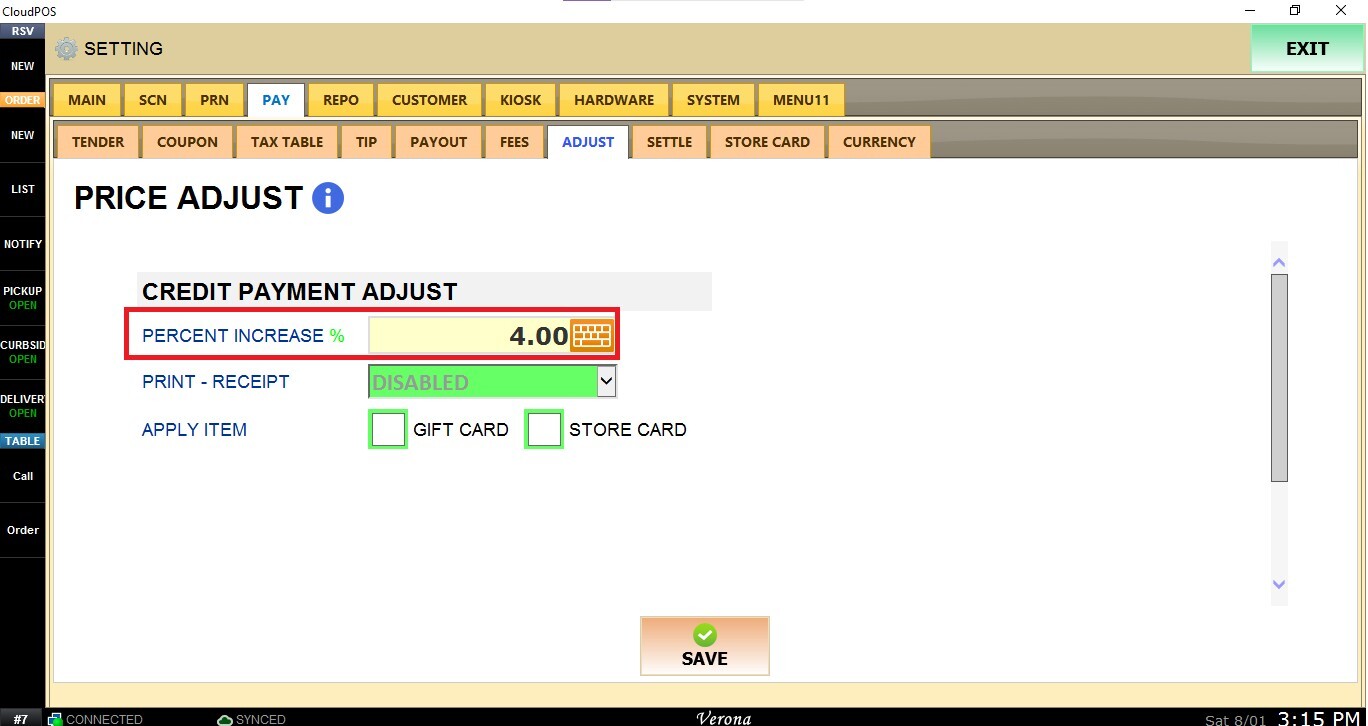
PERCENT INCREASE %
Enter the percentage surcharge to apply to credit card transactions. The system uses this percentage to calculate and display the adjusted credit price while maintaining the original cash price.
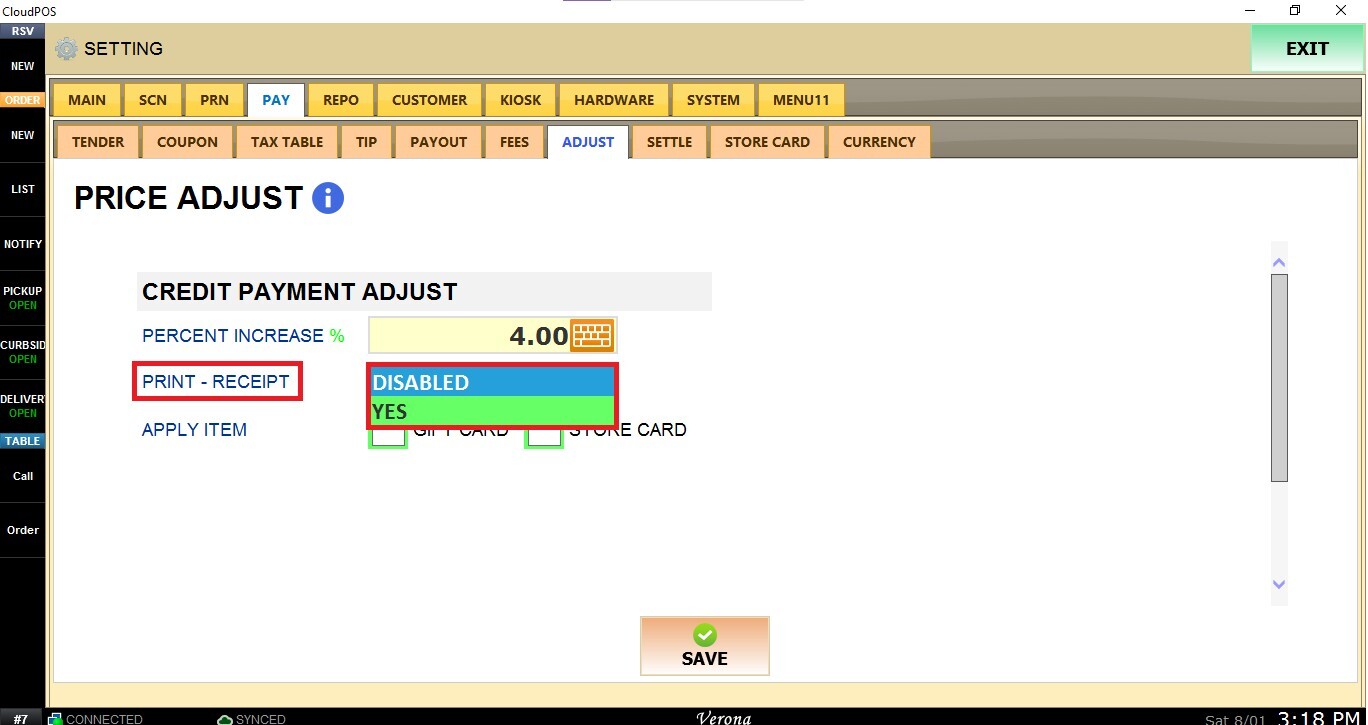
PRINT-RECEIPT
Choose whether the receipt will display the dual pricing information.
- YES: Prints both the cash and credit prices on customer receipts.
- DISABLED: Prints the standard receipt without displaying dual pricing.
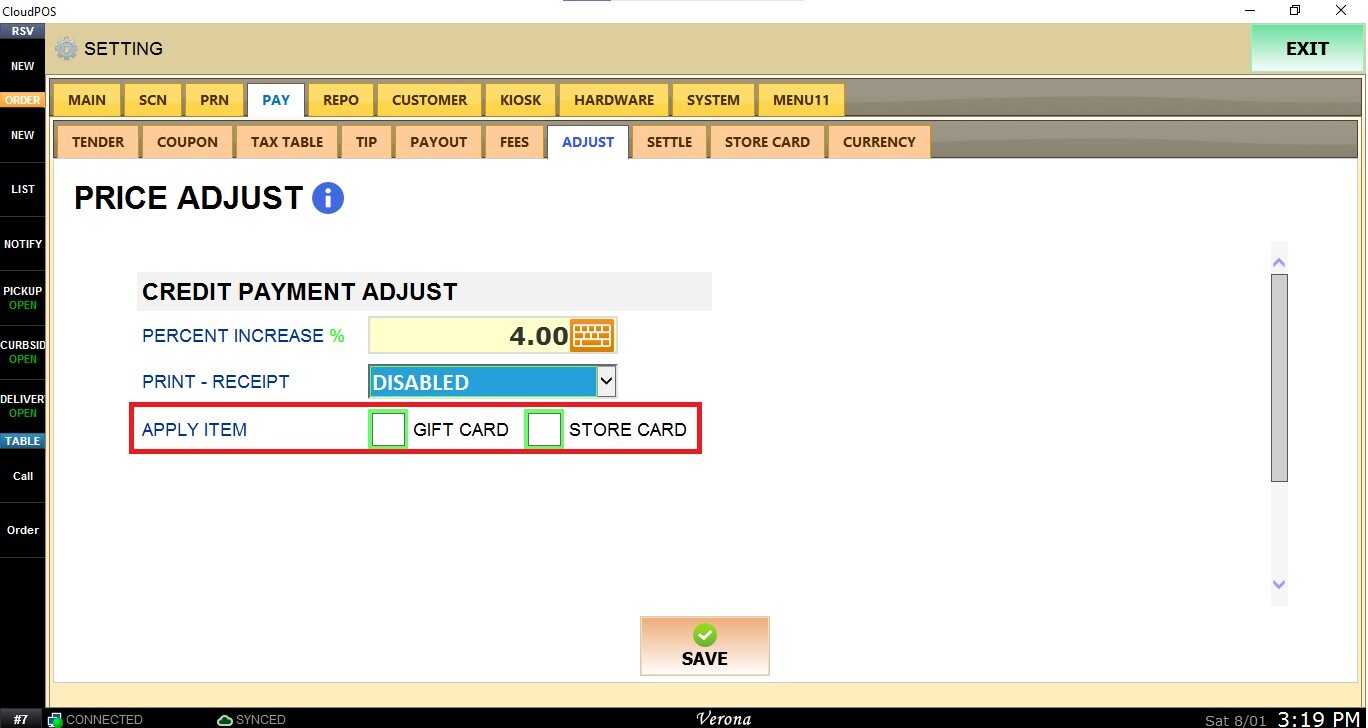
APPLY ITEM
Choose whether the credit card adjustment also applies to the following payment types:
- Gift Card: Applies the adjustment when purchases are paid using a Gift Card.
- Store Card: Applies the adjustment when purchases are paid using a Store Card.
Enable or disable these options according to your business requirements.
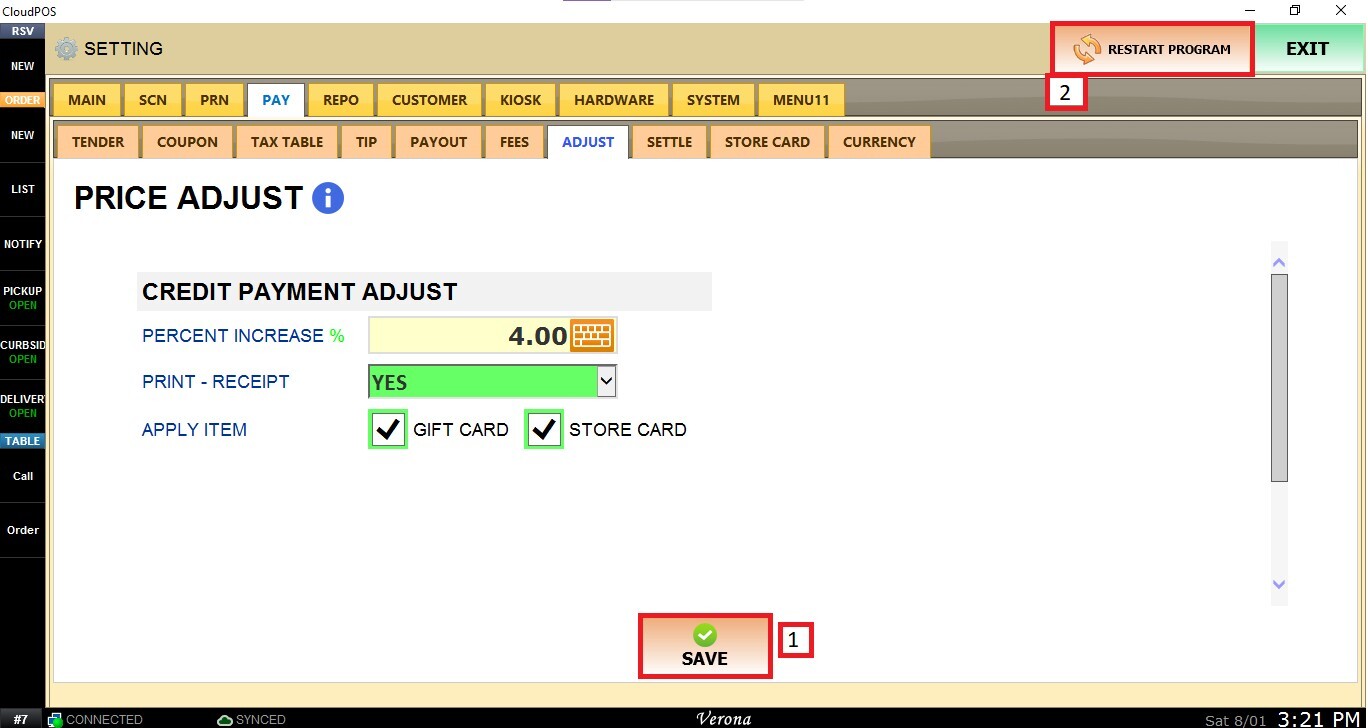
Once configured, click SAVE and RESTART PROGRAM.
Result
The sales screen displays the cash price and the adjusted credit price.
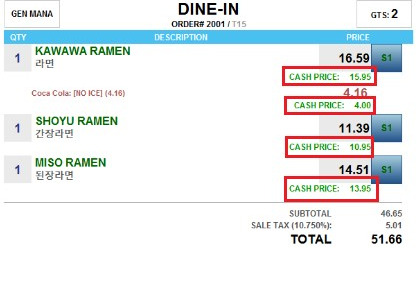
If PRINT - RECEIPT is enabled, the customer receipt will include both the cash and credit prices.