15. Destination Availability
Destination availability allows you to define where menu items or categories will be available throughout the system.
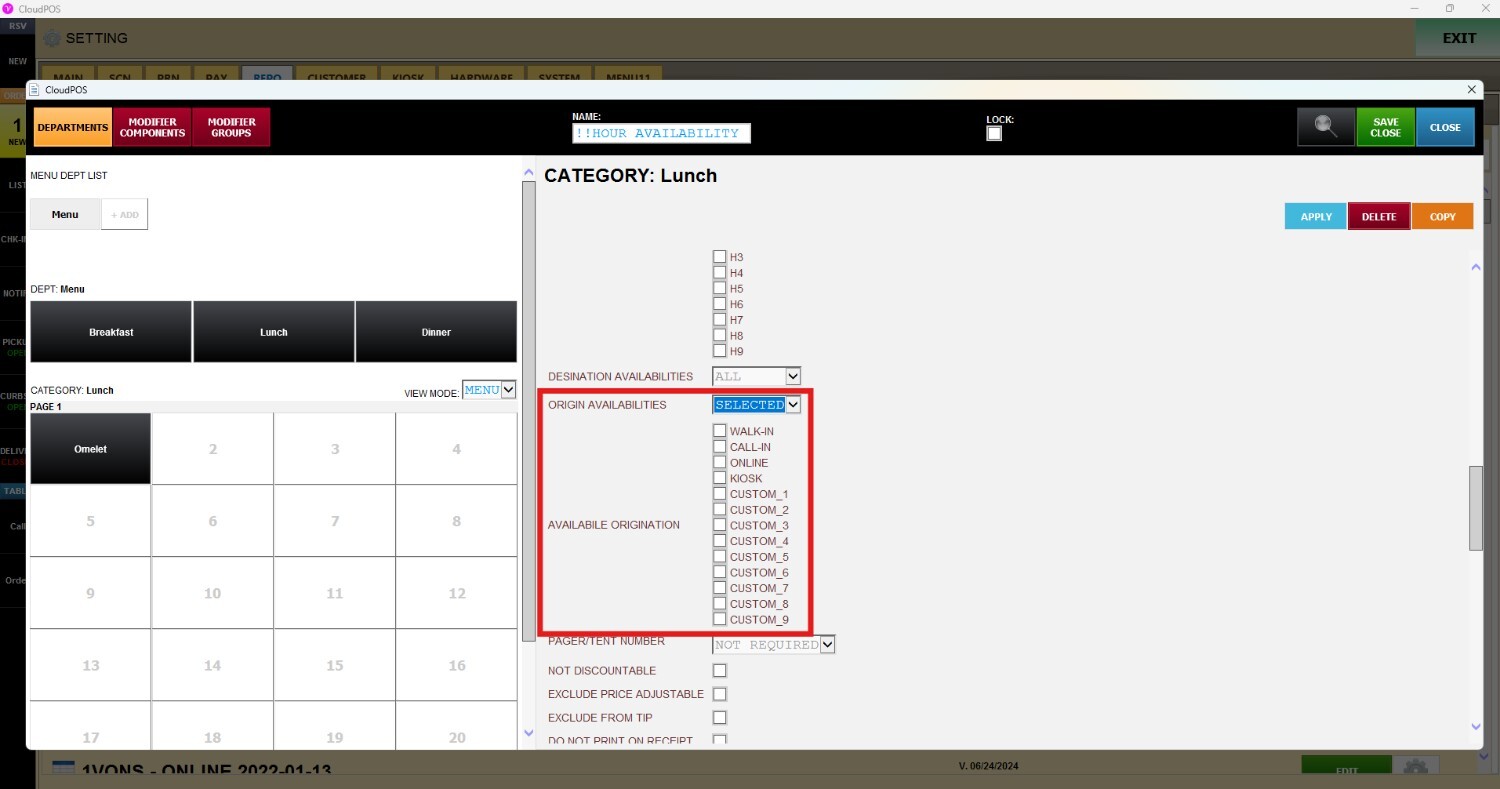
Origination Availability allows you to define from which order sources a menu item or category will be available.
DESTINATION AVAILABILITY
MENU > SETTING > REPOSITORY > EDIT ON THE DESIRED MENU
Go to MENU and press SETTINGS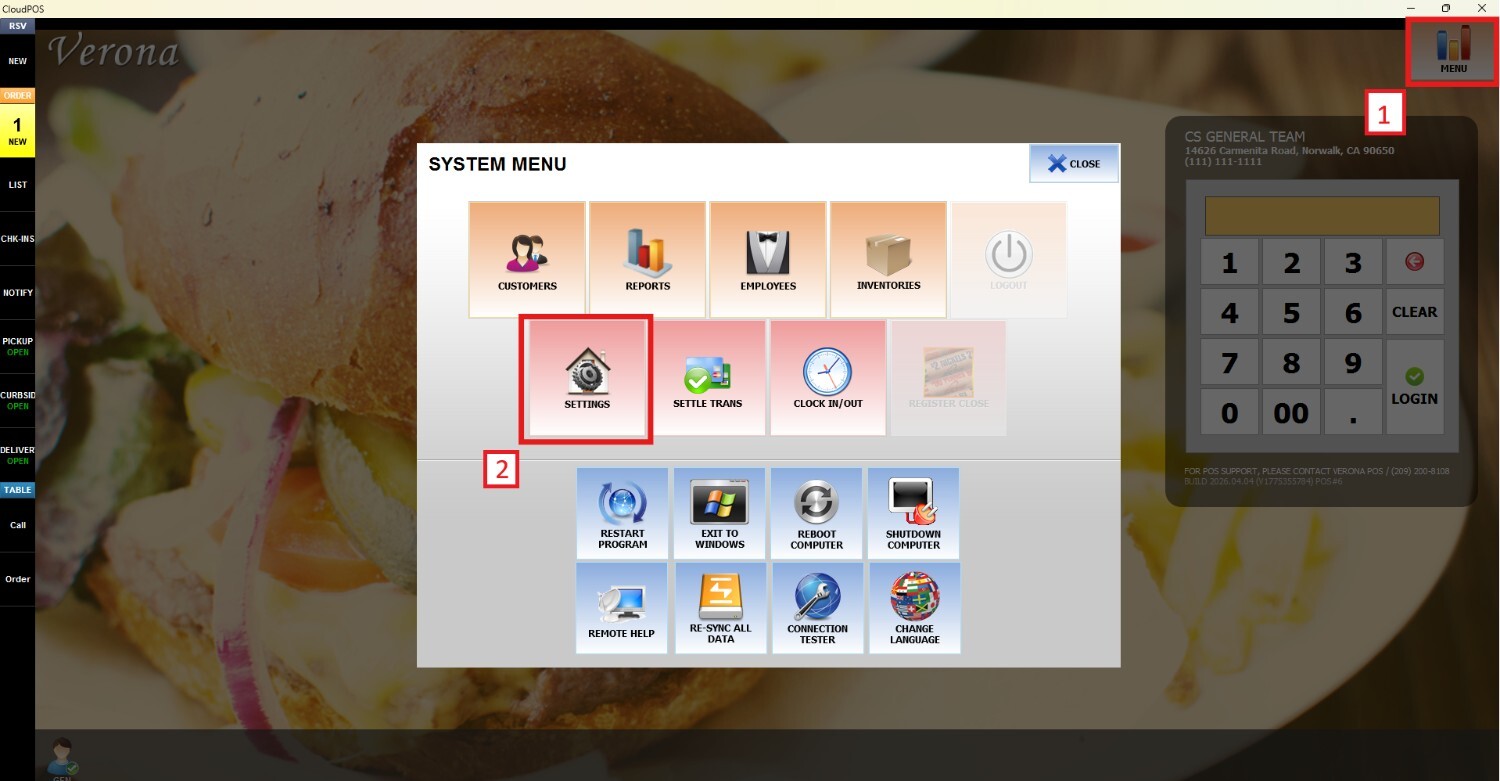
Go to REPO > MENU > EDIT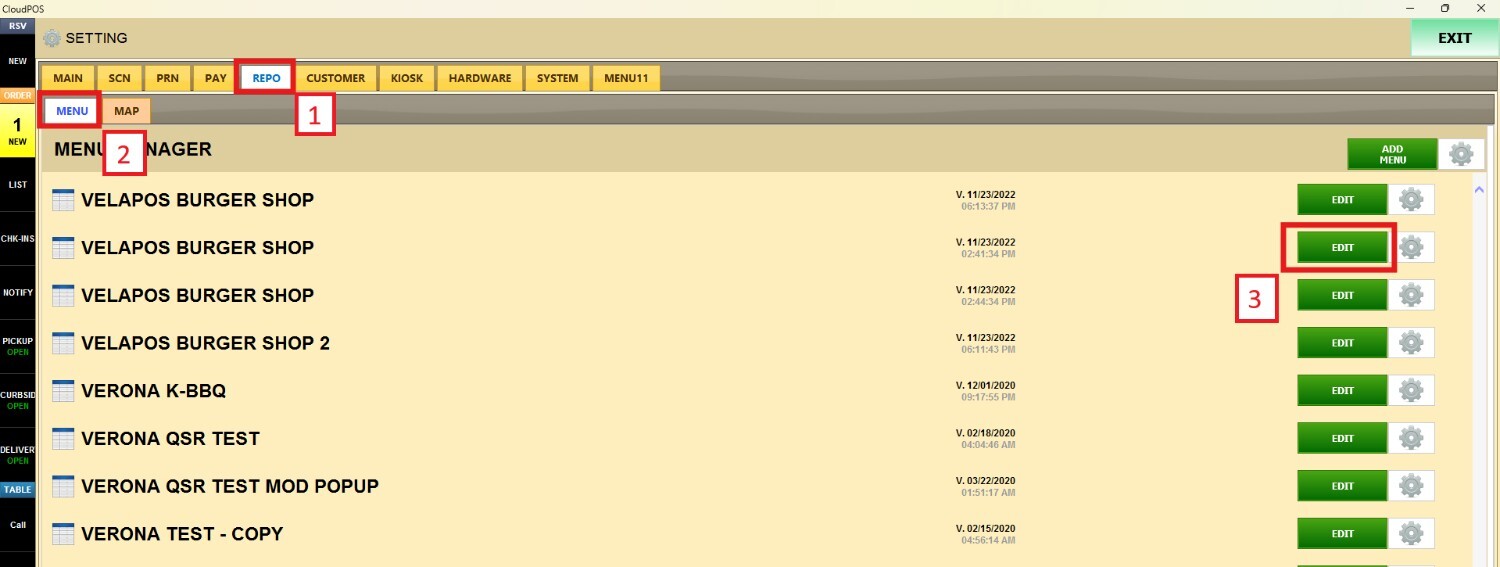
Scroll down until you find the DESTINATION AVAILABILITIES. This configuration can be applied either to an entire category or to a specific item.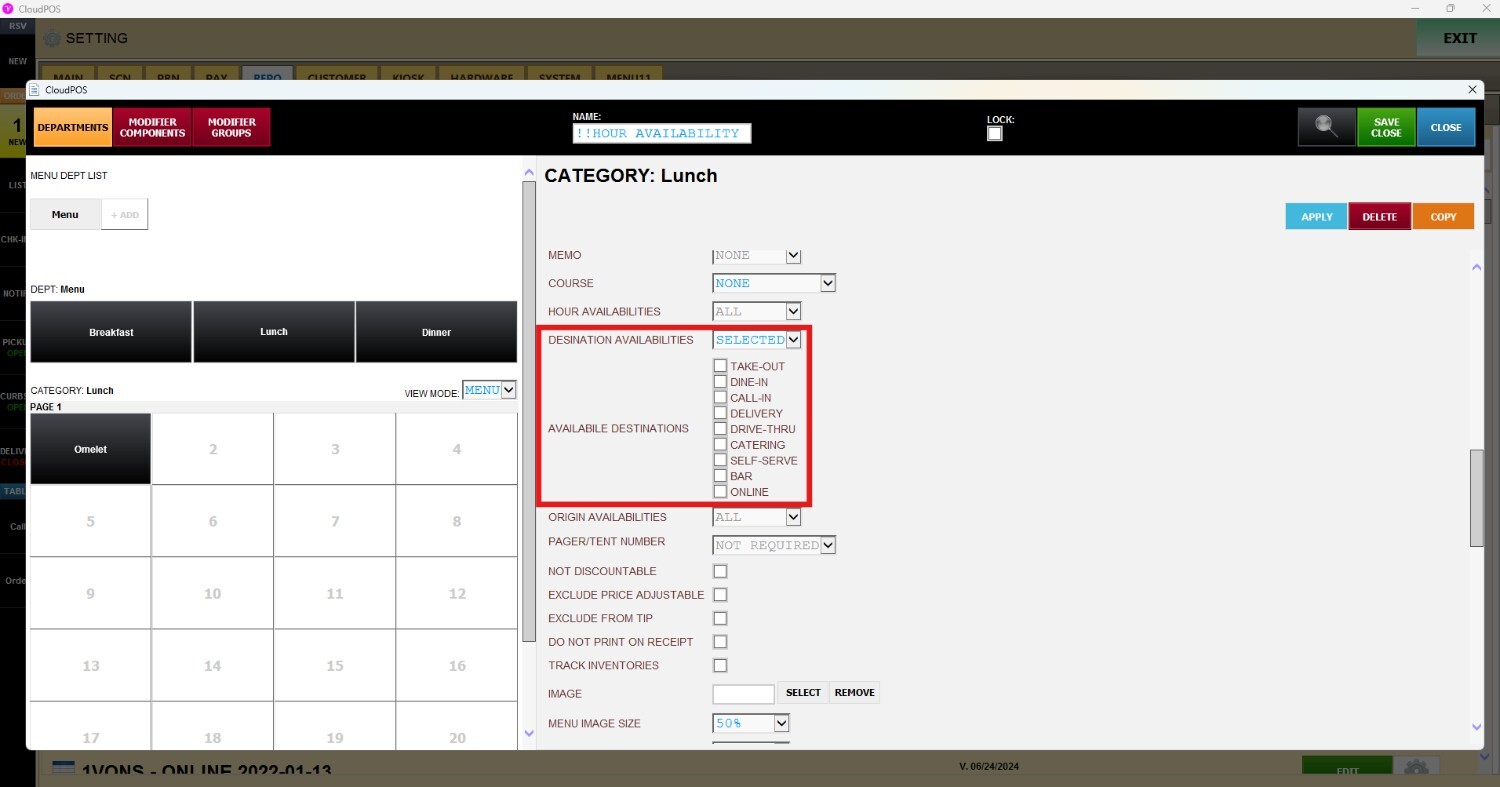
When an item is ordered for a destination other than the one configured in the settings, an error message will appear and the item will not be able to be rung up.

ORIGINATION AVAILABILITY
Scroll down until you find the ORIGIN AVAILABILITIES. This configuration can be applied either to an entire category or to a specific item.